How to redact a PDF or screenshot on a Chromebook
By RedactSnap ·
A Chromebook's Gallery app can fill in, sign and draw on PDFs, but drawing adds a layer on top of the page and leaves the text in the file. To redact for free, open the file in RedactSnap in Chrome, cover what you need to hide, and download a flattened copy. Nothing is installed or uploaded.
Redact a PDF or screenshot in Chrome
To redact something on screen, take a screenshot first: press Ctrl + Show windows for the whole screen, or Shift + Ctrl + Show windows for part of it. By default, screenshots are saved to your Downloads folder.
Step 1: Open redactsnap.com/app in Chrome and choose the PDF or screenshot from your Files app. Click Find sensitive data, then Scan document. Smart Scan lists emails, phone numbers, card numbers and US SSNs, and reads screenshots with OCR on the Chromebook.
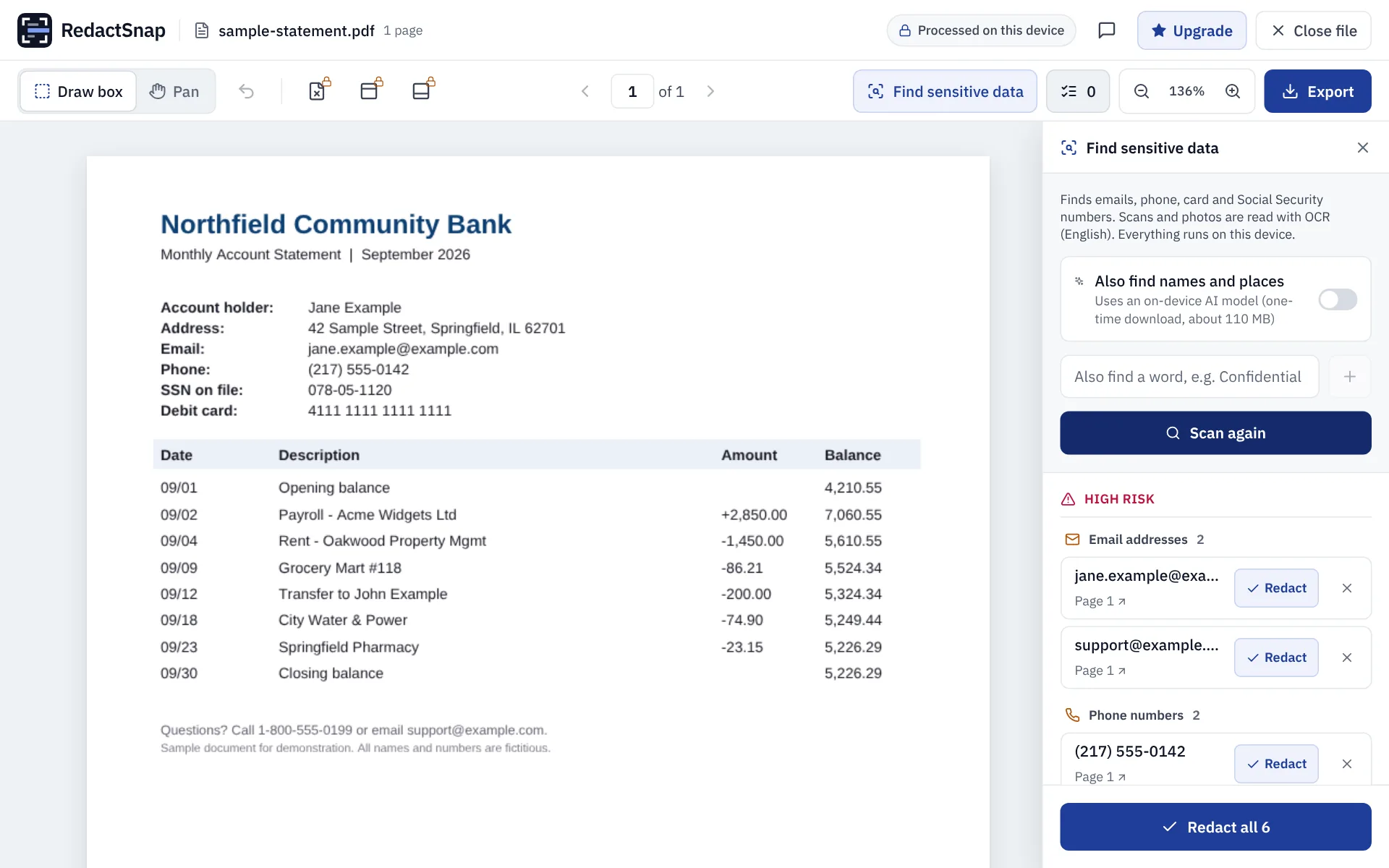
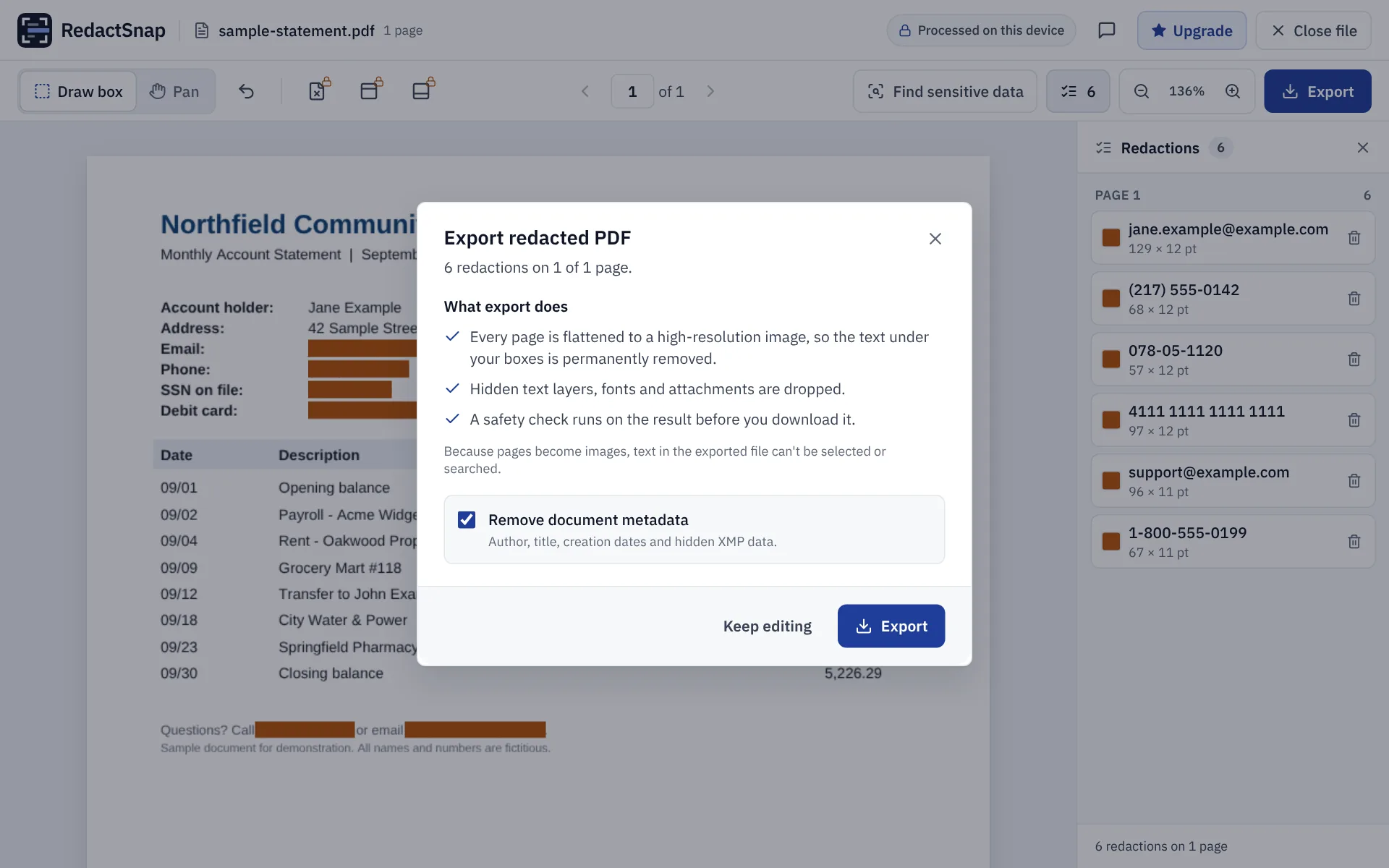
Step 2: Click Redact all, or Redact on each item, and drag boxes over anything else. Then click Export.
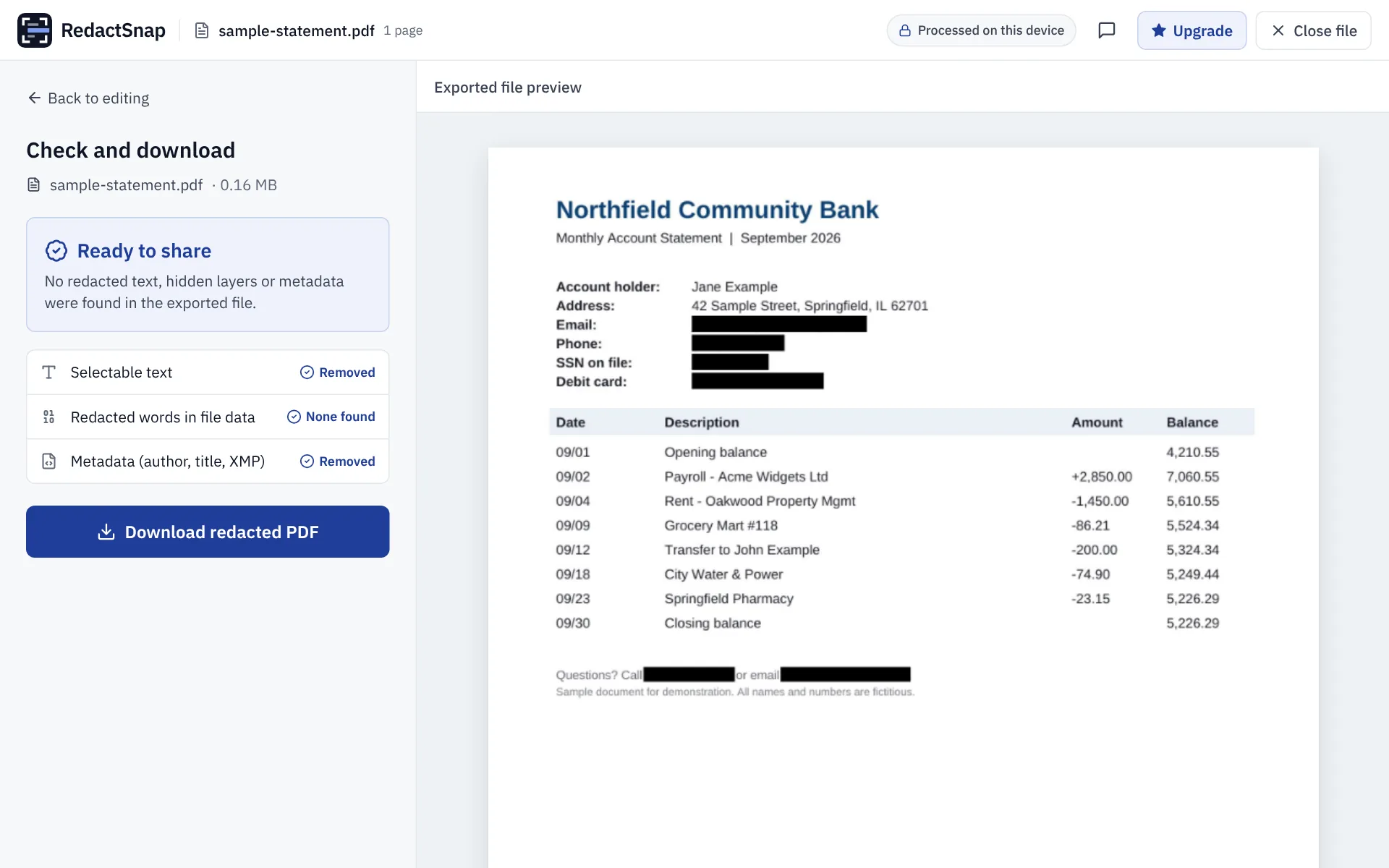
Step 3: Download the file once the check says Ready to share. It is saved to your Downloads folder.
Why the Gallery app isn't enough
The Gallery app adds text, highlights and drawings on top of a PDF, and they can be selected, moved and deleted afterwards. It doesn't remove the text underneath, so anyone can still copy or search it. For a screenshot, drawing a solid shape over text in an image editor works, as long as it fully covers the text and you share a flat PNG or JPG.
Try it on your own file
The tool opens PDFs, PNGs and JPGs in your browser. The file is not uploaded.