How to share a screenshot in a bug report without leaking secrets
By RedactSnap · · Updated
Bug reports, support tickets and forum posts are full of screenshots of terminals, logs and dashboards. Those screenshots often show API keys, access tokens, customers' emails and internal URLs, and public issue trackers are indexed and scraped. Hide them with solid boxes before you post, and rotate any secret that was ever visible.
What to hide in a bug report screenshot
- API keys, tokens, passwords and private keys, including those in config output and environment variables.
- Session cookies and Authorization headers in network panels.
- Customers' names, emails and IDs in logs and dashboards.
- Internal hostnames, IP addresses and file paths, if your organisation treats them as sensitive.
- Tabs, bookmarks and notifications around the edge of the screen.
Redact it with Screenshot Studio
Screenshot Studio reads the screenshot with OCR on your device and boxes API keys and tokens, high-entropy strings, emails, phone numbers, card and account numbers, and names. The screenshots use a fictitious log.
Step 1: Open redactsnap.com/studio and drop in the screenshot. Wait a moment while the text is read on your device. Detected keys, emails and other items are boxed, grouped under "Hide automatically".
Step 2: Switch the style from Blur to Solid box. Blur is the default, and blurred keys can sometimes be recovered.
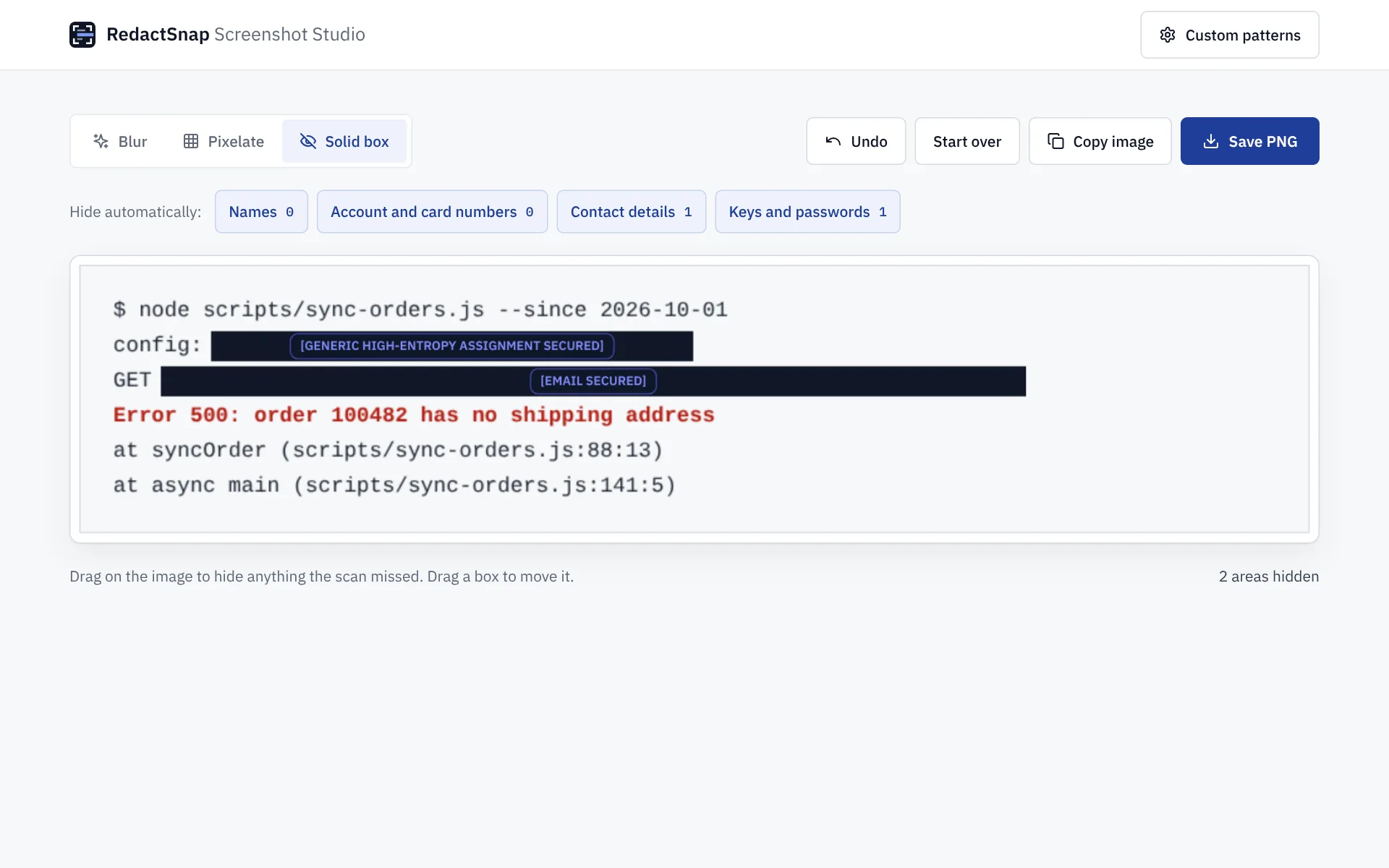
Step 3: Drag on the image to cover anything it missed, then click Save PNG, or Copy image to paste straight into the issue.
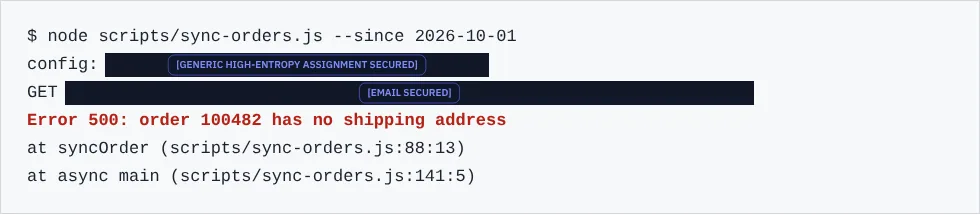
Step 4: If a real secret was ever in a screenshot you shared, rotate it now. Redacting a later copy doesn't undo the leak.
Try it on your own file
Both tools run in your browser. The image is not uploaded.