How to redact a video call screenshot
By RedactSnap ·
A screenshot of a video call shows more than the moment you wanted: every participant's name, the meeting ID and passcode, the chat with emails and phone numbers, and whatever was on screen. A posted meeting ID and passcode can let someone join a recurring meeting. Cover those before you share it.
What to hide in a meeting screenshot
- The meeting ID, passcode and join link, especially for recurring meetings.
- Participants' names and faces, unless they agreed to be shown.
- The chat panel: names, emails, phone numbers and links.
- Shared screens, whiteboards and anything visible behind people.
- Your own notifications, tabs and bookmarks at the edges of the screen.
Redact a meeting screenshot step by step
The screenshots use a fictitious call.
Step 1: Open redactsnap.com/app and drop in the screenshot. Click Find sensitive data, add the meeting ID and passcode under "Also find a word", and click Scan document. The screenshot is read with OCR, and emails and phone numbers in the chat are listed.
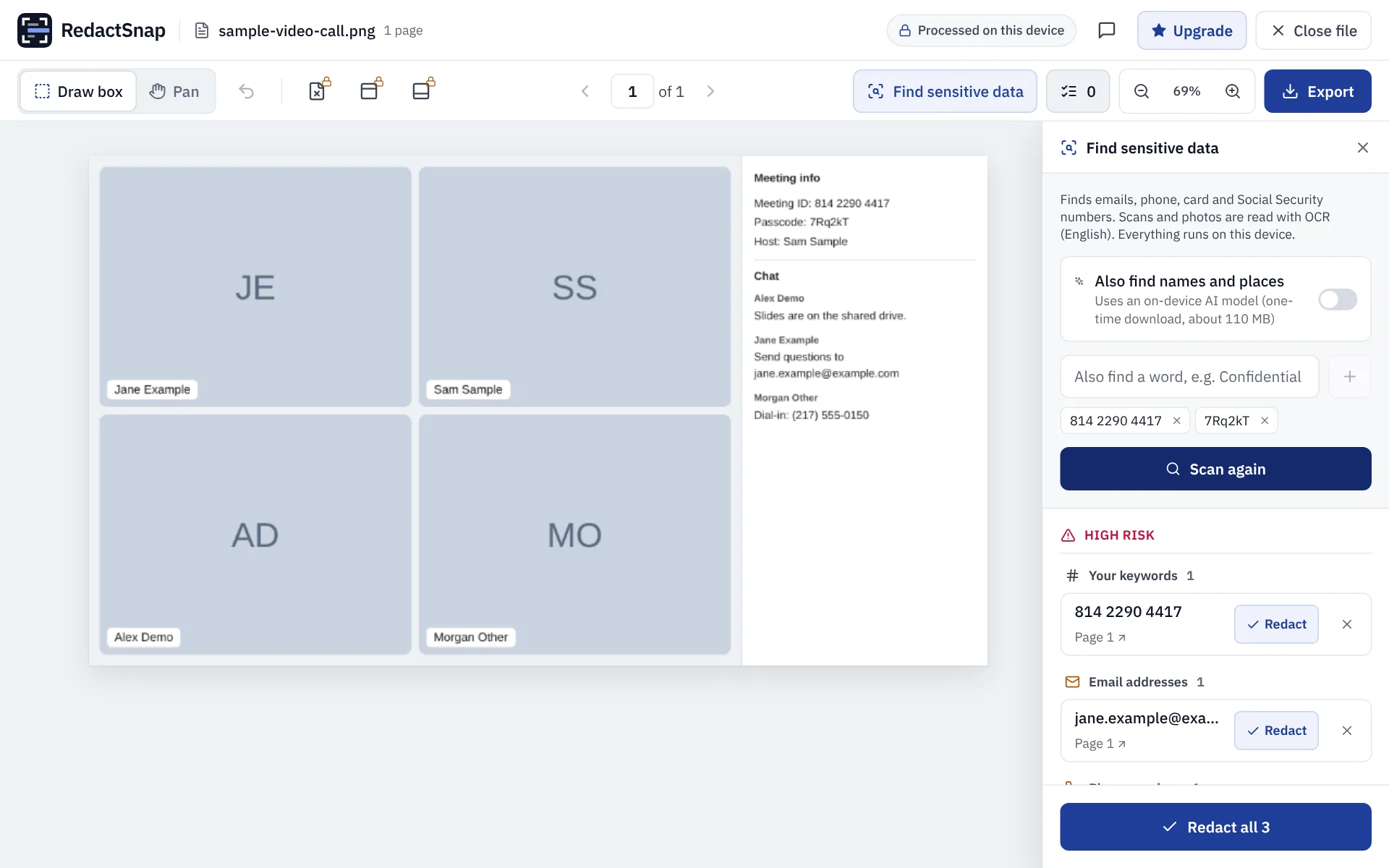
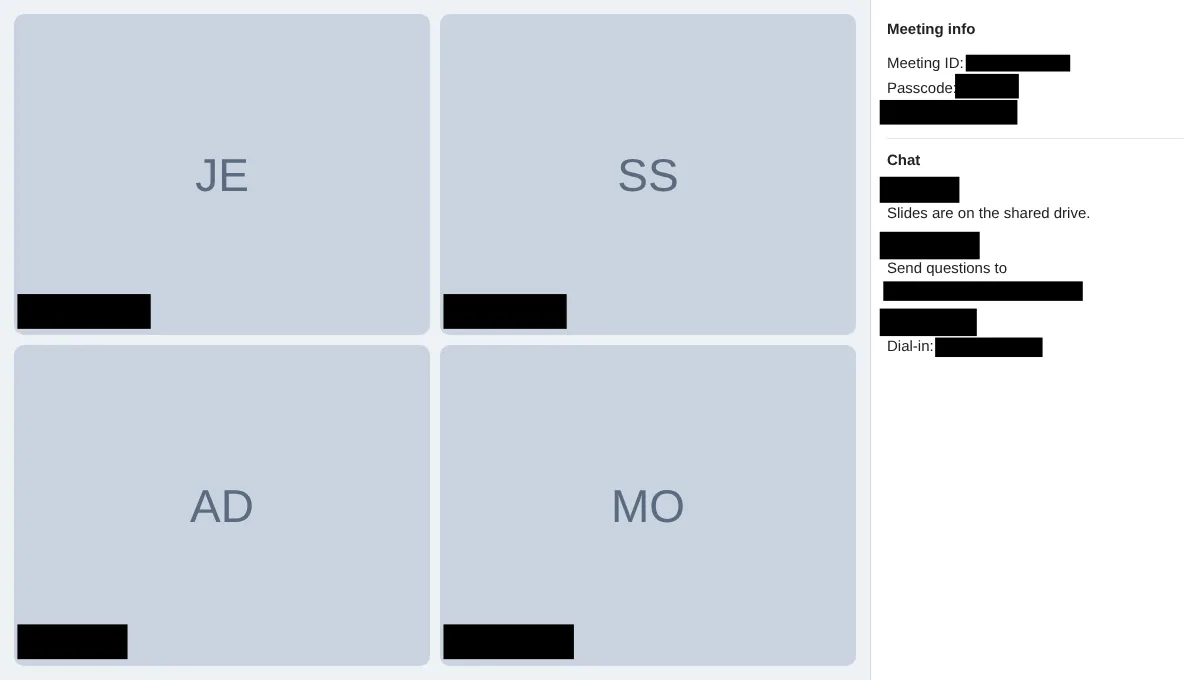
Step 2: Click Redact all. Then drag boxes over participants' names, the chat authors and anything else. OCR can misread short codes like passcodes, so box them by hand if the scan doesn't list them.
Step 3: Export and download a PNG with the boxes burned in.
Try it on your own file
Both tools run in your browser. The image is not uploaded.