How to redact a PDF or screenshot on Windows
By RedactSnap ·
Windows 10 and 11 don't include a redaction tool. Microsoft Edge can draw on a PDF, and the Snipping Tool can draw on a screenshot, but drawing on a PDF leaves the text in the file. To redact for free, open the file in RedactSnap in Edge or Chrome, cover what you need to hide, and download a flattened copy.
Redact a PDF or screenshot in your browser
This works in Edge, Chrome and Firefox on any Windows PC, with no install and no upload.
Step 1: Open redactsnap.com/app and drag the PDF, PNG or JPG onto the page. Click Find sensitive data, then Scan document. Smart Scan lists emails, phone numbers, card numbers and US Social Security numbers, on text pages and on scans read with OCR.
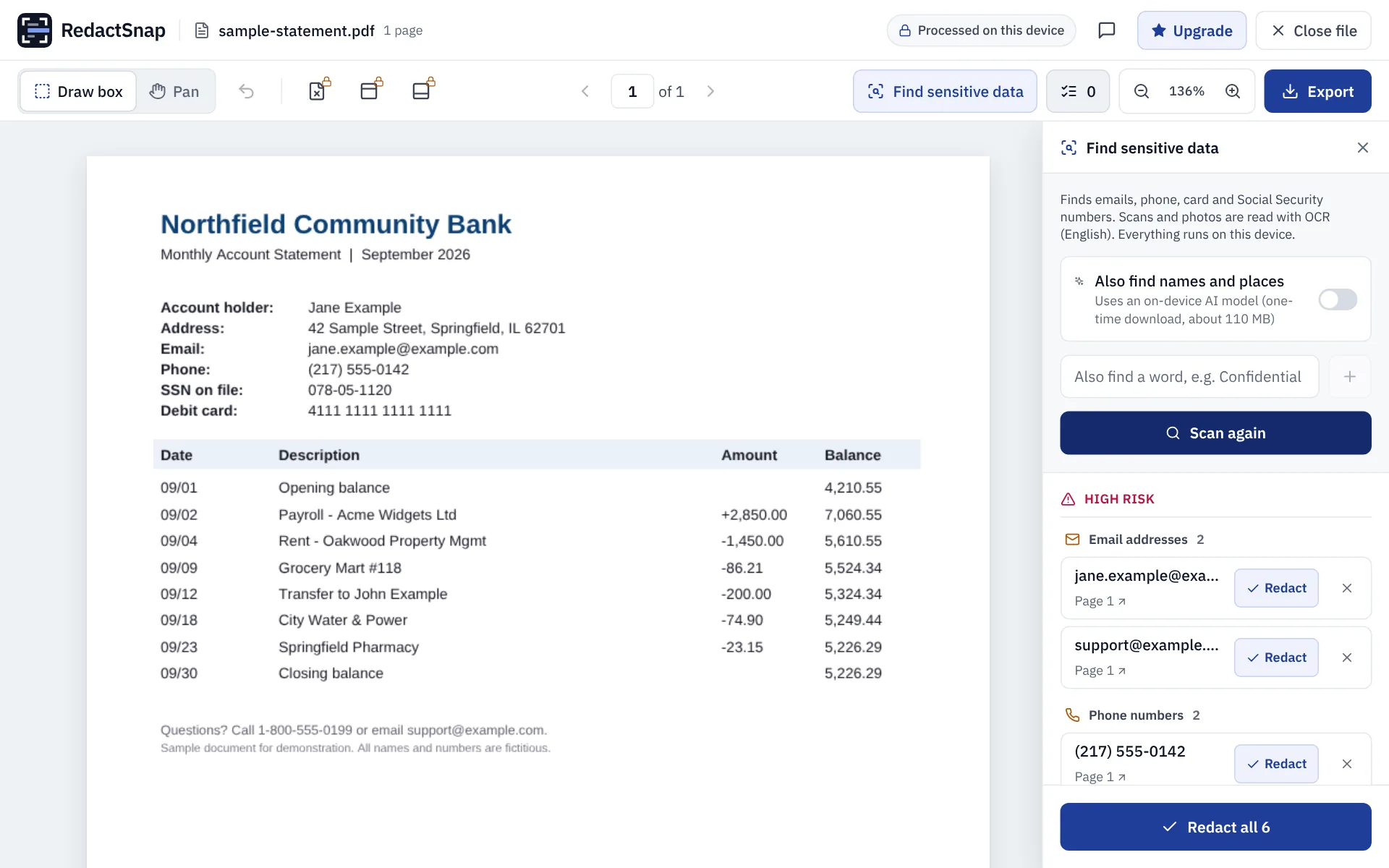
Step 2: Click Redact all, or Redact on each item. Drag boxes over anything else, such as names, signatures or transactions.
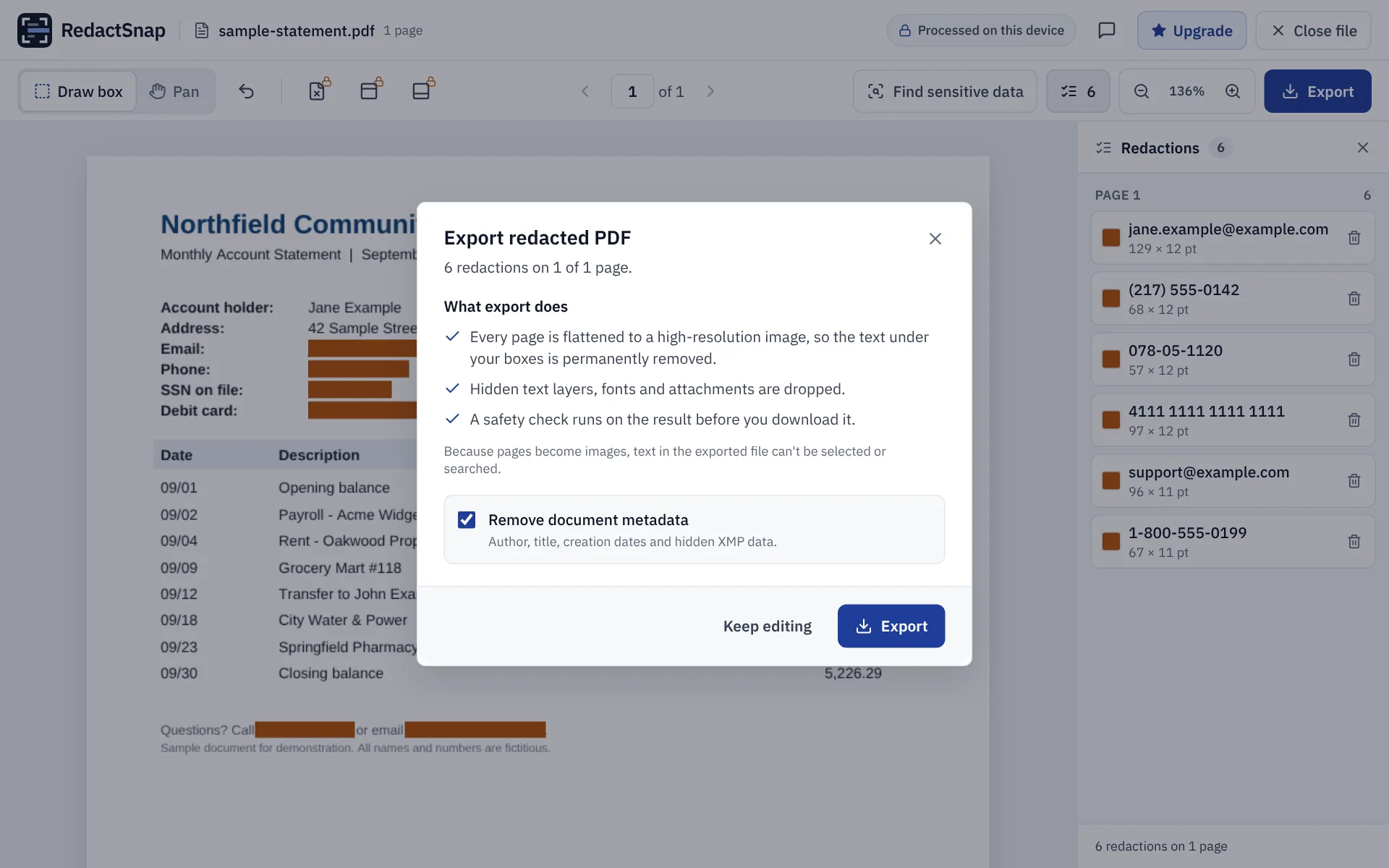
Step 3: Click Export. Every page is flattened to an image, so the text under each box is removed, along with hidden layers and metadata.
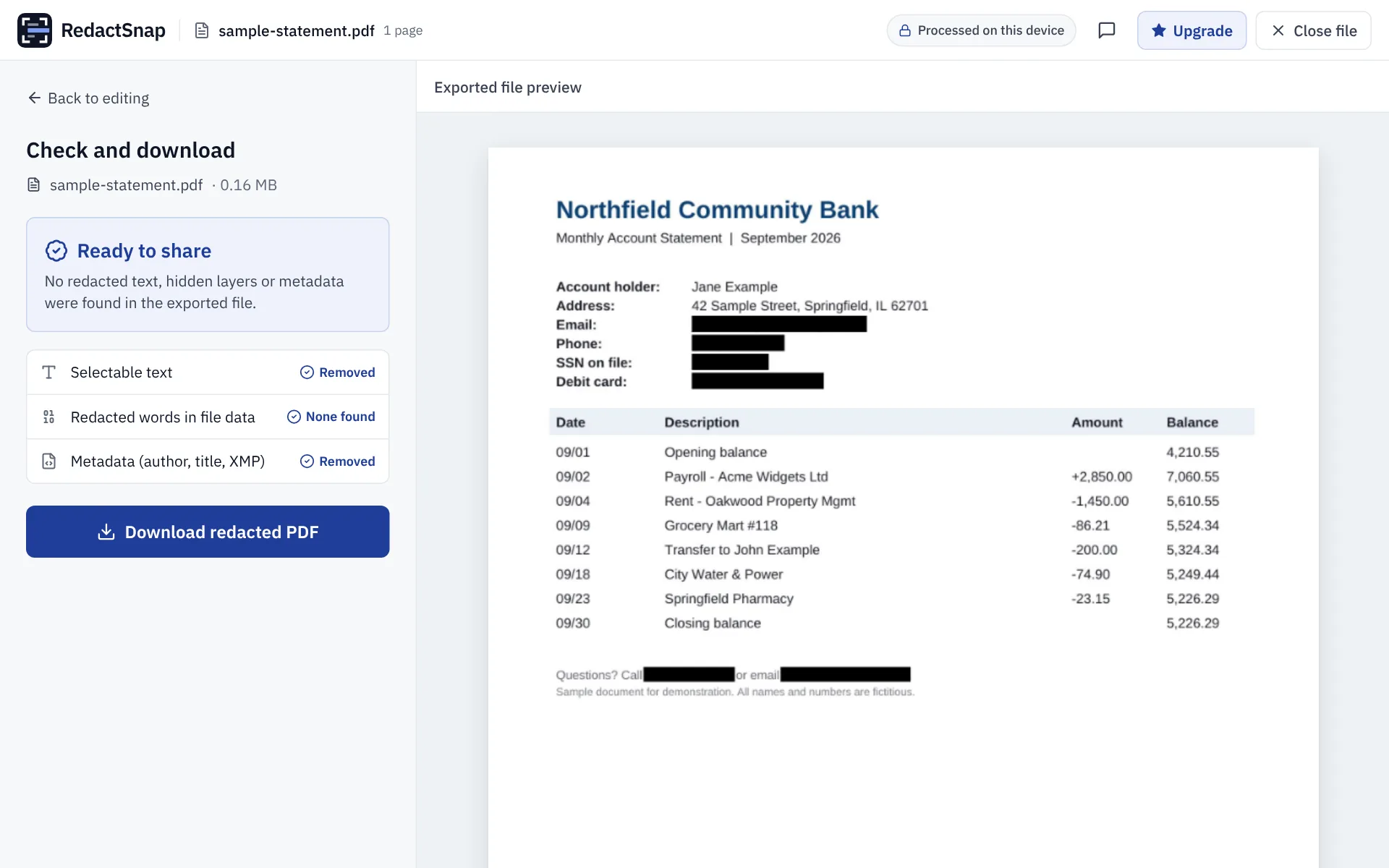
Step 4: Download the file once the check says Ready to share. It goes to your Downloads folder.
Why Edge and the Snipping Tool aren't enough
- Edge's PDF reader can draw and highlight, but a drawing is an annotation on top of the page. The text underneath can still be selected, copied and searched.
- Printing to PDF with "Microsoft Print to PDF" can keep the text layer too, so a black annotation may be printed on top of text that is still there.
- The Snipping Tool's pen and highlighter are fine for a quick screenshot if you cover the text completely with the pen. The highlighter is translucent.
- In March 2023, Microsoft fixed a bug (CVE-2023-28303, part of "aCropalypse") where the Windows 11 Snipping Tool and Windows 10 Snip & Sketch could leave the original image data in a cropped screenshot saved over the old file. The fix doesn't repair screenshots saved before it, so re-crop or re-take old ones before sharing.
Redacting a Word document on Windows
Save it as a PDF from Word (File > Save As > PDF) and redact the PDF as above, or delete the text in Word and run Inspect Document. The Word guide covers both.
Try it on your own file
The tool opens PDFs, PNGs and JPGs in your browser. The file is not uploaded.