How to redact a W-2 or 1099
By RedactSnap ·
A W-2 or 1099 proves income, which is why landlords, lenders and schools ask for one. It also carries your Social Security number, your employer's EIN and, on a 1099, the payer's details. Hide the identifiers and leave the income figures, unless the recipient tells you they need the full form.
What to hide on a W-2 or 1099
- Box a on a W-2, or the recipient's TIN on a 1099: your SSN. Hide it, or leave only the last four digits if the recipient matches it to your application.
- Box b, the employer's EIN, and the payer's TIN on a 1099. They identify the business, and the recipient rarely needs them.
- Box d, the control number, and any state employer ID number in box 15.
- Your home address, if the recipient already has it.
- Leave visible: your name, the employer or payer's name, the tax year, and the income boxes (box 1 on a W-2; box 1 on a 1099-NEC).
Redact a W-2 step by step
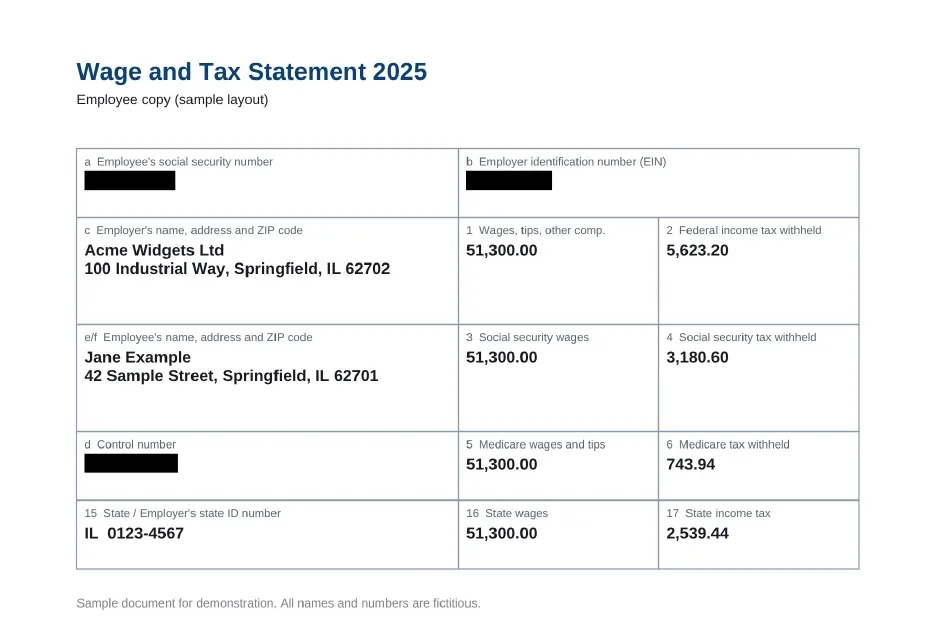
The screenshots use a fictitious wage statement laid out like a W-2.
Step 1: Download the form as a PDF from your payroll or tax portal, or scan the paper copy. Open redactsnap.com/app and drop it in. Click Find sensitive data and add the EIN and control number under "Also find a word", exactly as printed. Click Scan document: Smart Scan also finds the SSN in the ###-##-#### format.
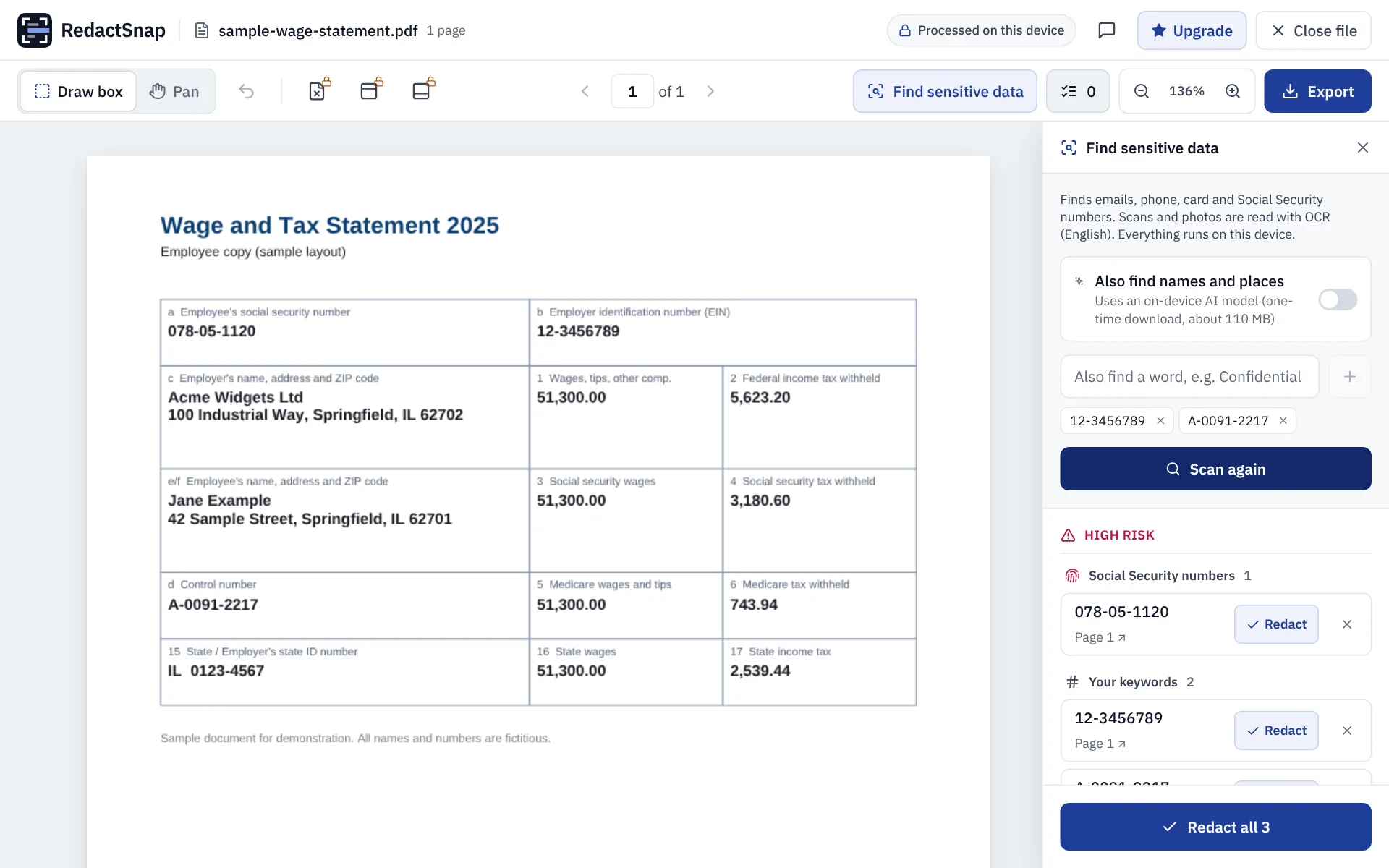
Step 2: Click Redact all, and drag boxes over anything else you want hidden, such as the state ID number or your address.
Step 3: Export and download once the check passes. Every page is flattened, so the numbers can't be copied out from under the boxes.
Masked numbers on 1099s
The IRS lets payers show a truncated taxpayer ID on most payee copies, such as the 1099 series, 1098 series and 5498 series: the first five digits are replaced with asterisks or Xs. If your 1099 already shows ***-**-1234, the number is masked. Copies filed with the IRS can't be truncated, and the rules for 1099s don't apply to Form W-2.
Try it on your own file
The tool opens PDFs, PNGs and JPGs in your browser. The file is not uploaded.