How to redact a lease or contract
By RedactSnap · · Updated
People share leases and contracts as proof of address, as evidence in a dispute, or as an example for someone else. The other party usually needs a few clauses, not the bank details, signatures, phone numbers and other people's names in the rest of the document. Hide those before you send it.
What to hide on a lease or contract
- Bank details for rent or payments: account numbers, routing numbers, sort codes and IBANs.
- Signatures and initials, unless the recipient needs proof the document was signed.
- Phone numbers, emails and emergency contacts, especially for people other than you.
- Other tenants' or parties' names, if they aren't part of what you are sharing.
- Rent, salary or fees, if the recipient only needs the address or the dates.
- For proof of address, leave your name, the property address and the lease dates.
Redact a lease step by step
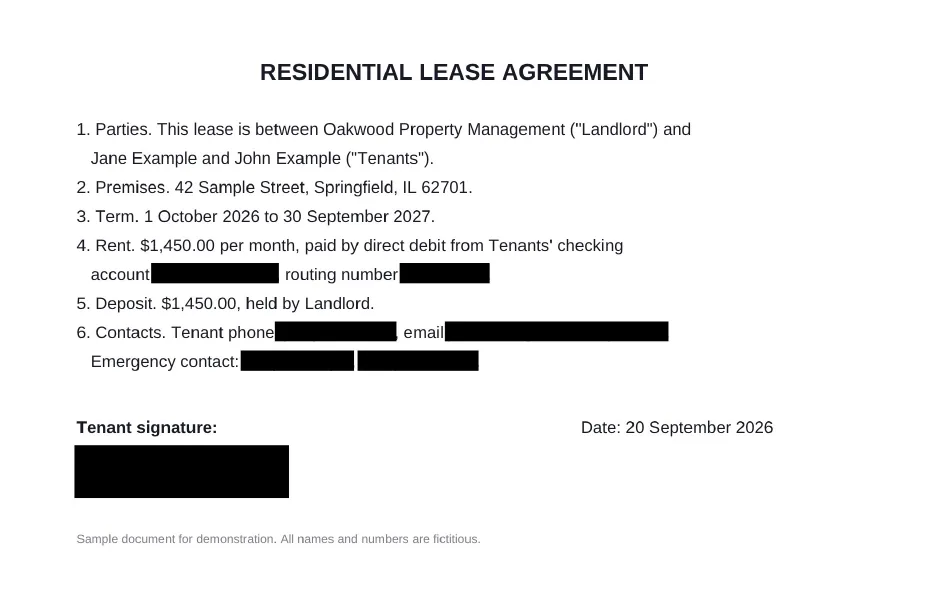
The screenshots use a fictitious lease.
Step 1: Open redactsnap.com/app and drop in the PDF or a scan. Click Find sensitive data. Add bank numbers and any other names under "Also find a word", then click Scan document. Smart Scan also lists phone numbers and emails.
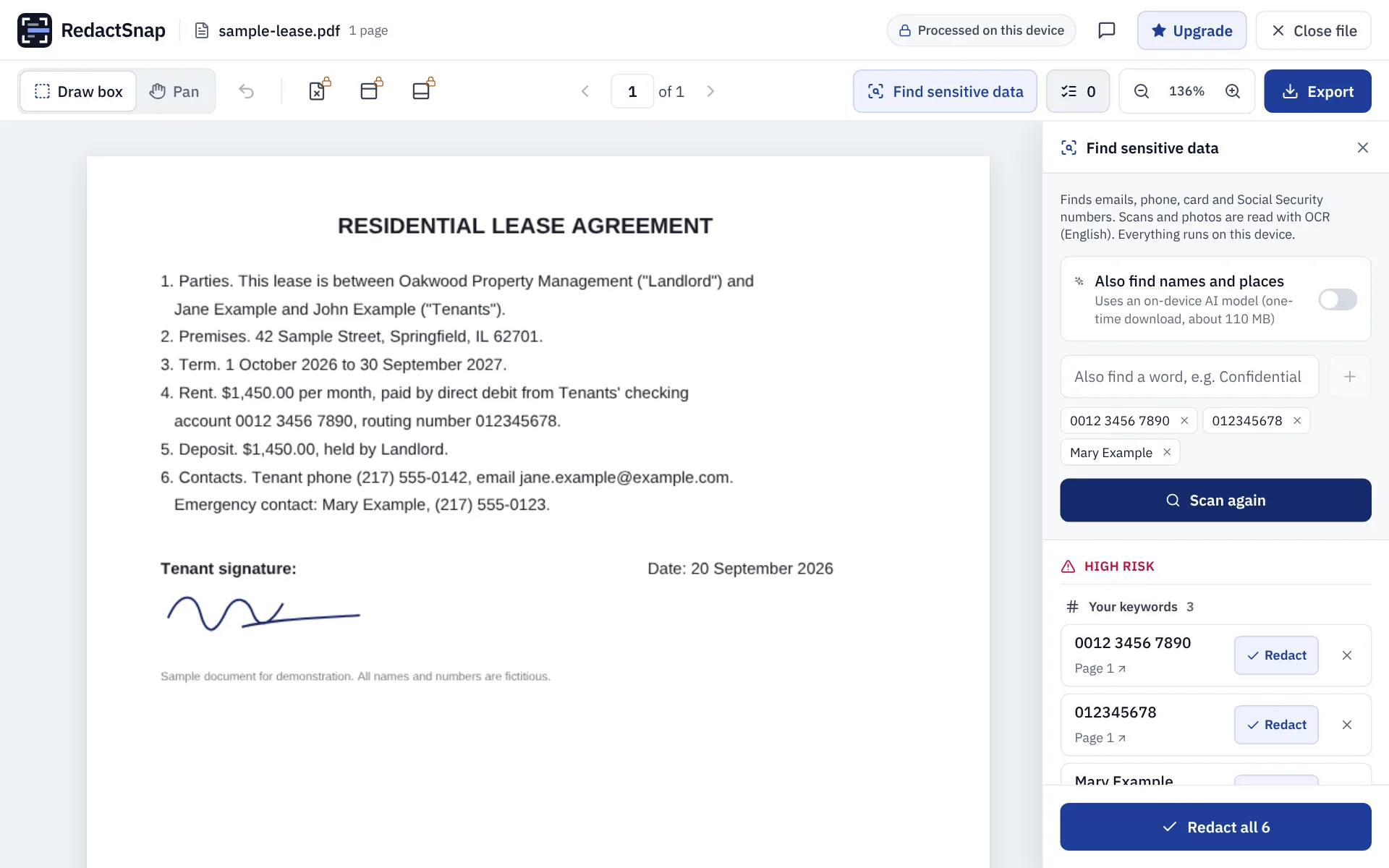
Step 2: Click Redact all. Then drag a box over each signature and set of initials, on every page. A box that touches text grows to cover the whole words, so check it covers the whole signature too.
Step 3: Export and download once the check passes, and read the exported file before you send it.
Try it on your own file
The tool opens PDFs, PNGs and JPGs in your browser. The file is not uploaded.