How to redact a receipt or invoice
By RedactSnap · · Updated
People share receipts for expense claims, returns, warranty claims and online posts. A receipt can carry part of your card number, an authorisation code, an order number that opens your order online, a loyalty ID, your email and a QR code. Hide what the recipient doesn't need.
What to hide on a receipt or invoice
- Order, invoice and booking numbers. With your email or surname, some shops let anyone view or change the order.
- Loyalty or membership numbers, and your name and email.
- Card details: the last digits, authorisation code and terminal ID. On their own they are low risk, but there is no reason to post them.
- QR codes and barcodes. They often encode the order number or a link to the receipt.
- For an expense claim, leave the shop, date, items and total.
Redact a receipt step by step
The screenshots use a fictitious receipt.
Step 1: Take a photo or screenshot of the receipt, or save the e-receipt as a PDF. Open redactsnap.com/app and drop it in. Click Find sensitive data, add the order, member and authorisation numbers under "Also find a word", and click Scan document. A photo is read with OCR on your device.
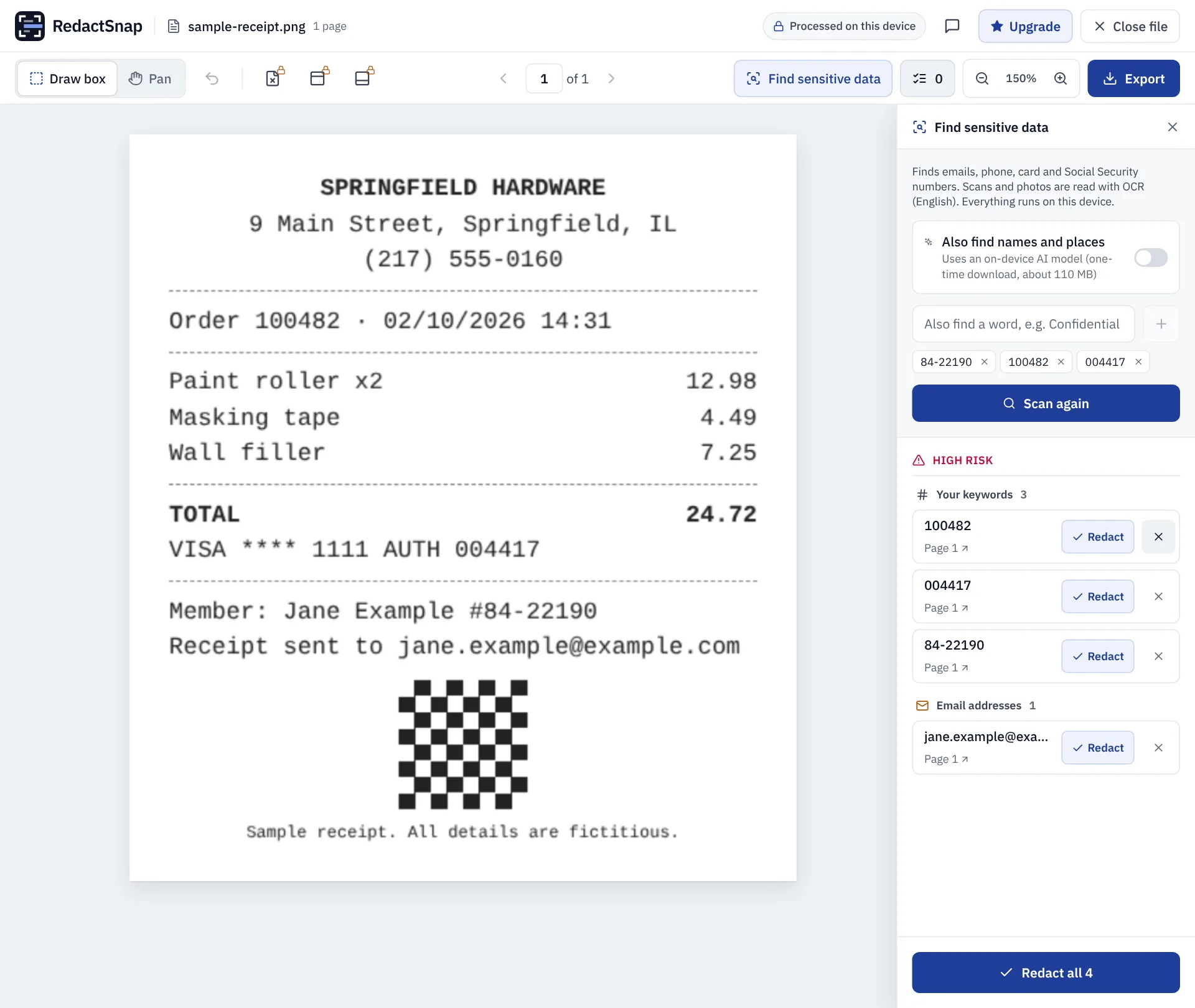
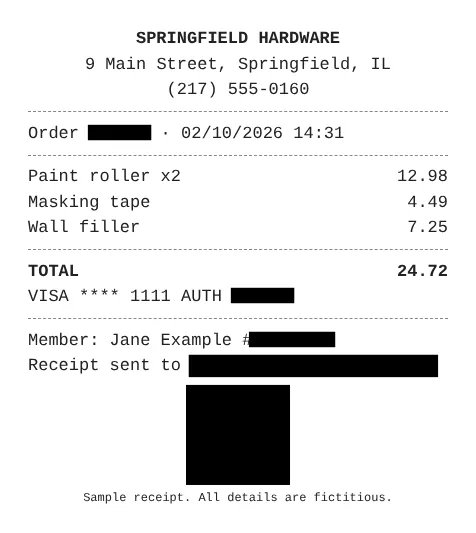
Step 2: Ignore the shop's own phone number with the × next to it, then click Redact all.
Step 3: Drag a box over the QR code. On photos, zoom in and check that each box covers the whole item, since OCR can misread faint print.
Step 4: Export and download. A photo downloads as a PNG with the boxes burned in and its location data removed.
Try it on your own file
Both tools run in your browser. The image is not uploaded.