How to redact a pay stub
By RedactSnap ·
Landlords, lenders and agencies ask for pay stubs to check your income. They need your name, your employer, the pay period and your pay. Many stubs also show your Social Security number, employee ID, deductions and bank details, which the recipient usually doesn't need. Ask what they need, then hide the rest.
What to hide and what to leave
- Hide: your Social Security number (or all but the last four digits), employee ID, bank account and routing numbers for direct deposit, and your home address if they already have it.
- Consider hiding: individual deductions such as retirement contributions, health insurance, wage garnishments or union dues, which can reveal more than income.
- Leave: your name, the employer's name, the pay period and pay date, gross pay, net pay and year-to-date totals, which together prove income.
- Some lenders match the last four digits of your SSN to your application. If so, leave those four visible.
Redact a pay stub step by step
The screenshots use a fictitious pay stub.
Step 1: Download the stub as a PDF from your payroll portal, open redactsnap.com/app and drop it in. Click Find sensitive data. Type your employee ID under "Also find a word", then click Scan document. Smart Scan finds the SSN in the ###-##-#### format, plus emails and phone numbers.
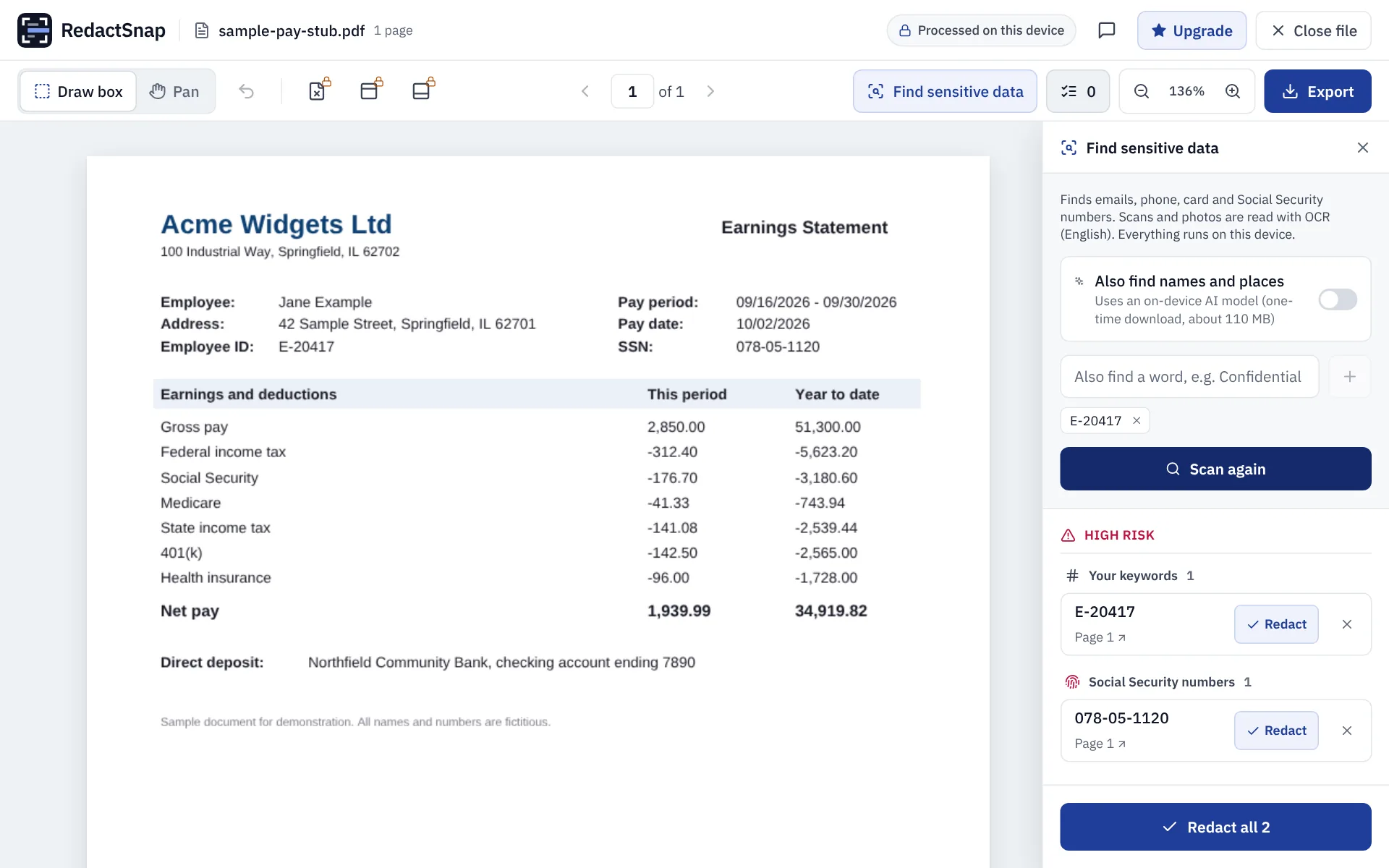
Step 2: Click Redact all. Drag boxes over any deductions or bank details you want hidden.
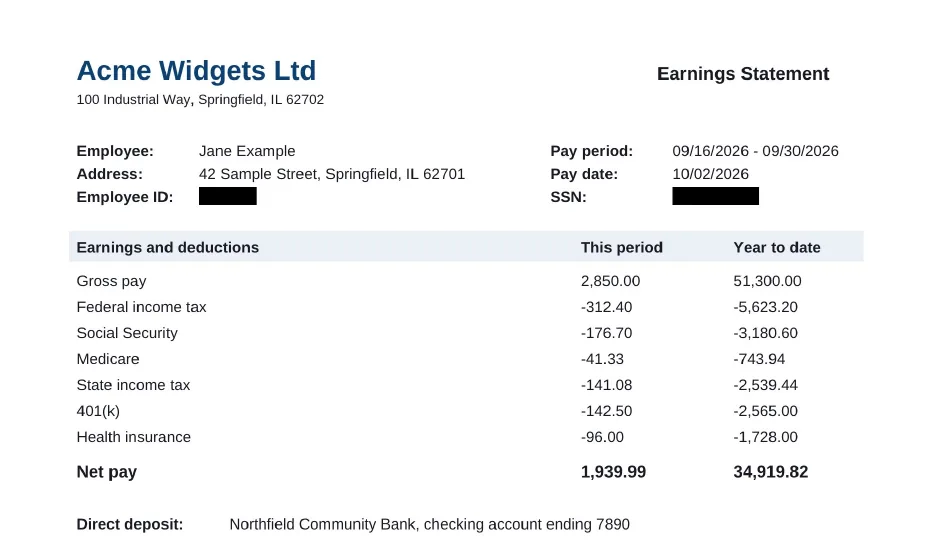
Step 3: Export and download once the check passes. Look over the exported page before sending.
Try it on your own file
The tool opens PDFs, PNGs and JPGs in your browser. The file is not uploaded.