How to redact a Social Security number
By RedactSnap ·
A Social Security number on a shared document is a lasting risk: unlike a card number, you can't easily change it. Before you send a tax form, pay stub, medical form or court filing, find every copy of the number and cover it, or leave only the last four digits if the recipient needs them.
Where SSNs show up
Look for the number in more places than the obvious box:
- Tax forms: the 1040, W-2, 1099s and W-9, including your spouse's and dependents' numbers.
- Pay stubs, benefit letters and employment paperwork.
- Medical and insurance forms, and older insurance cards.
- Credit reports, loan applications and court filings.
- Headers, footers and barcodes repeated on every page.
Redact an SSN step by step
The screenshots use a fictitious statement with a test SSN.
Step 1: Open redactsnap.com/app and drop in the PDF, scan or photo. Click Find sensitive data, then Scan document. Smart Scan lists every number in the ###-##-#### format under Social Security numbers, on digital pages and on scans read with OCR.
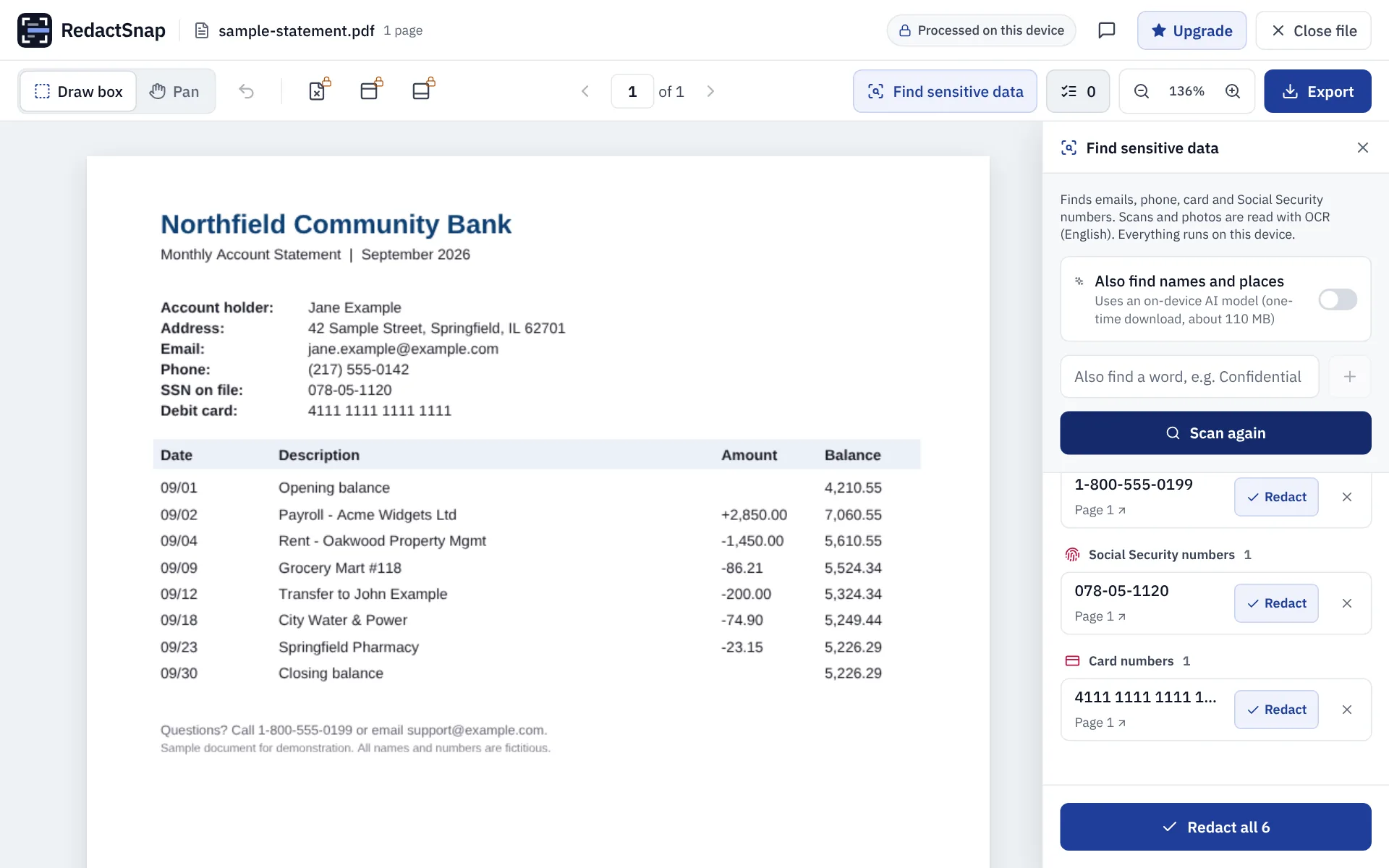
Step 2: If an SSN is written without dashes or with spaces (for example 078 05 1120), type it under "Also find a word" exactly as printed and scan again, so every copy is found.
Step 3: Click Redact on each SSN, or Redact all. To leave the last four digits visible, skip the finding and drag a box over just the first five digits instead.
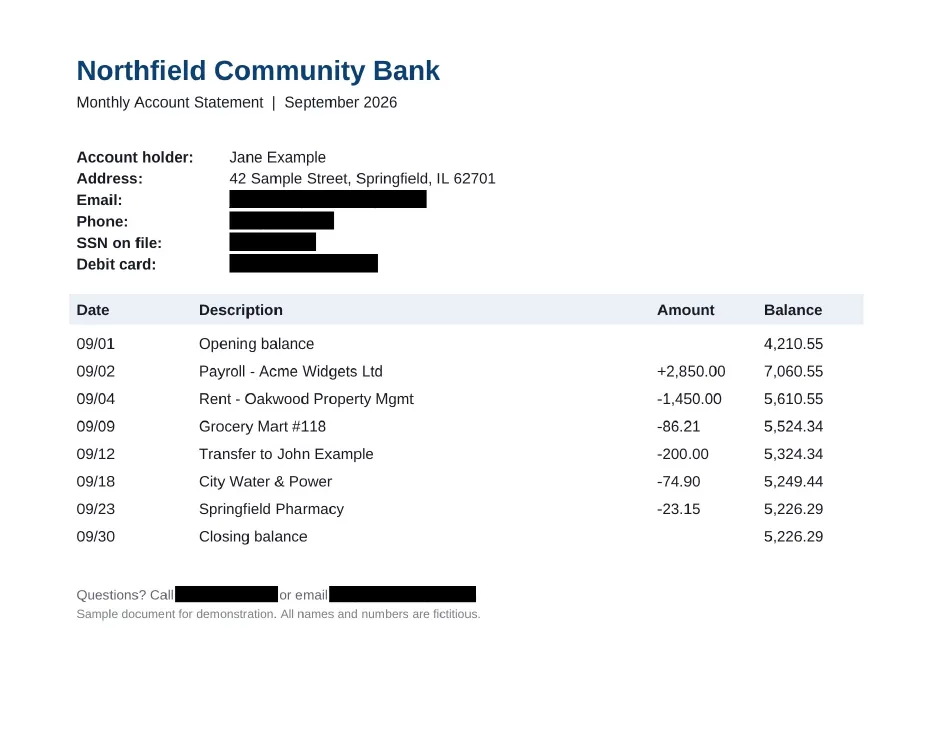
Step 4: Export, wait for the check, and download. Every page is flattened, so the number can't be copied out from under the box.
Full number or last four digits?
Hide the whole number unless the recipient needs part of it to match your records. In US federal court filings, Rule 5.2 of the Federal Rules of Civil Procedure allows only the last four digits of an SSN or taxpayer ID, the year of birth, a minor's initials and the last four digits of a financial account number. Many people use the same rule for other documents.
Some recipients do need the full number, for example an employer completing tax forms or a lender running a credit check. Give it to them through their secure process, not on a copy of another document.
Try it on your own file
The tool opens PDFs, PNGs and JPGs in your browser. The file is not uploaded.