How to redact a credit report
By RedactSnap ·
Some landlords accept a credit report you pull yourself instead of running their own check. Your report lists far more than they need: every account and its number, your date of birth, old addresses, employers and who else has checked your credit. Leave the score and payment history, and hide the rest.
What to hide and what to leave
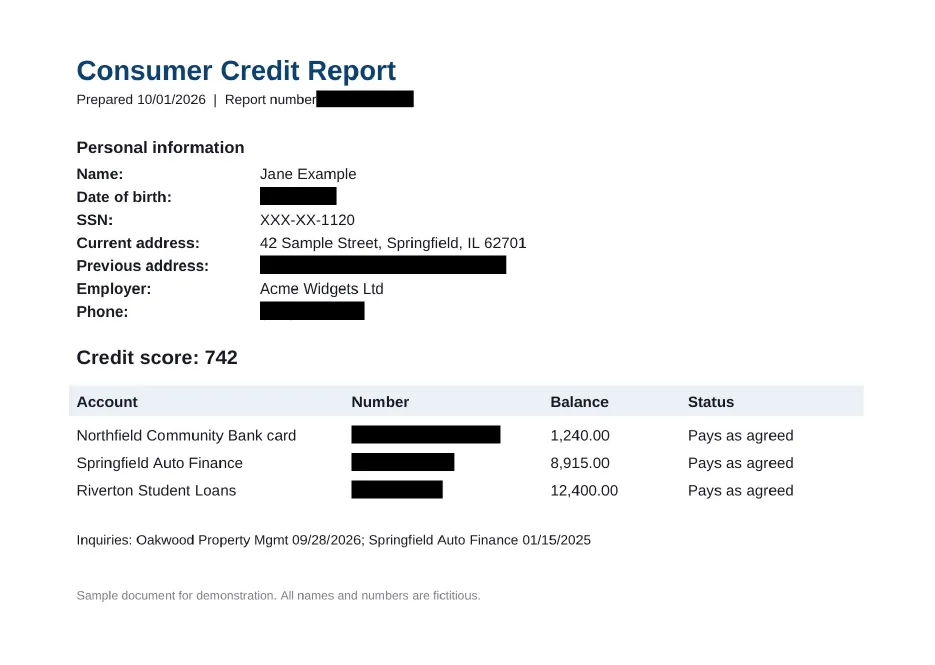
- Hide: account and loan numbers, the report or file number, your date of birth, previous addresses, phone numbers, and any part of your SSN still shown.
- Consider hiding: the list of inquiries, which shows who else you've applied to, and your employer if it isn't relevant.
- Leave: your name, current address, the score, and each account's status and payment history, which is what the landlord is checking.
Redact a credit report step by step
The screenshots use a fictitious report.
Step 1: Download your report as a PDF from the credit bureau, open redactsnap.com/app and drop it in. Click Find sensitive data. Add your date of birth, previous addresses, loan numbers and the report number under "Also find a word". Click Scan document: Smart Scan also finds card numbers and phone numbers.
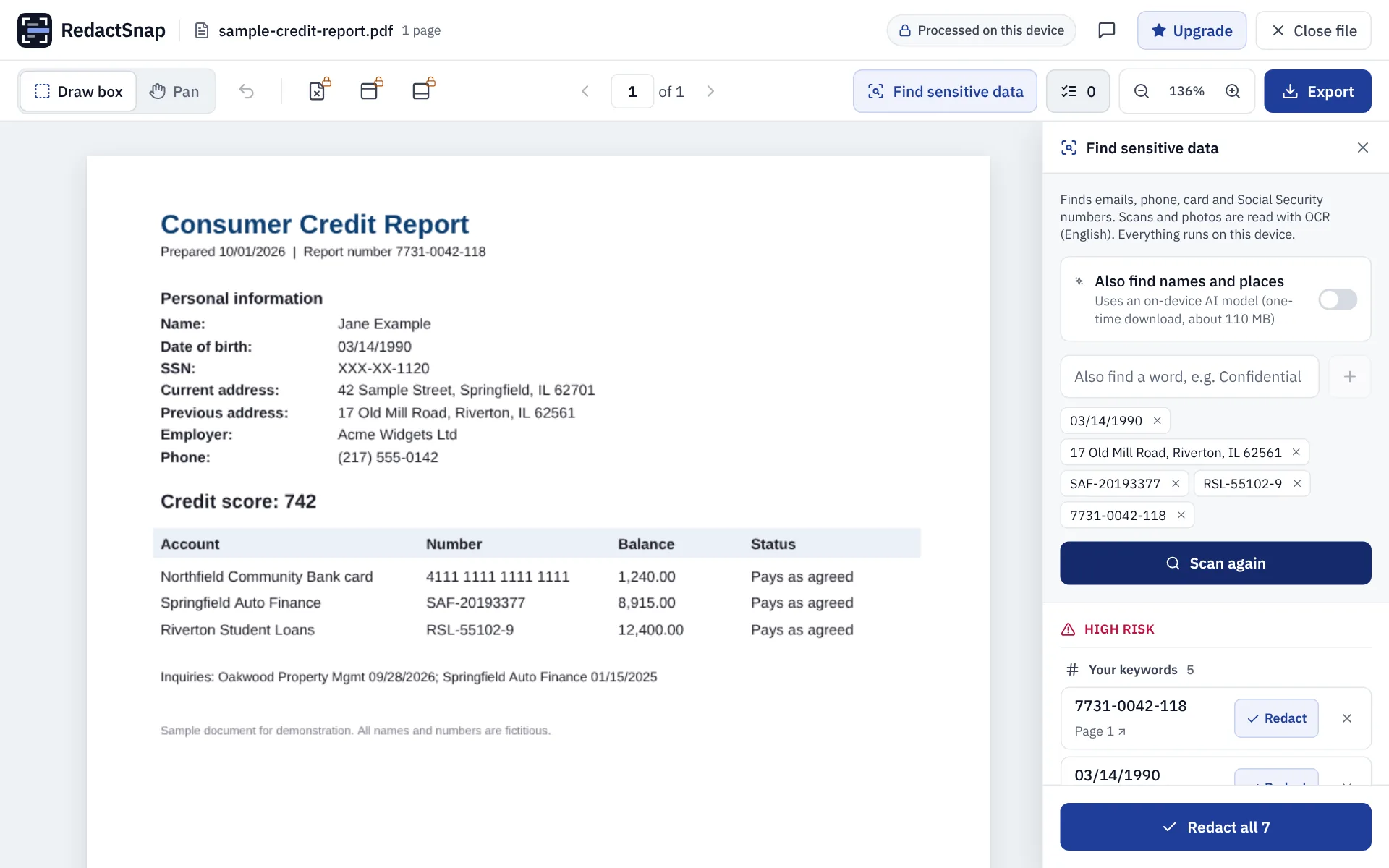
Step 2: Click Redact all, then drag boxes over anything else, such as the inquiries.
Step 3: Export and download once the check passes, then read through the exported page.
Try it on your own file
The tool opens PDFs, PNGs and JPGs in your browser. The file is not uploaded.