How to redact a court filing
By RedactSnap ·
Federal courts publish most filings online through PACER, and the clerk doesn't check them for personal data. That job falls on whoever files. Rule 5.2 of the Federal Rules of Civil Procedure, and Rule 49.1 for criminal cases, list what to cut down before filing. Many state courts have similar rules, so check your court's local rules too.
What Rule 5.2 allows in a federal filing
Unless the court orders otherwise, a filing that includes these may show only:
- Social Security and taxpayer ID numbers: the last four digits.
- Birth dates: the year.
- A minor's name: the minor's initials.
- Financial account numbers: the last four digits.
- In criminal cases, Rule 49.1 adds home addresses: the city and state.
Redact a filing step by step
The screenshots use a fictitious declaration. This example hides each item entirely; under the rules, you could instead leave the last four digits, the year or the initials.
Step 1: Save the filing and every exhibit as PDFs. Open redactsnap.com/app and drop in the first one. Click Find sensitive data and add each name, date and number to hide under "Also find a word", exactly as written. Click Scan document: Smart Scan also lists SSNs, card numbers, phone numbers and emails.
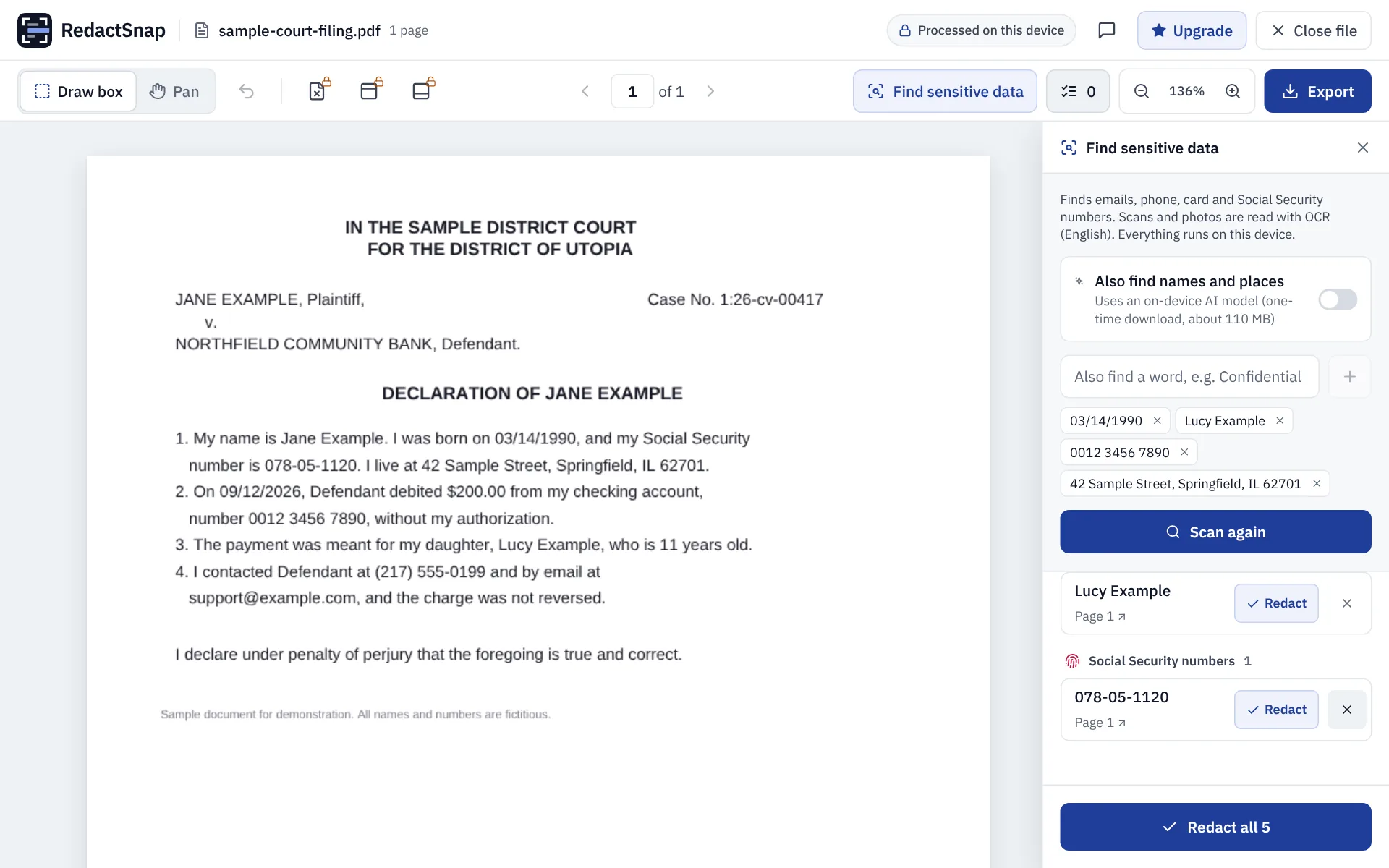
Step 2: Ignore anything that should stay, such as a business's public phone number, with the × next to it. Then click Redact all. To leave the last four digits of a number, skip the finding and drag a box over the rest of the number instead.
Step 3: Export and download. Each page is flattened, so the covered text can't be copied or searched, which is how many filings have leaked.
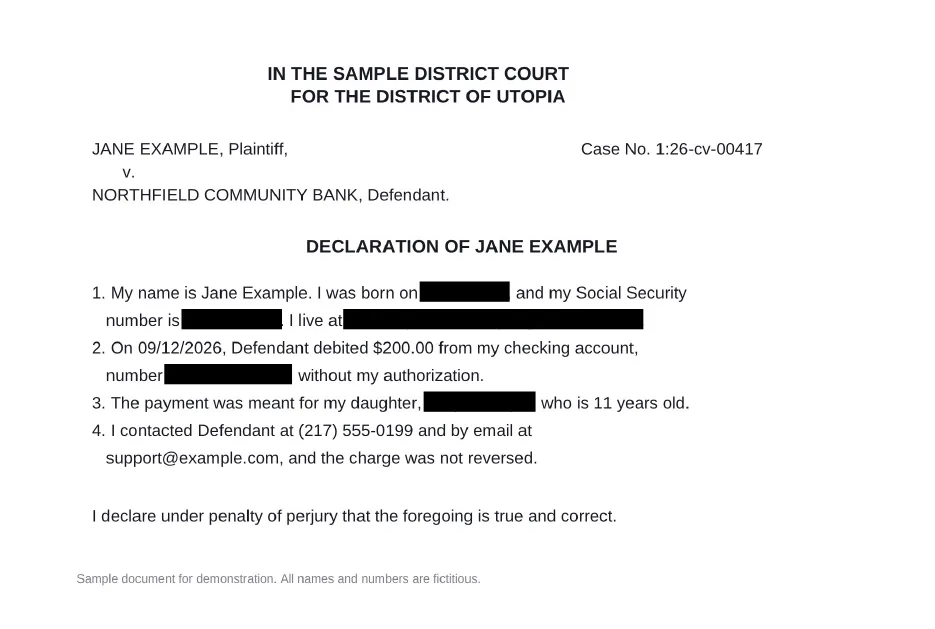
Step 4: Before filing, search the exported PDF for each item, check the document properties for names, and repeat for every exhibit.
Check your court's rules
Some courts accept a flattened (image-only) PDF; others require text-searchable PDFs for e-filing. If yours requires searchable text, use a redaction tool that removes only the covered text, such as Adobe Acrobat Pro's Redact tool, and run the checks in our guide to checking a redacted PDF.
Rule 5.2 also lets you file an unredacted version under seal, or a reference list that maps each redacted item to an identifier. Ask the clerk's office how your court handles them.
Try it on your own file
The tool opens PDFs, PNGs and JPGs in your browser. The file is not uploaded.