How to redact a PDF on Linux
By RedactSnap ·
Most PDF viewers on Linux can highlight and draw on a PDF, and drawing a black box is easy, but the text underneath stays in the file. To redact for free on any distro, open the PDF in RedactSnap in Firefox or Chrome, cover what you need to hide, and download a flattened copy. Nothing is installed or uploaded.
Redact a PDF in your browser
Step 1: Open redactsnap.com/app in Firefox or Chrome and drop the PDF on the page. Click Find sensitive data, add any names or numbers under "Also find a word", and click Scan document. Scanned pages are read with OCR on your machine.
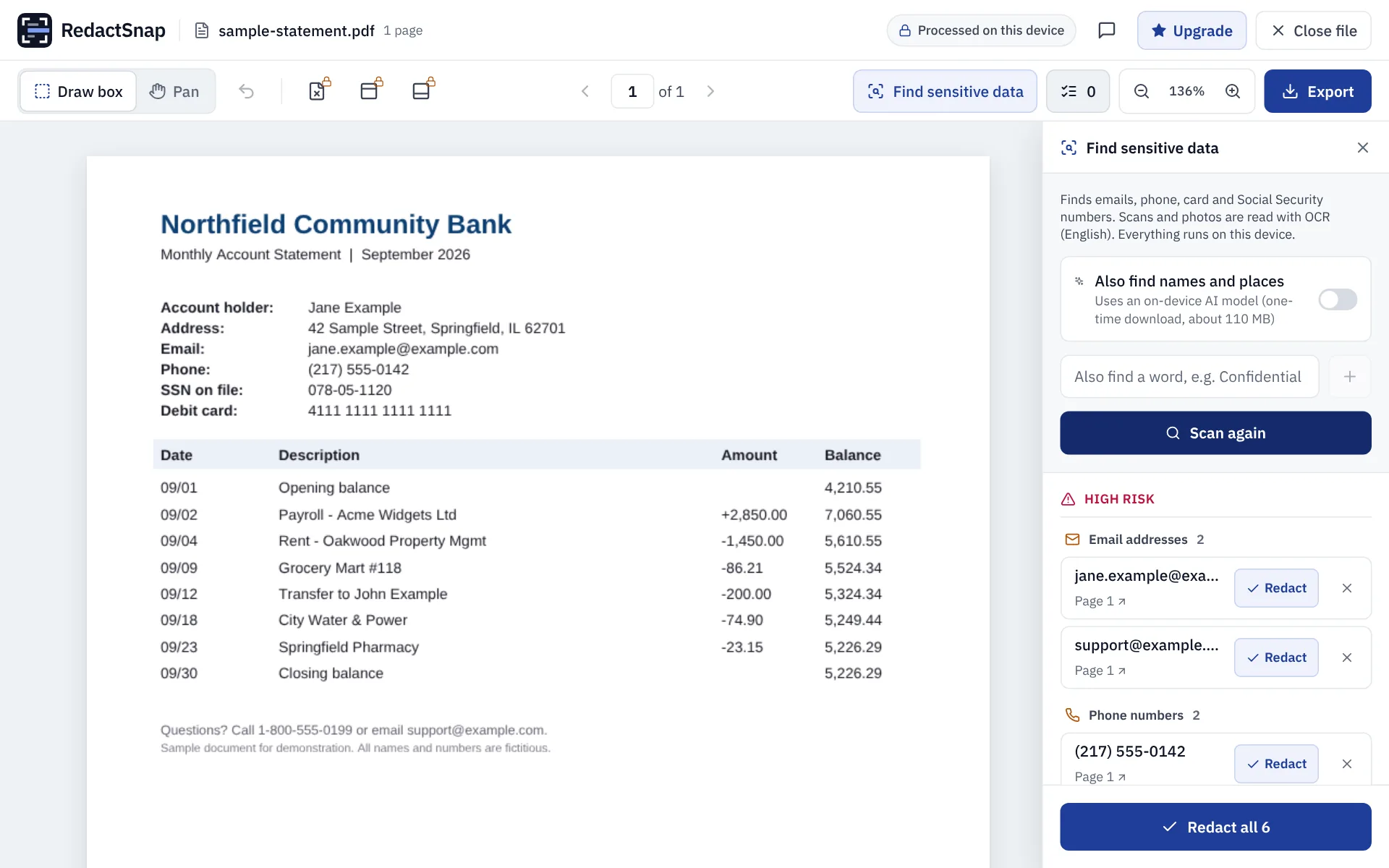
Step 2: Click Redact all and box anything else, then click Export.
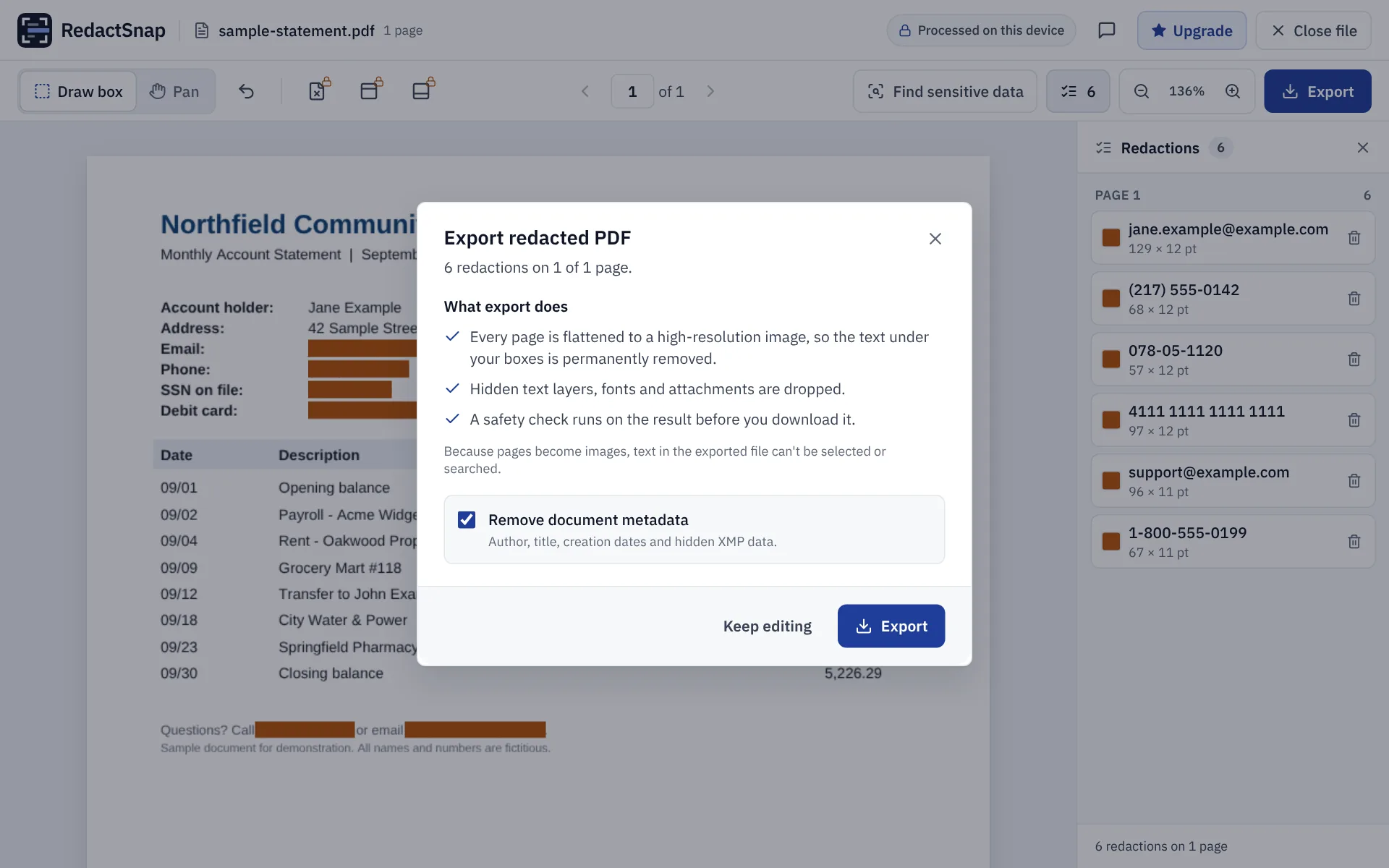
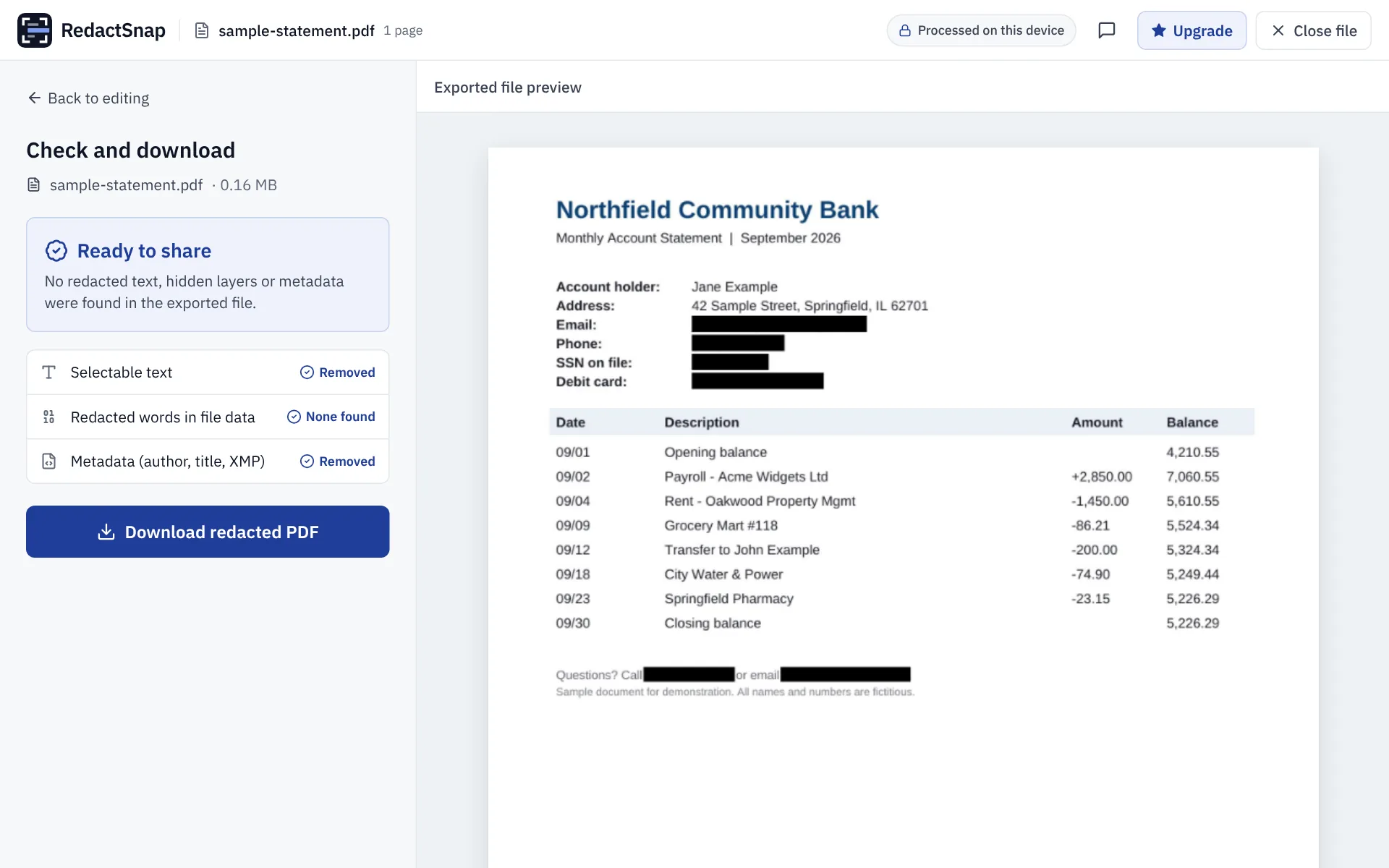
Step 3: Download the file once the check says Ready to share.
Check it from the terminal
If you have poppler-utils installed, pdftotext prints a PDF's text layer. On a correctly redacted PDF, a word you hid shouldn't appear, and on a RedactSnap export there's no text layer at all:
- pdftotext redacted.pdf - | grep -i "word you hid"
- pdfinfo redacted.pdf, to check the Author, Title and Producer fields.
Try it on your own file
The tool opens PDFs, PNGs and JPGs in your browser. The file is not uploaded.