How to redact a utility bill for proof of address
By RedactSnap ·
Banks, landlords and government offices ask for a recent utility bill to prove where you live. They need your name, your address, the supplier and the bill date. Your account number, meter number, usage and what you paid aren't part of that, and suppliers use the account number to identify you when you call.
What to hide and what to leave
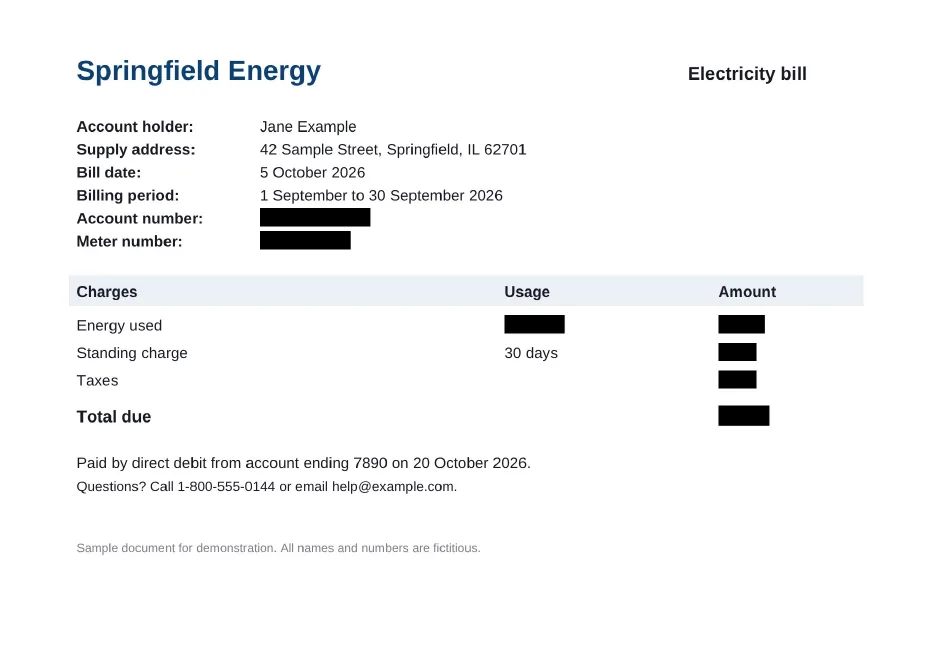
- Leave: your name, the supply address, the supplier's name and the bill date or billing period.
- Hide: the account number, meter or supply point numbers, usage and amounts, and any payment details.
- Check the second page too: payment slips and direct debit details often repeat the account number.
Redact a utility bill step by step
The screenshots use a fictitious bill.
Step 1: Download the bill as a PDF from your supplier's website, open redactsnap.com/app and drop it in. Click Find sensitive data. Add the account number, meter number and amounts under "Also find a word", then click Scan document.
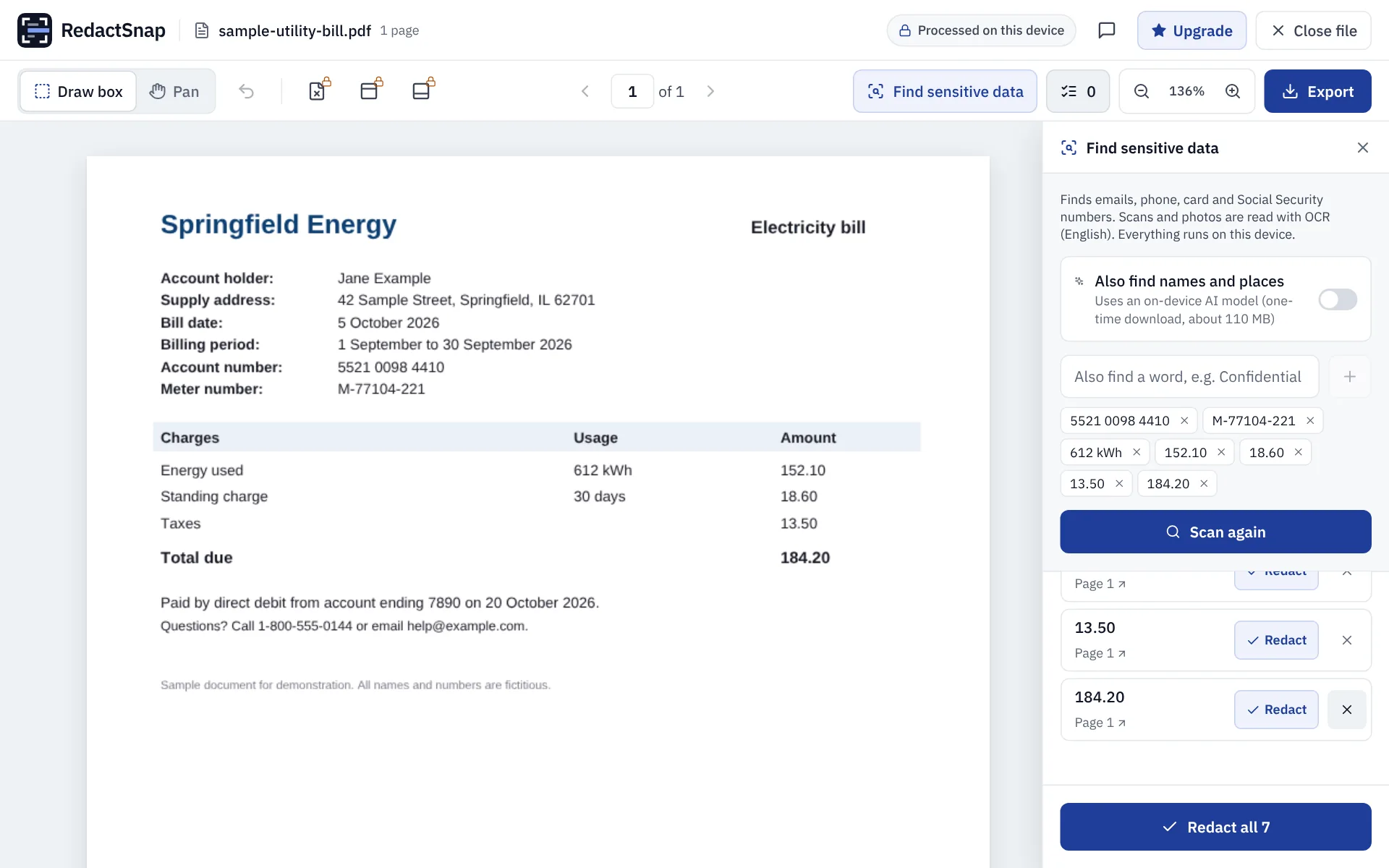
Step 2: Ignore the supplier's own phone number and email with the × next to them, then click Redact all.
Step 3: Export and download once the check passes.
Try it on your own file
The tool opens PDFs, PNGs and JPGs in your browser. The file is not uploaded.