How to redact a resume or CV
By RedactSnap ·
People post resumes on forums for feedback, share them as examples, and send them to recruiters they don't know yet. A resume carries your home address, phone number, email and often your references' names and numbers, who never agreed to be posted. Hide those, and keep what the reader needs to judge the resume.
What to hide on a resume
- Your home address, phone number and email. For public posts, your name too.
- References' names, phone numbers and emails.
- Links to personal profiles, if you're posting anonymously.
- For a public post, consider hiding employer names and exact dates, which together can identify you.
- Keep: job titles, achievements, skills and education, which is what reviewers comment on.
Redact a resume step by step
The screenshots use a fictitious resume.
Step 1: Save the resume as a PDF, open redactsnap.com/app and drop it in. Click Find sensitive data. Add your street address and any names to hide under "Also find a word", then click Scan document. Smart Scan lists every email and phone number, including your references'.
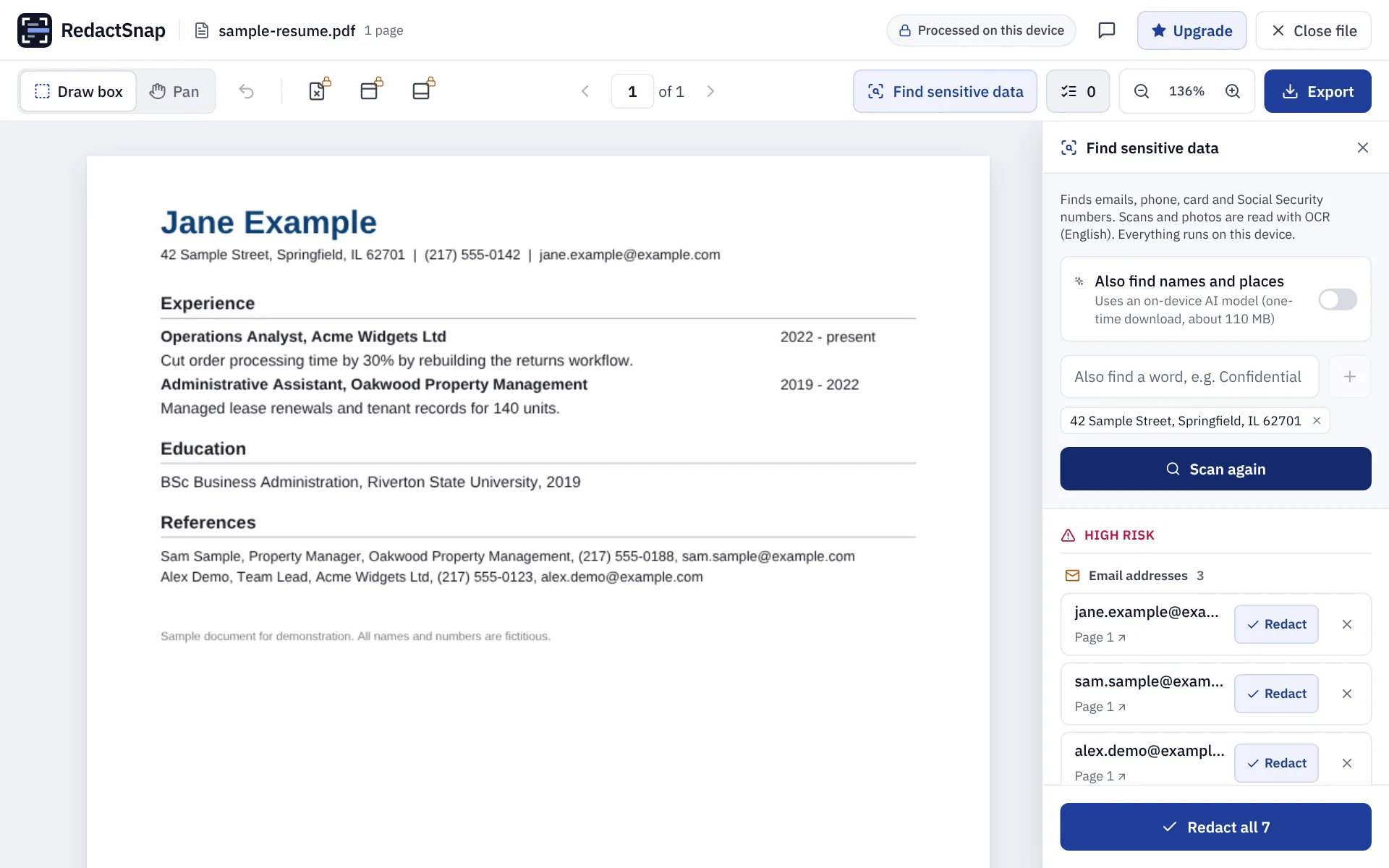
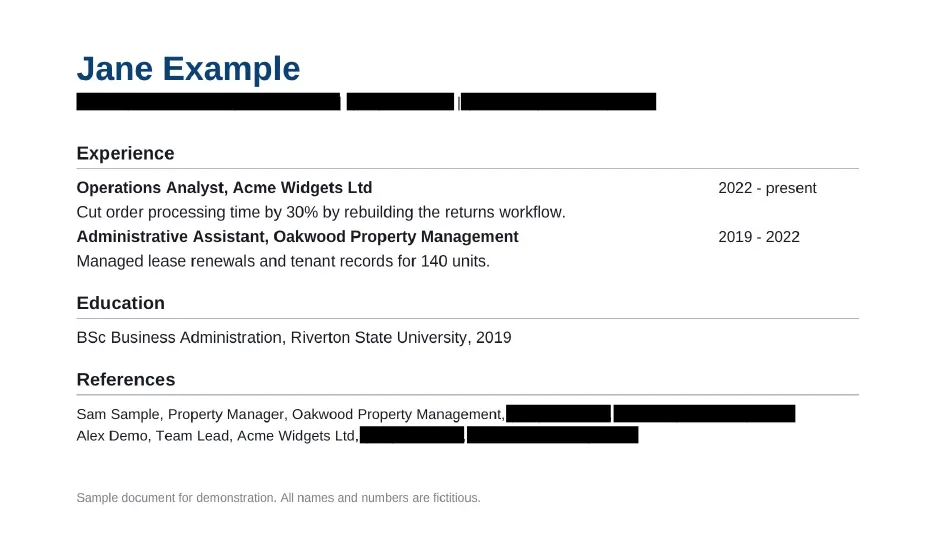
Step 2: Click Redact all, then drag boxes over anything else, such as profile links.
Step 3: Export and download once the check passes. Pages are flattened, so the hidden details can't be copied out.
Try it on your own file
The tool opens PDFs, PNGs and JPGs in your browser. The file is not uploaded.