How to redact a photo of a check
By RedactSnap ·
The line of numbers along the bottom of a check is your bank's routing number, your account number and the check number, which is what someone needs to set up payments from your account. Add your printed name and address and your signature, and a photo of a check is worth protecting. Cover them before posting or sending a photo, unless the recipient needs them.
What to hide on a check
- The MICR line along the bottom: routing number, account number and check number.
- Your signature.
- Your printed name and address, if you're posting the photo.
- On the back: endorsements, deposit account numbers and any bank stamps.
- Don't redact a voided check you send to an employer or payroll for direct deposit: they need the routing and account numbers. Send it directly, not by public post.
Redact a check step by step
The screenshots use a specimen check. Smart Scan doesn't look for MICR lines or signatures, so cover them by hand.
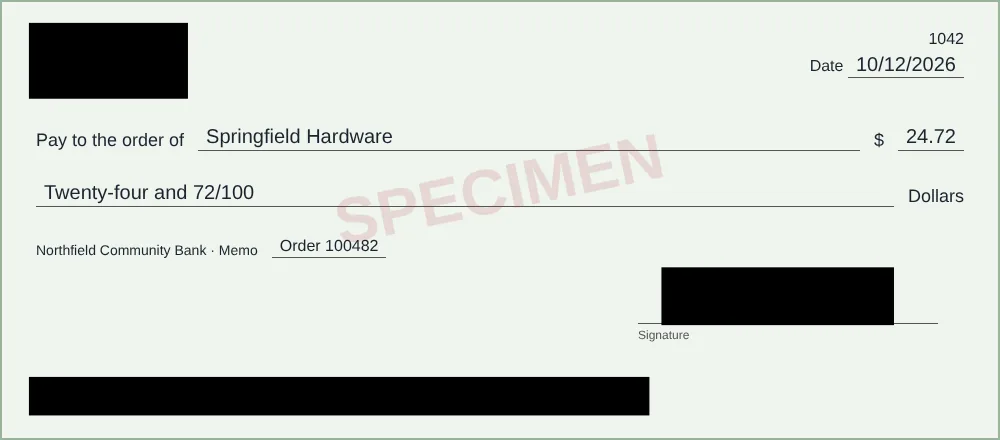
Step 1: Take a photo or scan of the check, open redactsnap.com/app and drop it in. With the box tool, drag a box over the whole MICR line, the signature and your name and address.
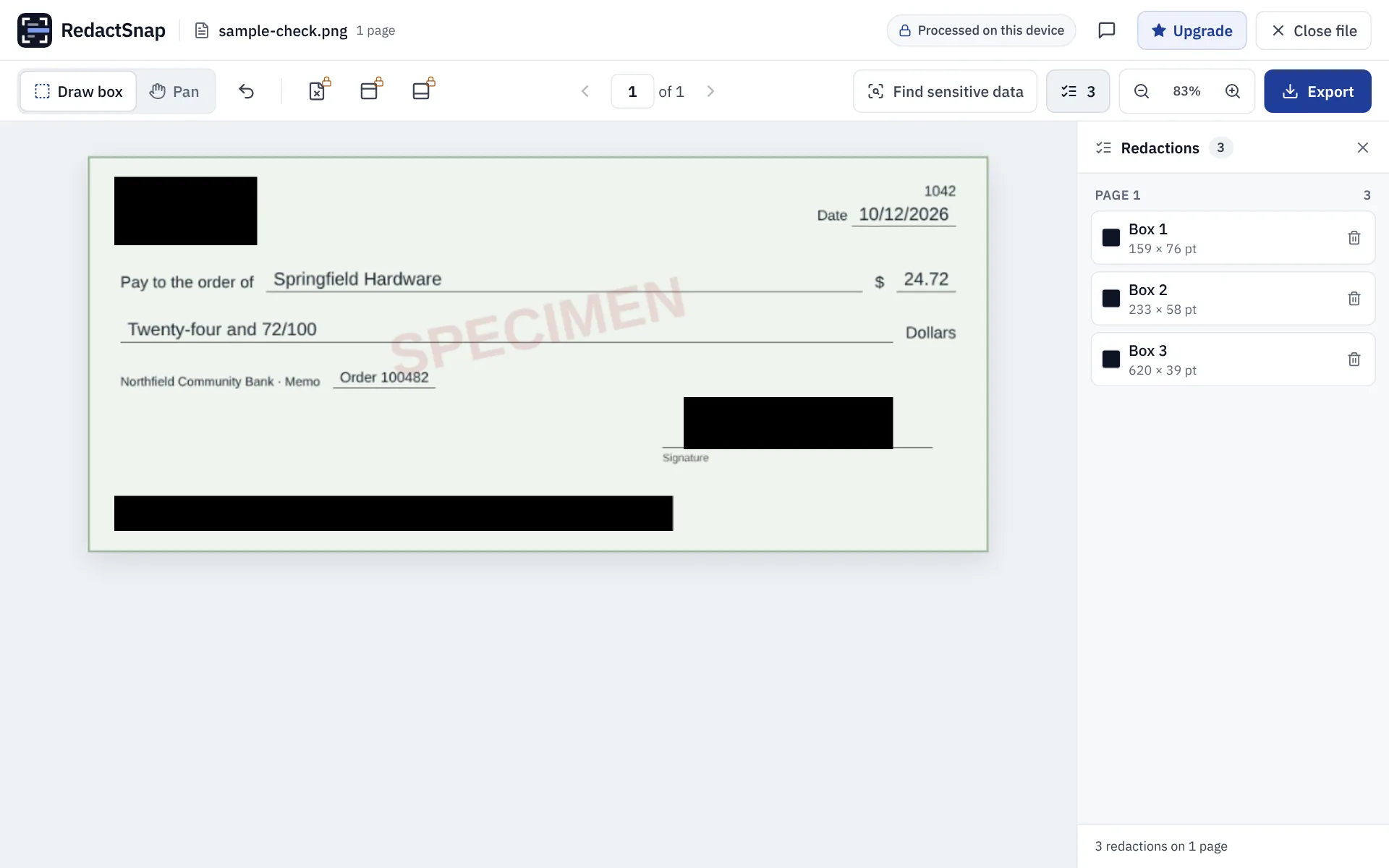
Step 2: Export and download. The photo downloads as a PNG with the boxes burned in and its location data removed.
Try it on your own file
Both tools run in your browser. The image is not uploaded.