How to redact a filled-in PDF form
By RedactSnap ·
Claim forms, applications and tax forms are often filled in on screen. The answers you type sit in form fields, which PDF apps store separately from the page text. Searching the PDF, and many automatic redaction tools, can miss them, and a box drawn on top can leave the field value in the file. Use a tool that reads the fields, then flatten the file so the values can't be pulled out.
Why form fields are different
- Field values are stored in the form, not in the page's text, so "Find" in some PDF apps doesn't search them.
- A shape drawn over a field in a PDF editor doesn't change the value underneath, and anyone can click into the field and read or copy it.
- Forms can hold fields you can't see, such as hidden or zero-size fields filled in by the software that made the form.
- Flattening turns field values into ordinary page content. A flattened copy that has been redacted can't be clicked into or read from the form data.
Redact a form step by step
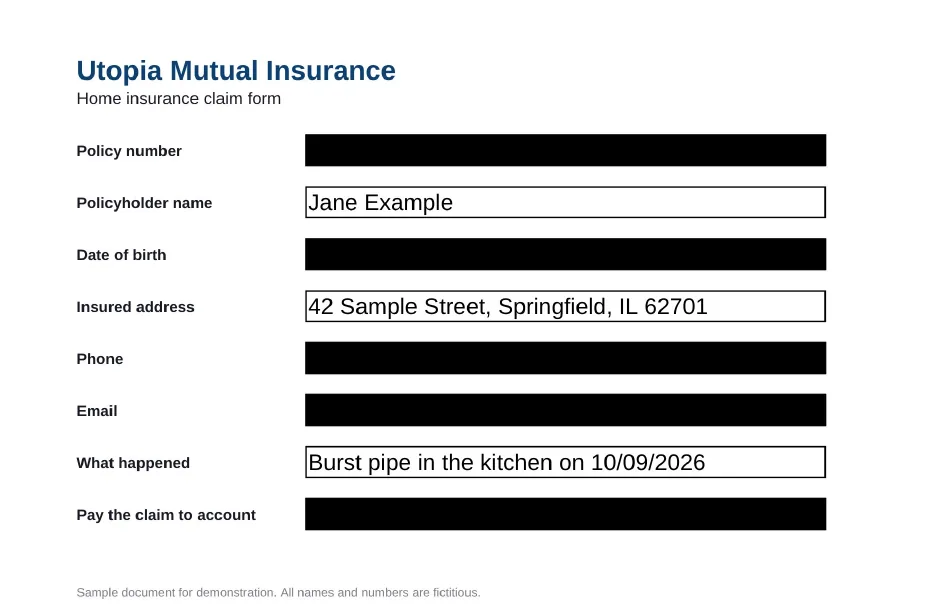
The screenshots use a fictitious insurance claim form with typed answers.
Step 1: Open redactsnap.com/app and drop in the filled-in PDF. Click Find sensitive data and add the answers that have no fixed format, such as the policy number, date of birth and bank account, under "Also find a word". Click Scan document: Smart Scan reads the typed answers in form fields as well as the page text, and finds emails, phone numbers, card numbers and SSNs in both.
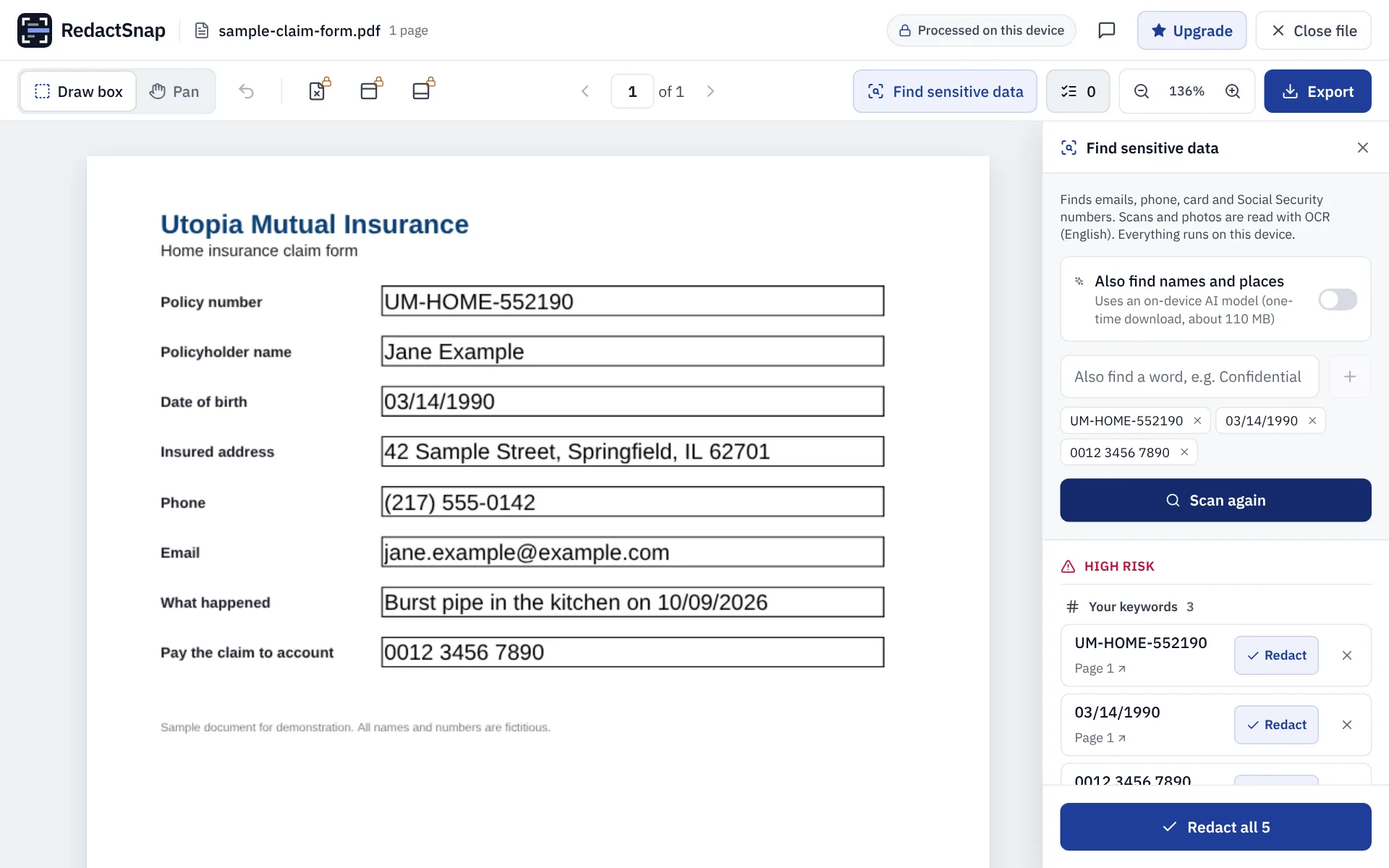
Step 2: Click Redact all. Each matching field is covered in full. Drag a box over anything else, such as a signature.
Step 3: Export and download. Every page, fields included, is flattened to an image, so the hidden answers aren't in the file and the form can't be edited.
Try it on your own file
The tool opens PDFs, PNGs and JPGs in your browser. The file is not uploaded.