How to redact your bank details on a statement
By RedactSnap ·
Before you send a bank statement to a landlord, an employer or a visa office, ask what they need to see. Usually it is your name, your address, the bank, the dates and an income or balance figure. Your account number, routing number or sort code, IBAN, card numbers and most transactions can be hidden. Here is how, with screenshots of each step.
What to hide and what to leave
Hide anything that would let someone move money or take over the account, and anything the recipient has no reason to see:
- Account number, routing number, sort code and IBAN. Some recipients want the last four digits to show the account is yours; that is the convention US federal courts use in filings.
- Card numbers, including the card linked to the account.
- Transactions that show where you shop, who you pay, your health spending or your other accounts.
- Online banking usernames, reference numbers and the bank's barcode, if there is one.
- Keep visible: your name and address, the bank's name, the statement period, and the income, rent or balance figure you were asked for.
Redact a bank statement step by step
The screenshots use a fictitious statement. The same steps work on a phone.
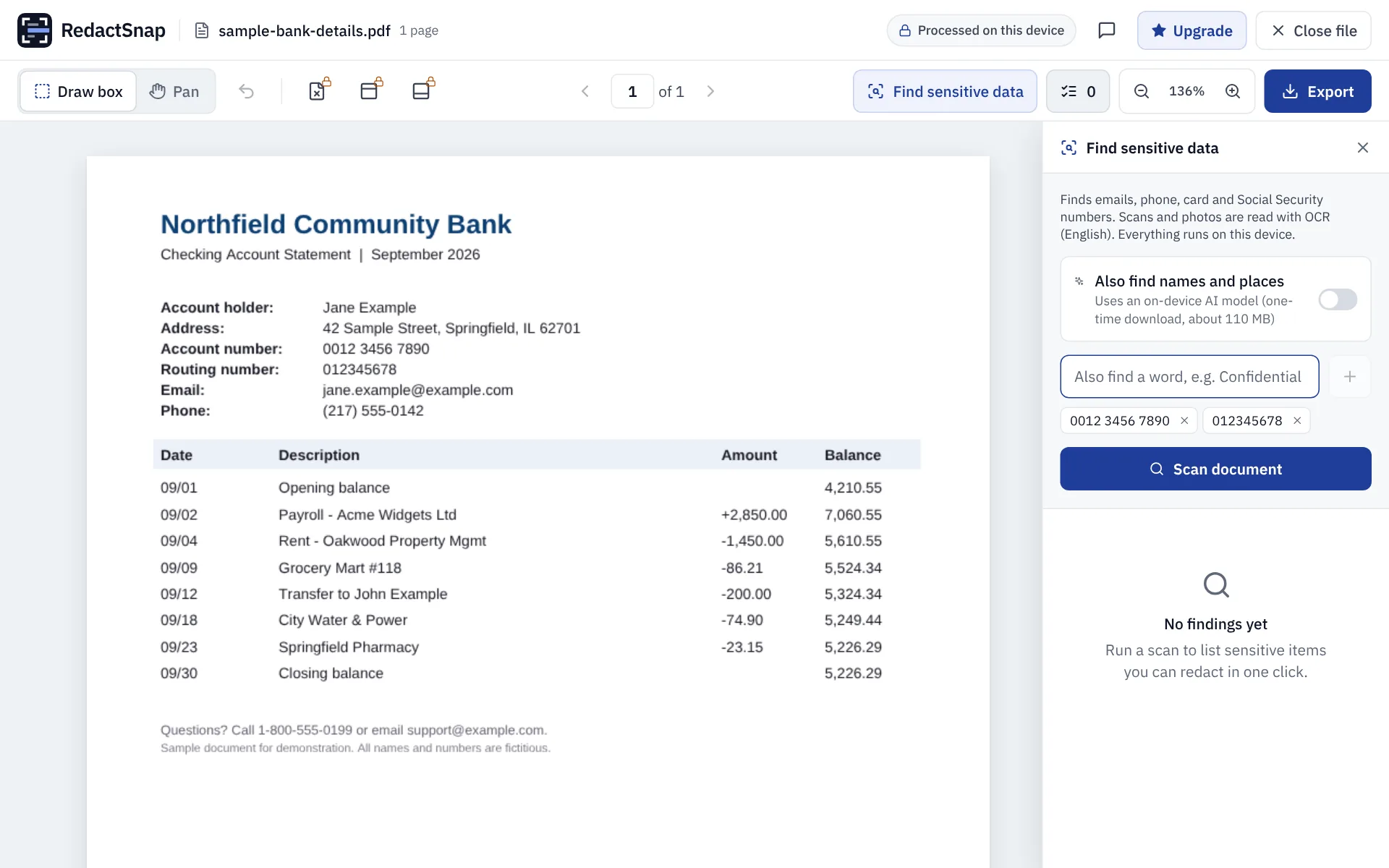
Step 1: Download the statement PDF from your online banking, open redactsnap.com/app and drop it in. Click Find sensitive data. Account numbers aren't a fixed format, so type your account number and routing number (or sort code and IBAN) under "Also find a word", exactly as they appear on the statement.
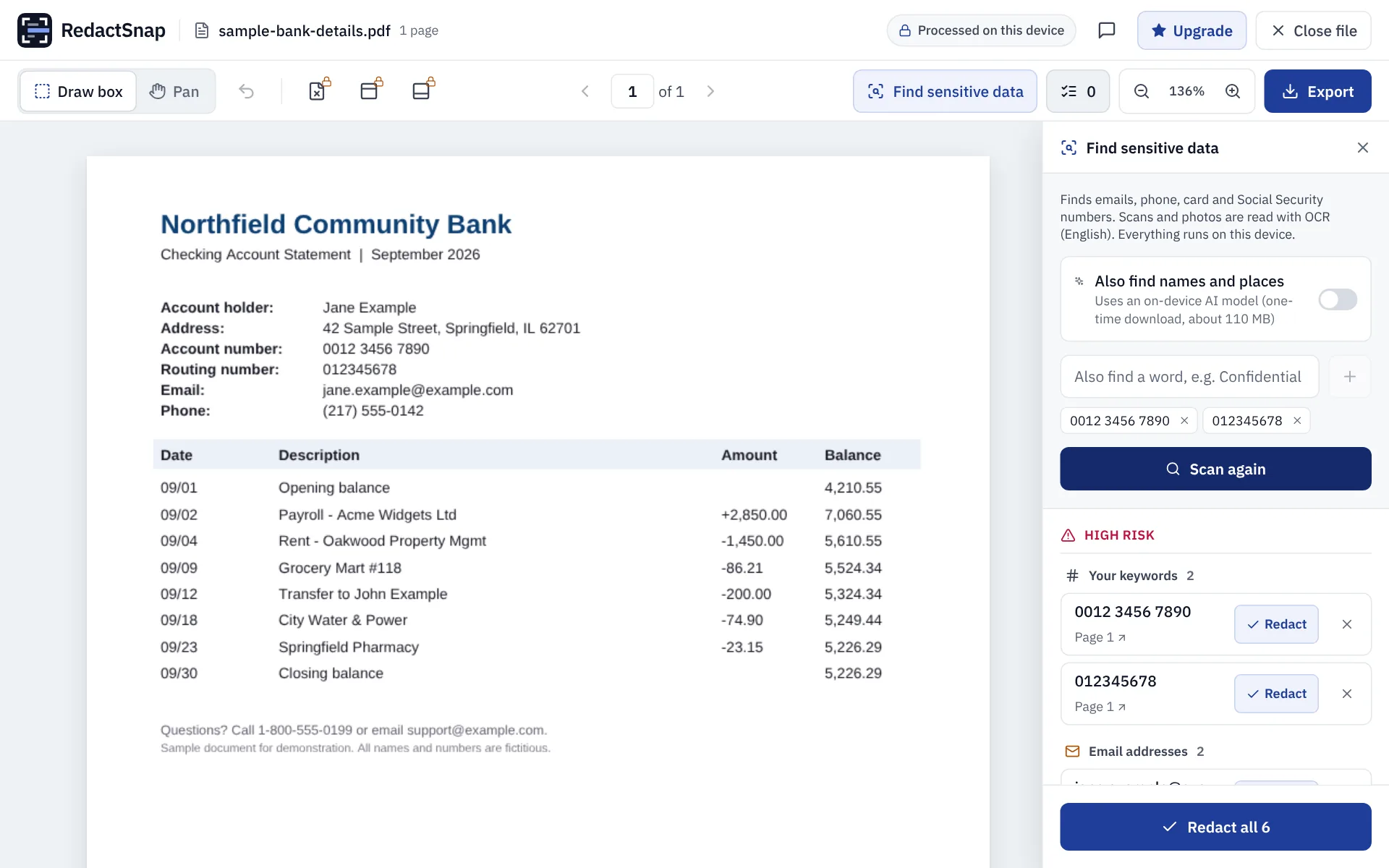
Step 2: Click Scan document. Every copy of your numbers is listed, along with emails, phone numbers and card numbers. Click Redact all.
Step 3: Drag boxes over any transactions or balances the recipient doesn't need. Then click Export, and download the file once the check passes.
Step 4: Open the downloaded PDF and look it over before sending. The boxes are part of the page image, so nothing under them can be copied out.
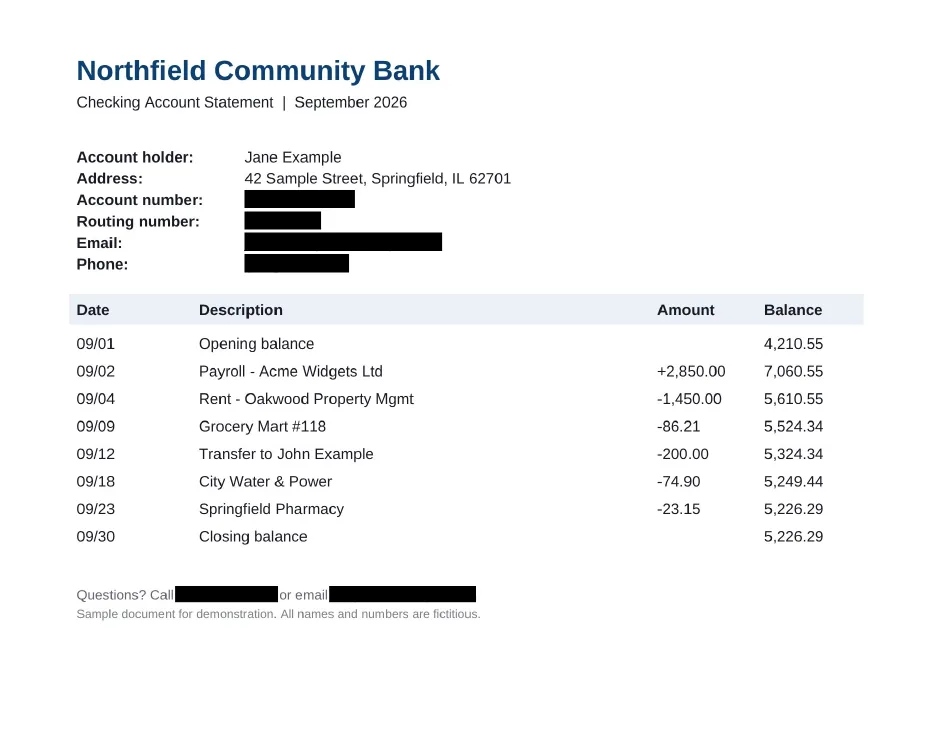
The exported statement. Name, address and transactions are left visible here; hide transactions too if the recipient doesn't need them.
Before you send it
- Check every page. Account numbers often repeat in headers and footers.
- Ask whether a redacted statement is acceptable. Mortgage lenders and some visa and benefits offices need the full statement and have rules for handling it.
- Send it to a named person rather than a general inbox, and ask how long it will be kept.
Try it on your own file
The tool opens PDFs, PNGs and JPGs in your browser. The file is not uploaded.