How to redact a school report or student record
By RedactSnap ·
Parents share report cards and school letters with tutors, coaches, new schools and parenting forums. They carry a child's student ID, date of birth, class, teacher, contact details and sometimes notes about health or learning support. Share what the reader needs and hide the rest, especially anything you'd not want online about a child.
What to hide on a school document
- Student ID numbers and login details.
- Date of birth, home address and parents' contact details.
- Support plans, medical notes and behaviour records, unless the reader needs them.
- Other children's names in class lists, photos and group reports.
- For anything posted online: the child's full name, the school name and the class or teacher, which together identify them.
Redact a school report step by step
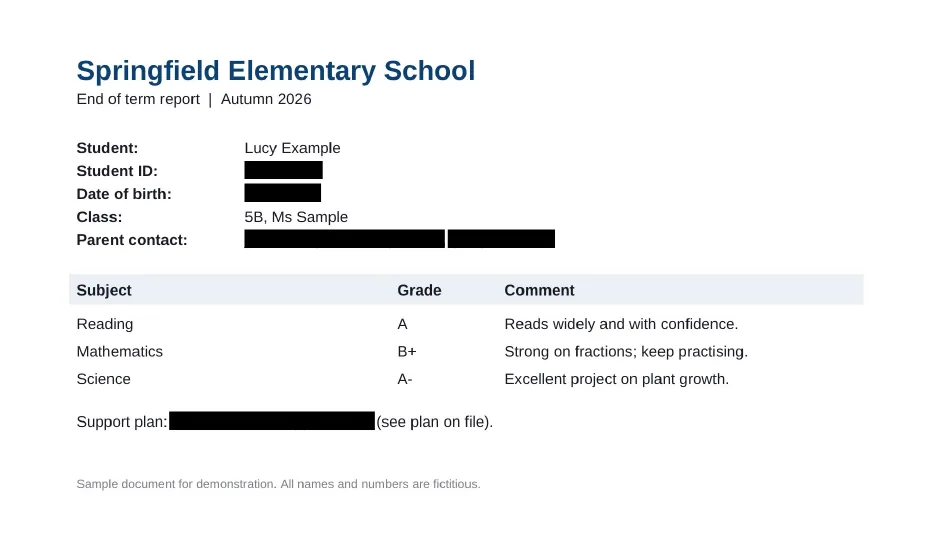
The screenshots use a fictitious report, shared with a tutor: the name and grades stay.
Step 1: Scan or download the report as a PDF, open redactsnap.com/app and drop it in. Click Find sensitive data. Add the student ID, date of birth and any phrases to hide under "Also find a word", then click Scan document. Emails and phone numbers are found automatically.
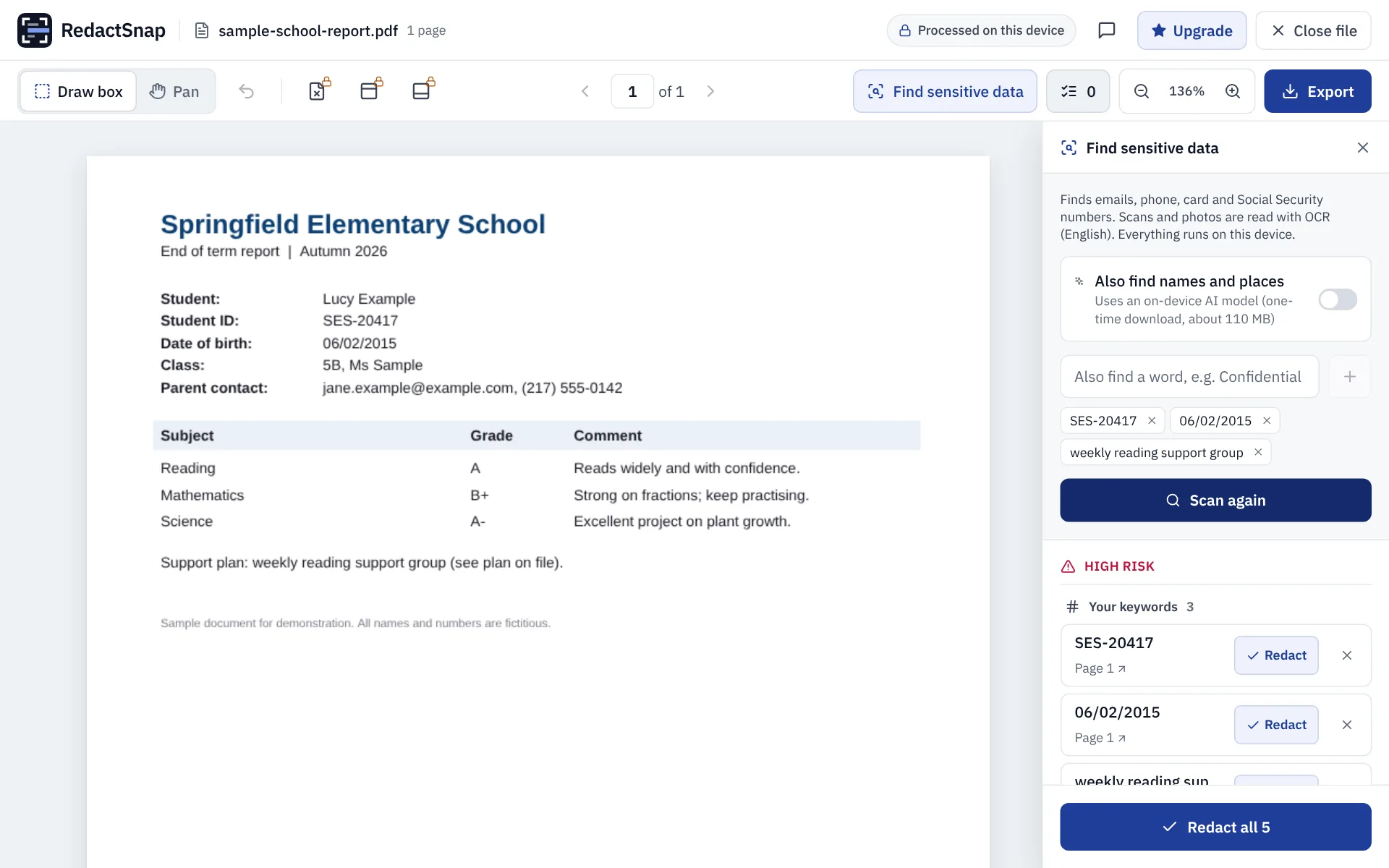
Step 2: Click Redact all, then drag boxes over anything else, such as other children's names.
Step 3: Export and download once the check passes.
Try it on your own file
The tool opens PDFs, PNGs and JPGs in your browser. The file is not uploaded.