How to redact a subject access request response
By RedactSnap ·
Under UK GDPR, people can ask an organisation for a copy of the personal data it holds about them. The response often includes emails, notes and reports that also mention colleagues, witnesses and customers. The requester is entitled to their own data, not other people's, so third parties' details usually need redacting before you send it.
The checklist
Based on the UK Information Commissioner's Office (ICO) guidance on the right of access. It is under review after the Data (Use and Access) Act, so check the current version.
- Respond without undue delay and within one month. You can extend by two further months if the request is complex or you've had several from the same person, but you must tell them why within the first month.
- Find everything: emails, chat messages, notes, CCTV, documents in shared drives and personal mailboxes used for work.
- For each document, separate the requester's data from other people's.
- Disclose third parties' data only with their consent or where it is reasonable without it. Otherwise, redact it, while still giving as much of the requester's data as you can.
- Watch for indirect identification: a job title, a date or a detail the requester already knows can identify someone even with the name removed.
- Check whether an exemption applies, such as legal privilege or confidential references, and take advice if unsure.
- Keep an unredacted copy and a note of why each redaction was made, in case of a complaint to the ICO.
Redact the documents step by step
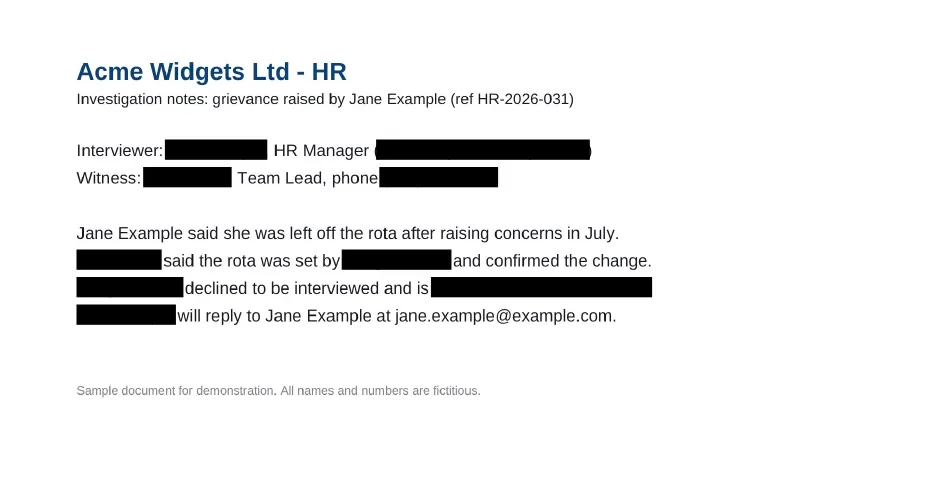
The screenshots use fictitious investigation notes. The requester's own name and email stay; the interviewer, witness and colleague are removed.
Step 1: Export the documents to PDF. Open redactsnap.com/app and drop in the first one. Click Find sensitive data and add each third party's name, and any detail that would identify them, under "Also find a word". Click Scan document: emails and phone numbers are found as well.
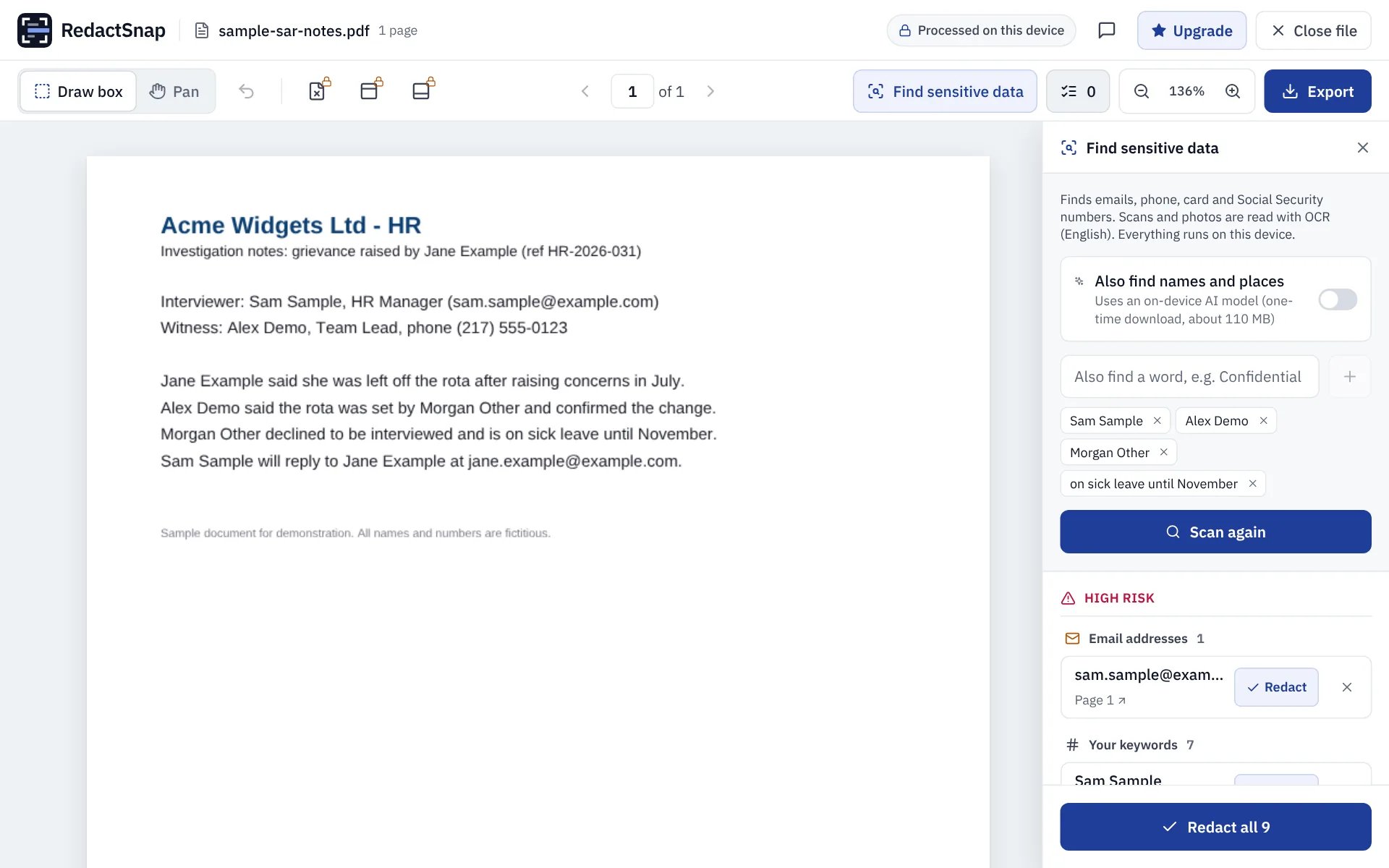
Step 2: Ignore the requester's own email and details with the × next to them, then click Redact all. Read the page and box anything else that identifies a third party.
Step 3: Export and download. Pages are flattened, so redacted names can't be copied out, and document metadata such as the author is removed.
Try it on your own file
The tool opens PDFs, PNGs and JPGs in your browser. The file is not uploaded.