How to redact a police or accident report
By RedactSnap ·
After a crash, people share the police or collision report with repair shops, employers, lawyers, insurers and sometimes online. Your insurer needs the full report, but almost everyone else needs only what happened. The report carries the other driver's name, address, date of birth, license and plate numbers and insurance details, and yours.
What to hide and who needs what
- Your insurer and the other driver's insurer: send the full report.
- Repair shops and employers: usually the date, location and narrative are enough.
- Online posts: hide every name, address, date of birth, license number, plate and policy number, yours included.
- Witness names and contact details, unless the reader needs to contact them.
Redact a report step by step
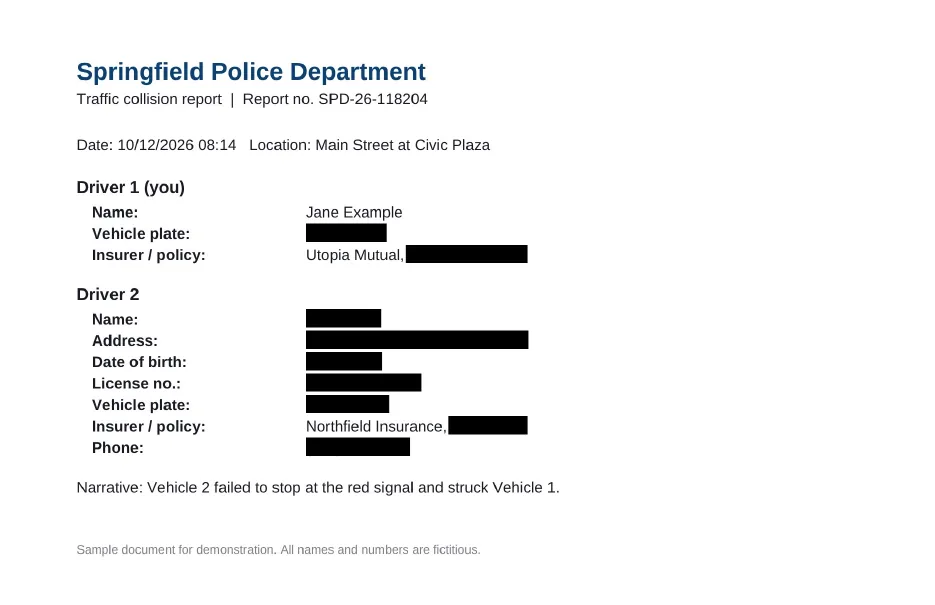
The screenshots use a fictitious collision report.
Step 1: Download or scan the report as a PDF, open redactsnap.com/app and drop it in. Click Find sensitive data and add the names, plates, license number, policy numbers and date of birth under "Also find a word". Click Scan document; phone numbers are found as well.
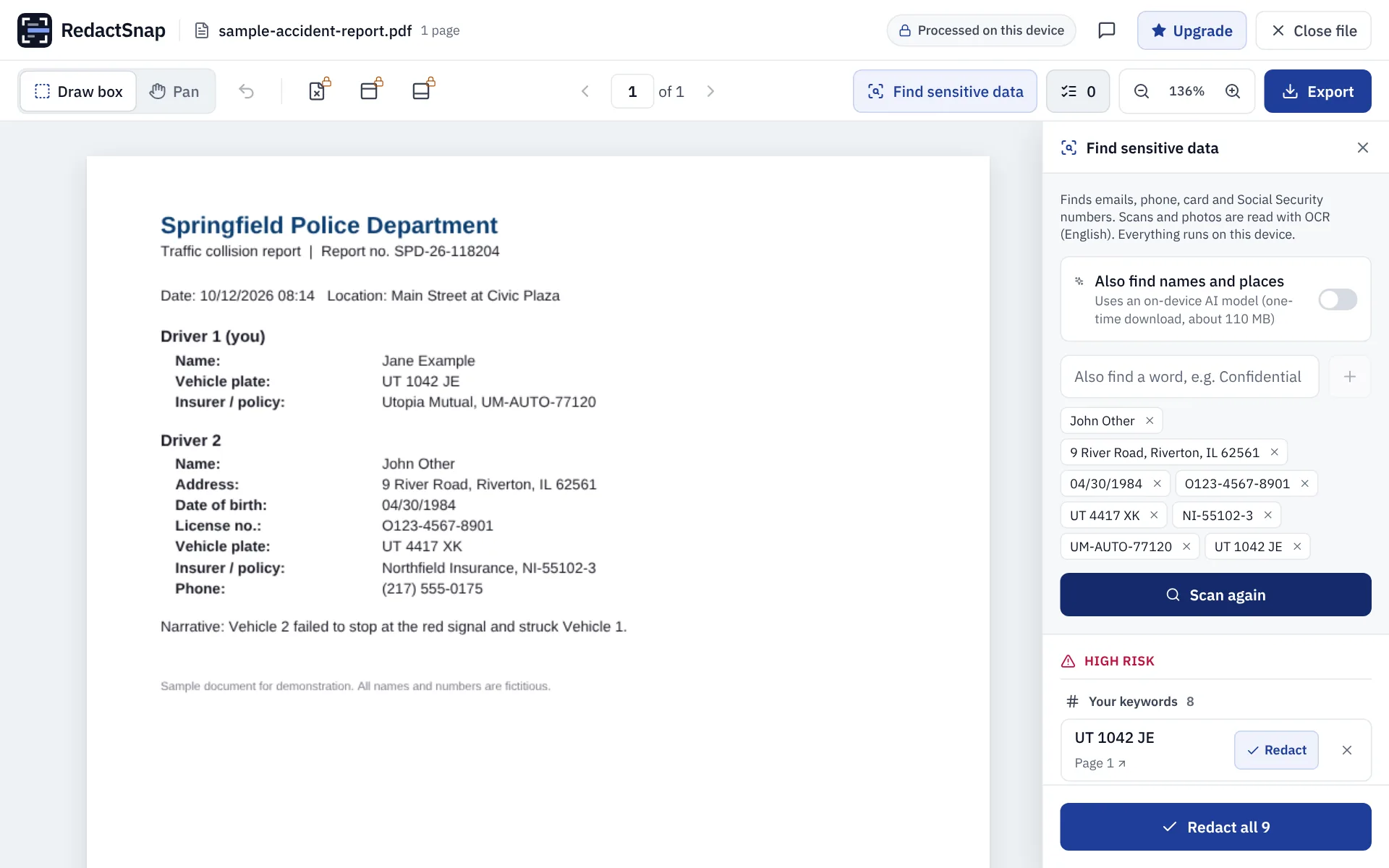
Step 2: Click Redact all, then box anything else, such as witness details.
Step 3: Export and download once the check passes.
Try it on your own file
The tool opens PDFs, PNGs and JPGs in your browser. The file is not uploaded.