How to anonymise interview transcripts
By RedactSnap ·
Research interviews are full of identifiers: names, family members, workplaces, streets and events a reader could recognise. Before sharing transcripts with a supervisor, a co-author or a data archive, remove or replace them. Data archives such as the UK Data Service recommend replacing identifiers with pseudonyms or descriptions in brackets, keeping a separate log of every change, and not over-anonymising so much that the data loses its meaning.
Plan the anonymisation
- List the direct identifiers: names, nicknames, contact details and ID numbers.
- List the indirect ones: places, employers, family relationships, unusual jobs, dates and events that, together, could identify someone.
- Decide replacements and use them consistently: [participant's husband], [hospital], [street name].
- Keep a log of every replacement, stored separately from the transcripts and protected like the originals.
- Check what your consent forms and ethics approval say you will remove before sharing.
Option 1: replace identifiers in the transcript file
Best for data you'll analyse or archive, because the text stays readable and searchable. In Word or Google Docs, use Find and replace to swap each identifier for its bracketed replacement, then save a new file and keep the original separately.
Option 2: black out identifiers in a PDF
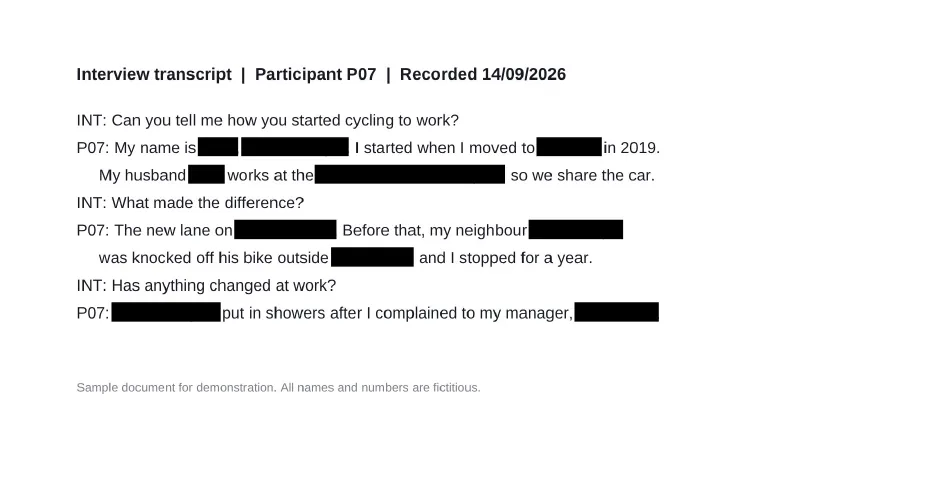
Best for sharing excerpts or a final version that shouldn't be edited. The screenshots use a fictitious transcript.
Step 1: Save the transcript as a PDF, open redactsnap.com/app and drop it in. Click Find sensitive data and add every identifier from your list under "Also find a word", including first names on their own. Click Scan document.
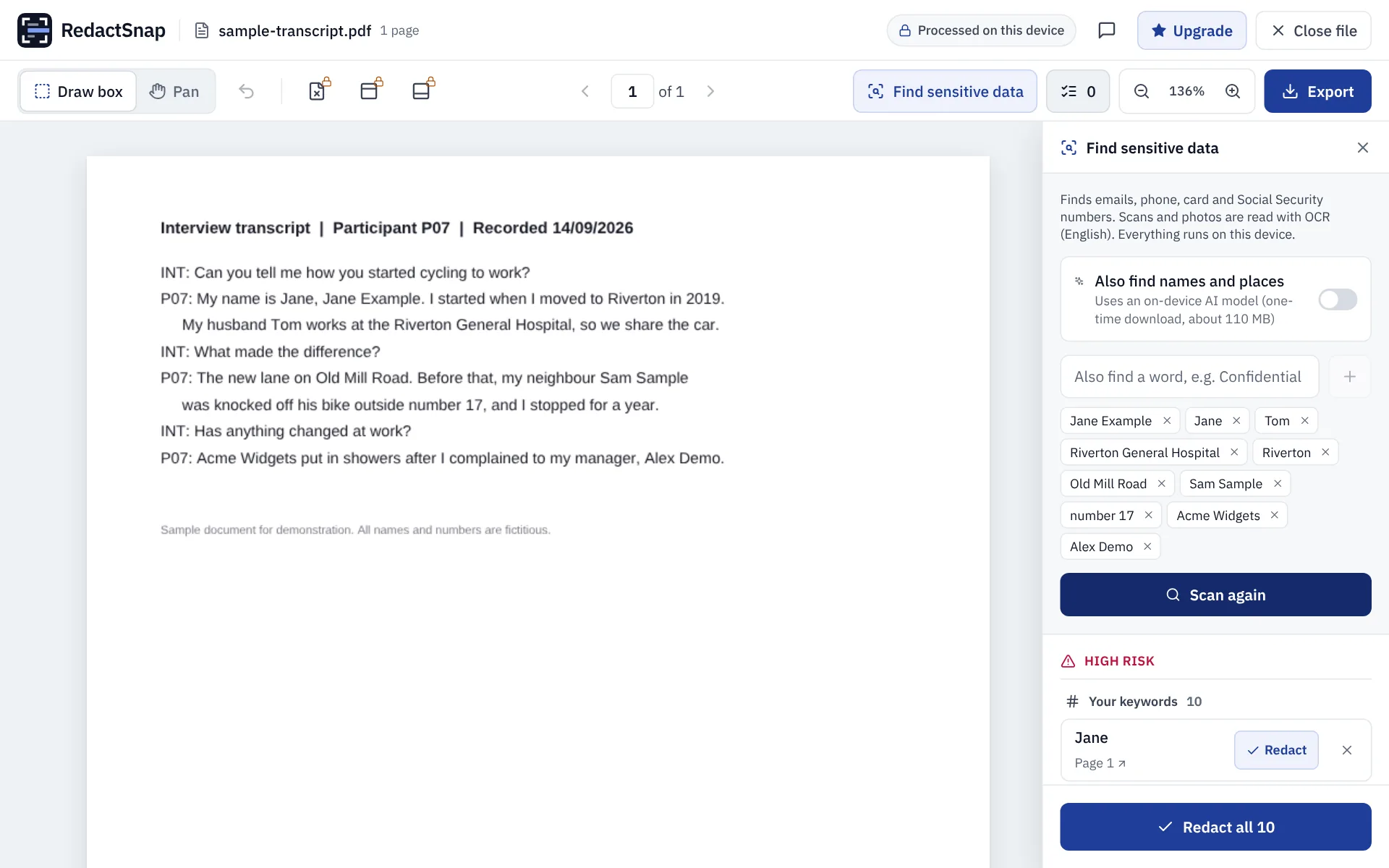
Step 2: Click Redact all, then read the transcript through and box anything the list missed.
Step 3: Export and download once the check passes.
Try it on your own file
The tool opens PDFs, PNGs and JPGs in your browser. The file is not uploaded.