How to redact a car title or registration when selling
By RedactSnap ·
Buyers often ask to see the title before they travel to view a car, and some sellers post it in the listing. Buyers need the VIN, the make and model, and proof that the title is clean and in your name. They don't need your home address, the title number, your loan account or your signature until the sale.
What to show and what to hide
- Show: the VIN, year, make and model, odometer reading, and any brand such as salvage. Buyers use the VIN to check the car's history, and hiding it makes a listing look suspicious.
- Show: your name, if the buyer needs to see the title is yours.
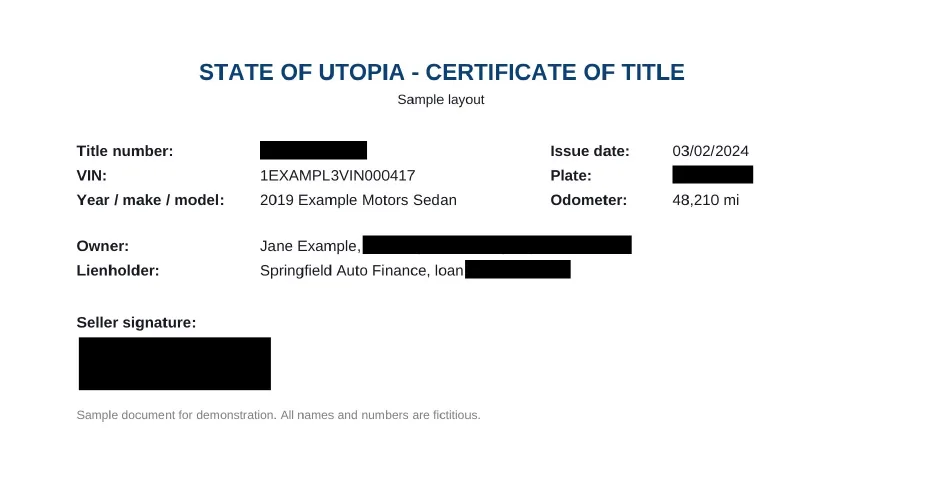
- Hide: your home address, the title number, the lienholder's loan or account number, and your signature.
- In photos of the car, many sellers also cover the number plate. Some cover the last digits of the VIN in photos and give the full VIN to serious buyers on request.
- Never post a photo of a signed title: a signed, open title can be misused.
Redact a title step by step
The screenshots use a fictitious title.
Step 1: Scan or photograph the title, open redactsnap.com/app and drop it in. Click Find sensitive data and add the title number, your address, the plate and the loan number under "Also find a word". Click Scan document.
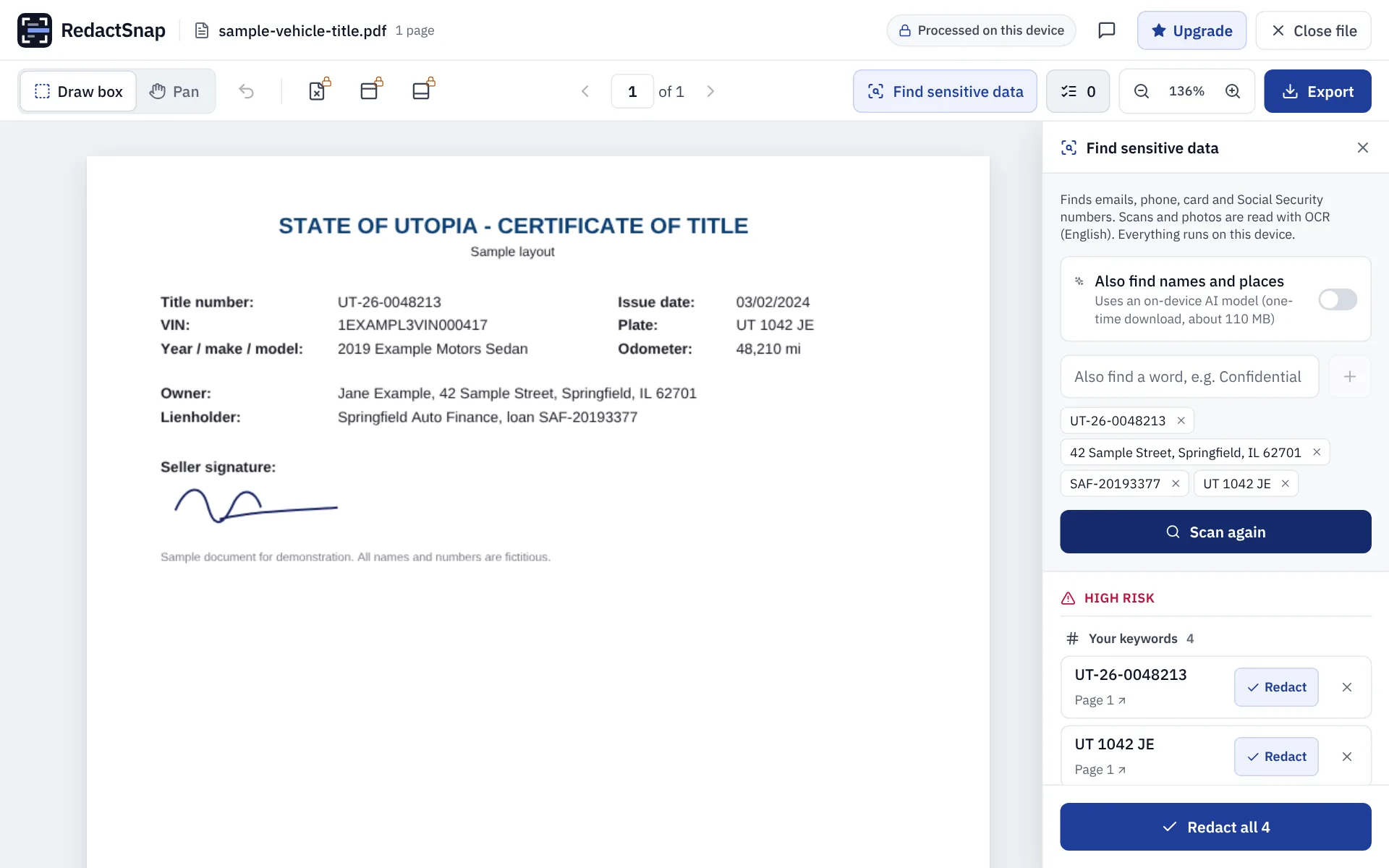
Step 2: Click Redact all, then drag a box over your signature.
Step 3: Export and download. A photo downloads as a PNG with its location data removed; a PDF downloads flattened.
Try it on your own file
The tool opens PDFs, PNGs and JPGs in your browser. The file is not uploaded.