How to redact a screenshot on a Mac
By RedactSnap ·
On a Mac, Markup can hide text in a screenshot if you use a filled shape, not the highlighter. For screenshots full of emails, phone numbers or keys, RedactSnap finds them for you with on-device OCR and downloads a flattened PNG. Both take under a minute.
Redact with Markup
Step 1: Take the screenshot with Shift-Command-4 (an area) or Shift-Command-5 (the screenshot toolbar). Click the thumbnail that appears in the corner of the screen to open it in Markup. If the thumbnail is gone, open the screenshot in Preview and click the Markup button.
Step 2: Choose the Shapes button and pick the rectangle. Drag it over the text, with a margin around it.
Step 3: Set the Fill Color to solid black (or any solid colour) and the border to the same colour.
Step 4: Click Done, then open the saved screenshot and zoom in on each box to check the edges.
Redact in your browser with automatic detection
RedactSnap reads the screenshot with OCR on your Mac and lists emails, phone numbers, card numbers and US SSNs, so you don't have to find each one. The screenshots use a fictitious email.
Step 1: Open redactsnap.com/app in Safari, Chrome or Firefox and drop the screenshot on the page. Click Find sensitive data, then Scan document.
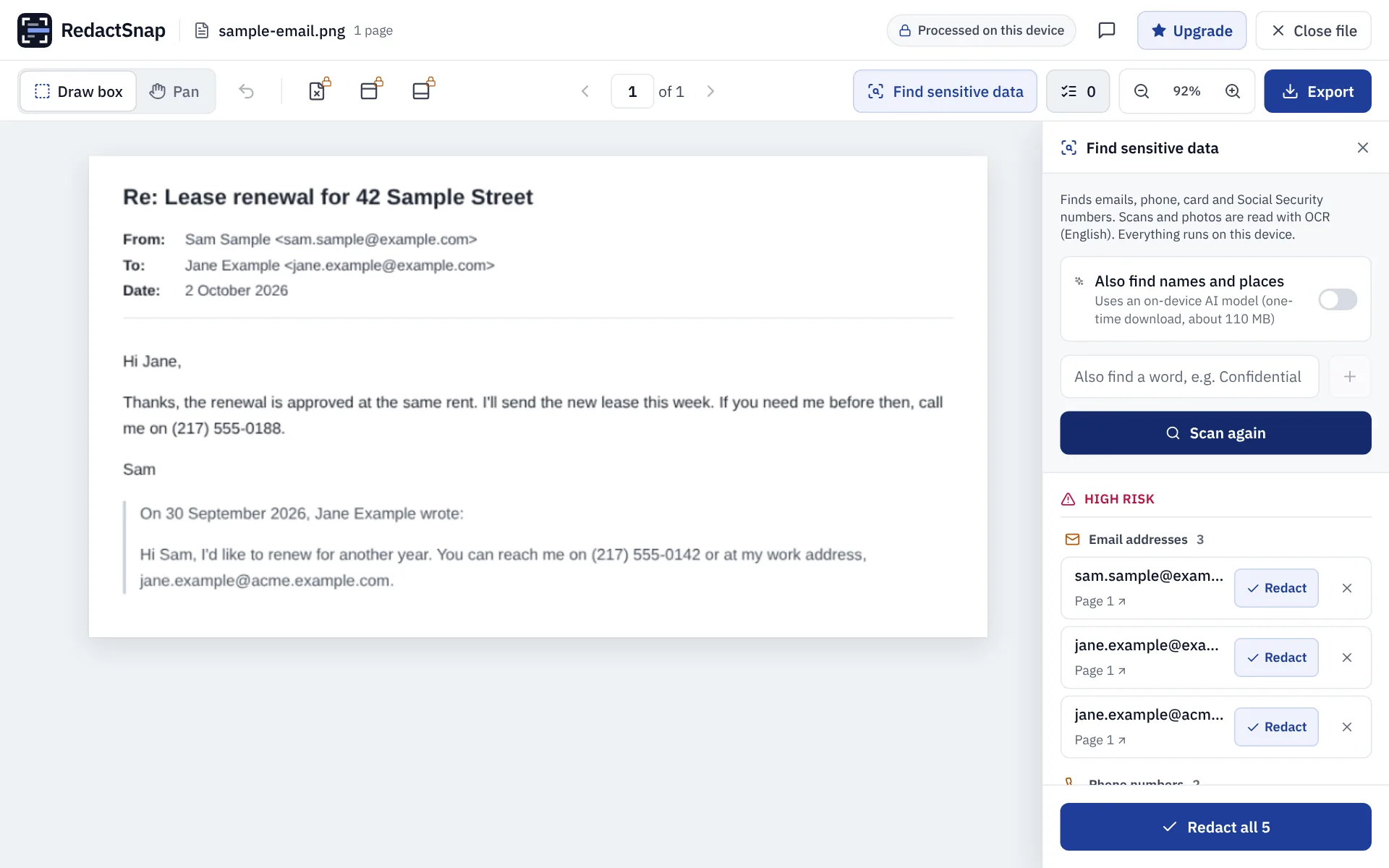
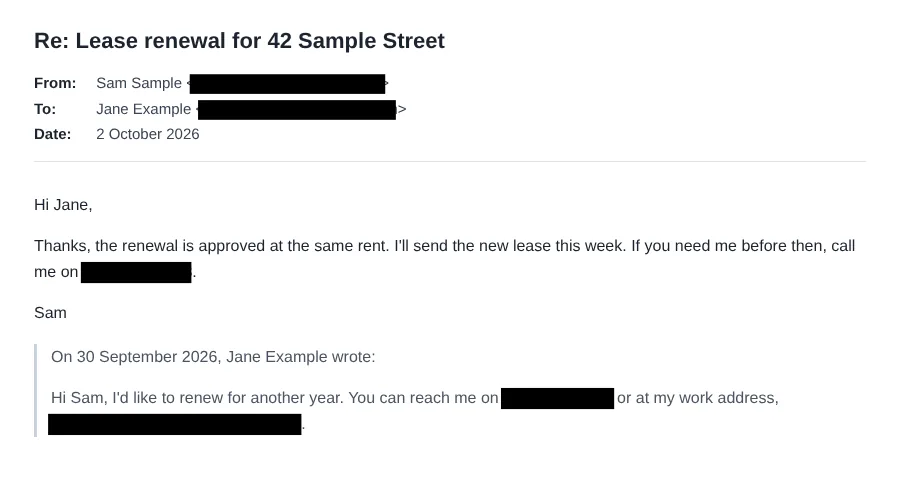
Step 2: Click Redact all, and drag boxes over anything else. For API keys and tokens, use Screenshot Studio, which detects them, and switch it to Solid box before you download.
Step 3: Export and download a PNG with the boxes burned into the pixels.
Mistakes that leave text readable
- The highlighter. Markup's highlighter is translucent, and the text can show through.
- A shape with only a border. Without a fill colour, the rectangle is just an outline.
- Blur or pixelation from other apps. Blurred text has been recovered many times; use a solid box.
- Sharing an edited copy that keeps layers, such as a Keynote, Pages or layered image file. Share a flat PNG or JPG.
Try it on your own file
Both tools run in your browser. The image is not uploaded.