How to redact a scanned document
By RedactSnap ·
A scanned PDF is a picture of a page. Search can't find the words on it, so a redaction tool that only searches text finds nothing, or finds only a hidden OCR layer that may not match what you see. To redact a scan, read it with OCR, cover what OCR finds, then check the page by eye for anything it missed, especially handwriting.
Why scans are harder to redact
- There is no text layer, so search and "find all" do nothing unless the scan has been run through OCR.
- Some scanners and PDF apps add an invisible OCR text layer. A box drawn over the image can leave that hidden text searchable and copyable.
- OCR misreads faint print, stamps, skewed pages and unusual fonts, and often can't read handwriting at all.
- Notes in margins, signatures and stamps aren't text, so no text search will find them.
Redact a scan step by step
The screenshots use a fictitious letter, scanned to an image-only PDF.
Step 1: Open redactsnap.com/app and drop in the scanned PDF, or a photo of the page. Click Find sensitive data, add any names or reference numbers under "Also find a word", and click Scan document. Pages with no text are read with OCR on your device, English only.
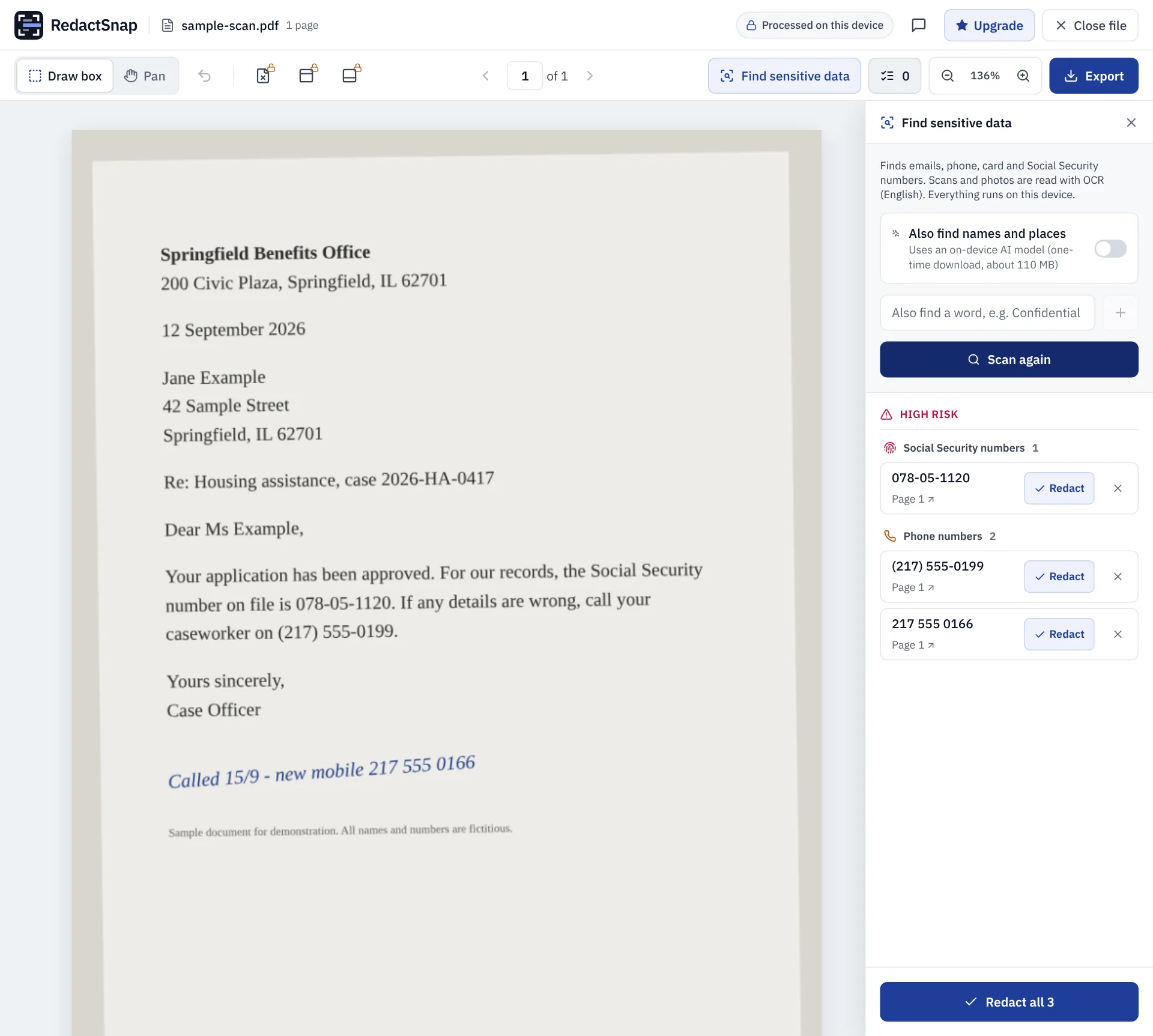
Step 2: Click Redact all. Then go over every page by eye and drag boxes over anything OCR missed: handwriting, stamps, signatures and faint text. In this example OCR read the neat handwritten phone number, but the whole note is boxed by hand to be safe.
Step 3: Export and download. Every page is flattened to an image, so any hidden OCR layer from the scanner is dropped too.
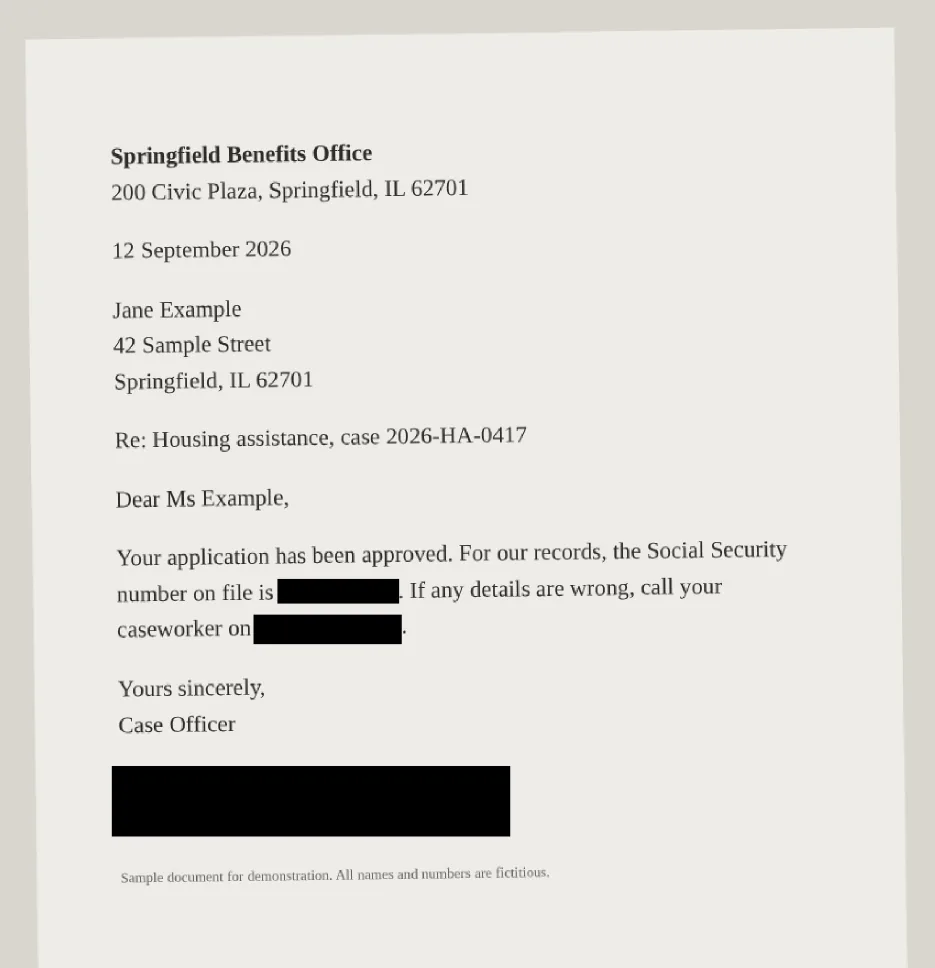
Here only the numbers and the note are hidden. Cover the name and address too if the recipient doesn't need them.
Try it on your own file
The tool opens PDFs, PNGs and JPGs in your browser. The file is not uploaded.