How to redact a signature
By RedactSnap ·
A signature on a shared document can be copied and pasted onto something else, and most people who receive a document don't need it. Cover it with a solid box before you share a signed letter, contract, check or form, unless the recipient needs to see that it was signed.
When to hide a signature
- Posting a document publicly, such as a letter, contract or invoice on social media or a forum.
- Sharing a reference letter, lease or agreement as background, where the recipient doesn't need proof of signing.
- Sending a photo of a check, a form or an ID card.
- Keep it when the signature is the point: a signed contract sent to the other party, or a document a court or bank needs to verify.
Redact a signature step by step
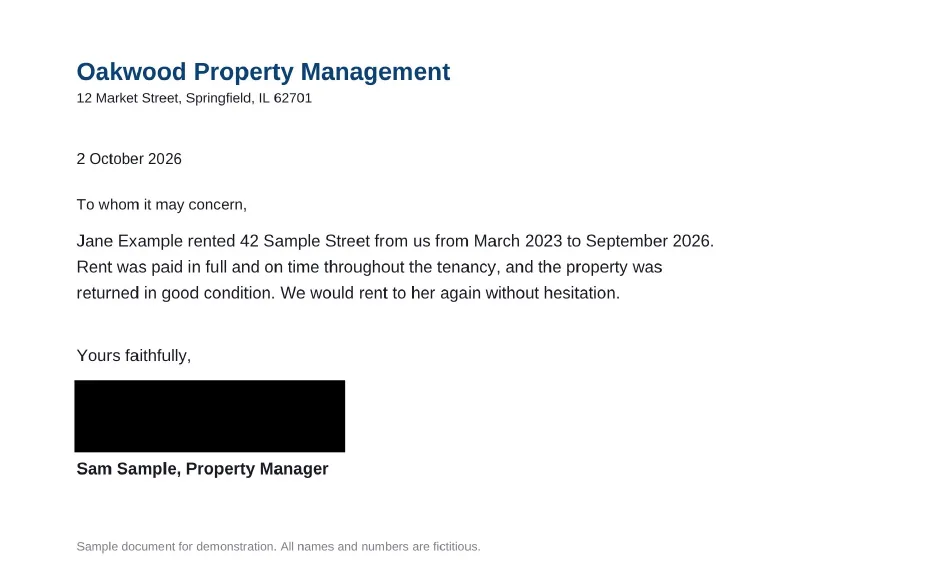
Smart Scan doesn't detect signatures, so cover them by hand. The screenshots use a fictitious reference letter.
Step 1: Open redactsnap.com/app and drop in the PDF, scan or photo.
Step 2: With the box tool, drag a box over the whole signature, with a margin around the strokes. Include initials in the margins of other pages.
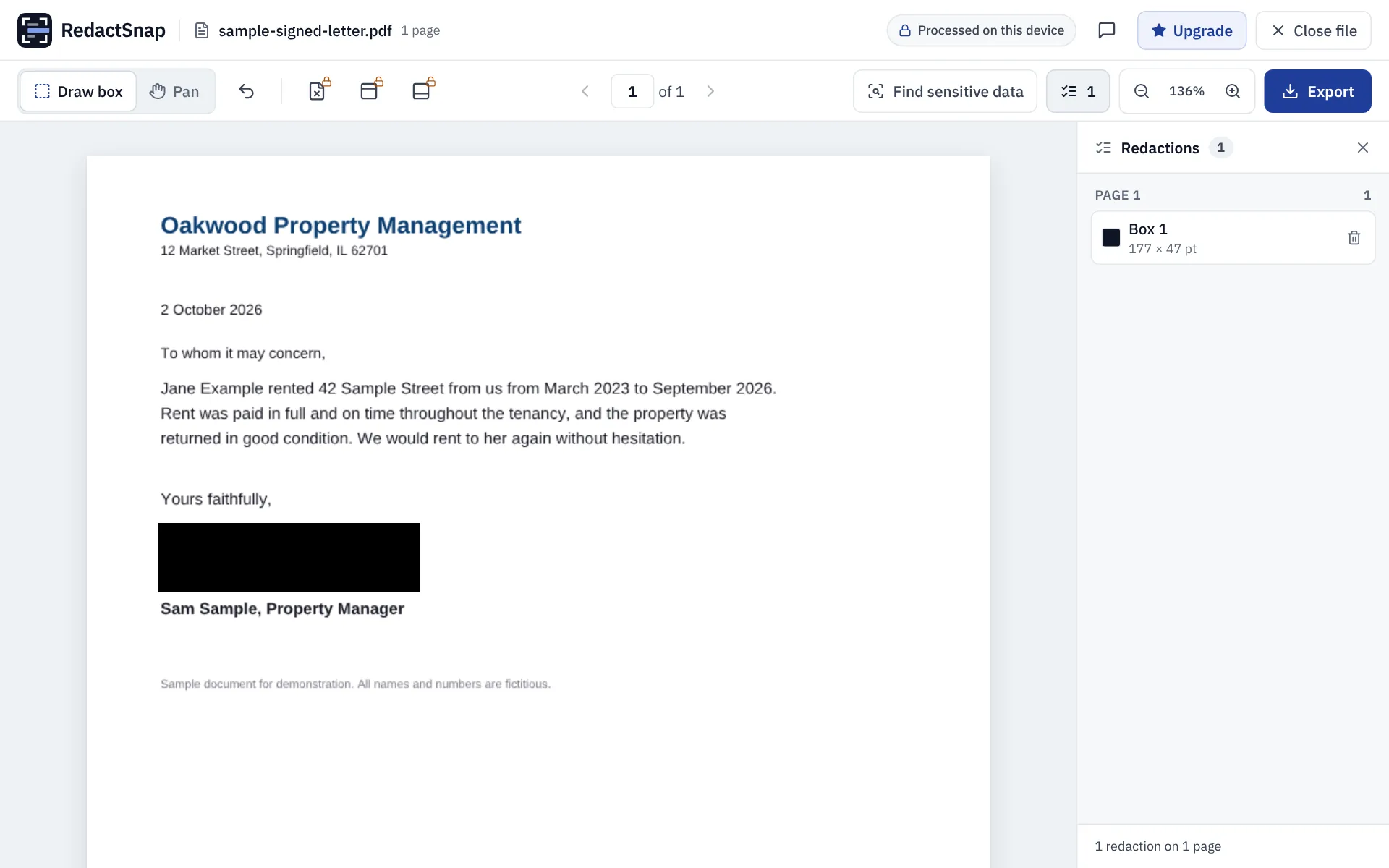
Step 3: Export and download. The box is burned into the page image, so the signature can't be lifted out from under it.
Other places signatures hide
- E-signature certificates and audit pages at the end of a PDF, which can repeat names, emails and IP addresses.
- Digital signature fields. Flattening the PDF on export removes them, which also means the exported copy is no longer verifiably signed.
- Initials on every page of a contract.
- The back of a check or a card.
Try it on your own file
The tool opens PDFs, PNGs and JPGs in your browser. The file is not uploaded.