How to redact a medical bill or explanation of benefits
By RedactSnap ·
Medical bills and explanation of benefits (EOB) statements get shared with billing advocates, flexible spending accounts, employers, family and online forums when a charge looks wrong. They carry your member ID and group number, claim numbers, the patient's name and, through procedure and diagnosis codes, what treatment someone had. Hide what the reader doesn't need.
What to hide on a medical bill or EOB
- Member ID, group number and policy number.
- Claim and account numbers, unless the reader needs them to look the claim up.
- Procedure and diagnosis codes and service descriptions, which reveal treatment. An FSA usually needs the service date and amount, not the diagnosis.
- The patient's name, date of birth and address, if posting online.
- Keep: the provider, the dates, and the amounts billed, paid and owed, which is what billing questions are about.
Redact an EOB step by step
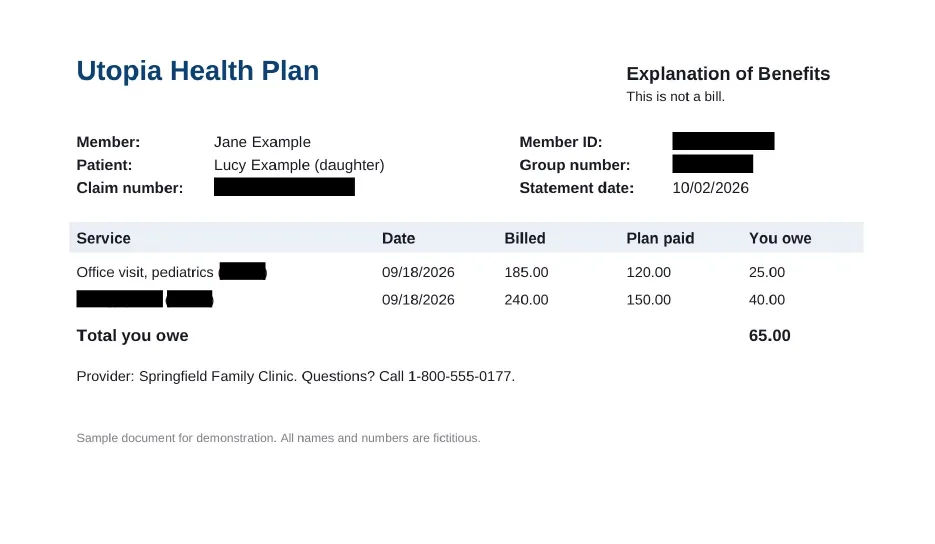
The screenshots use a fictitious EOB.
Step 1: Download the EOB or bill as a PDF from your insurer or provider portal, open redactsnap.com/app and drop it in. Click Find sensitive data and add the member ID, group number, claim number and any codes or service names to hide under "Also find a word". Click Scan document.
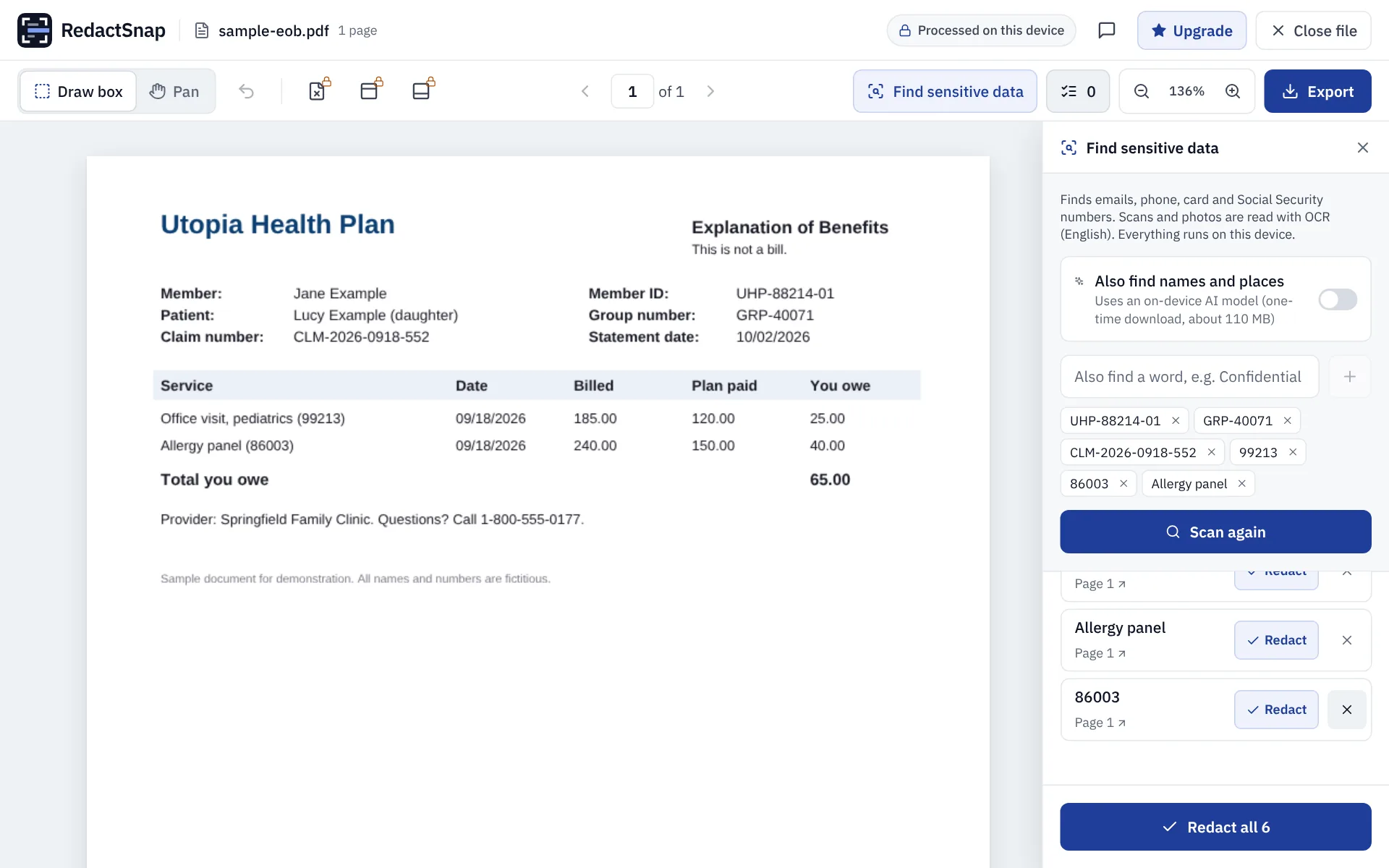
Step 2: Ignore the insurer's own phone number with the × next to it, then click Redact all.
Step 3: Export and download once the check passes.
Try it on your own file
The tool opens PDFs, PNGs and JPGs in your browser. The file is not uploaded.