How to redact a Word document
By RedactSnap ·
Word has no tool that removes text when you cover it. Black highlighting, a black font colour or a shape over the text all leave the words in the file, where anyone can select and copy them. There are two safe ways: delete the text in Word and clean the file, or save it as a PDF and redact the PDF.
What doesn't work in Word
- Black highlighting or a black font colour. The text is still there and can be selected, copied or recoloured.
- A rectangle or text box drawn over the words. It can be moved or deleted, and the text underneath copies normally.
- Deleting with Track Changes on. The deleted text stays in the document as a tracked change until it is accepted.
- Sharing the live document. OneDrive, SharePoint and Google Docs keep version history, so an earlier version with the text may be one click away.
Option 1: remove the text in Word
Use this when the recipient needs an editable document.
Step 1: Save a copy of the document and work on the copy.
Step 2: Turn off Track Changes (Review > Track Changes), then accept all changes and delete all comments.
Step 3: Replace each item with a placeholder such as [REDACTED]. Home > Replace finds every copy of a name or number at once.
Step 4: Check headers, footers, text boxes, footnotes and embedded files, which Replace can miss.
Step 5: Run File > Info > Check for Issues > Inspect Document and remove comments, revisions, document properties and hidden text.
Step 6: Send the copy as a new file, not as a link to a shared document with version history.
Option 2: save as PDF and redact the PDF
Use this when the recipient only needs to read the document. You can see exactly what is covered, and nothing hidden in the Word file comes along.
Step 1: In Word, choose File > Save As (or Export) and save a PDF.
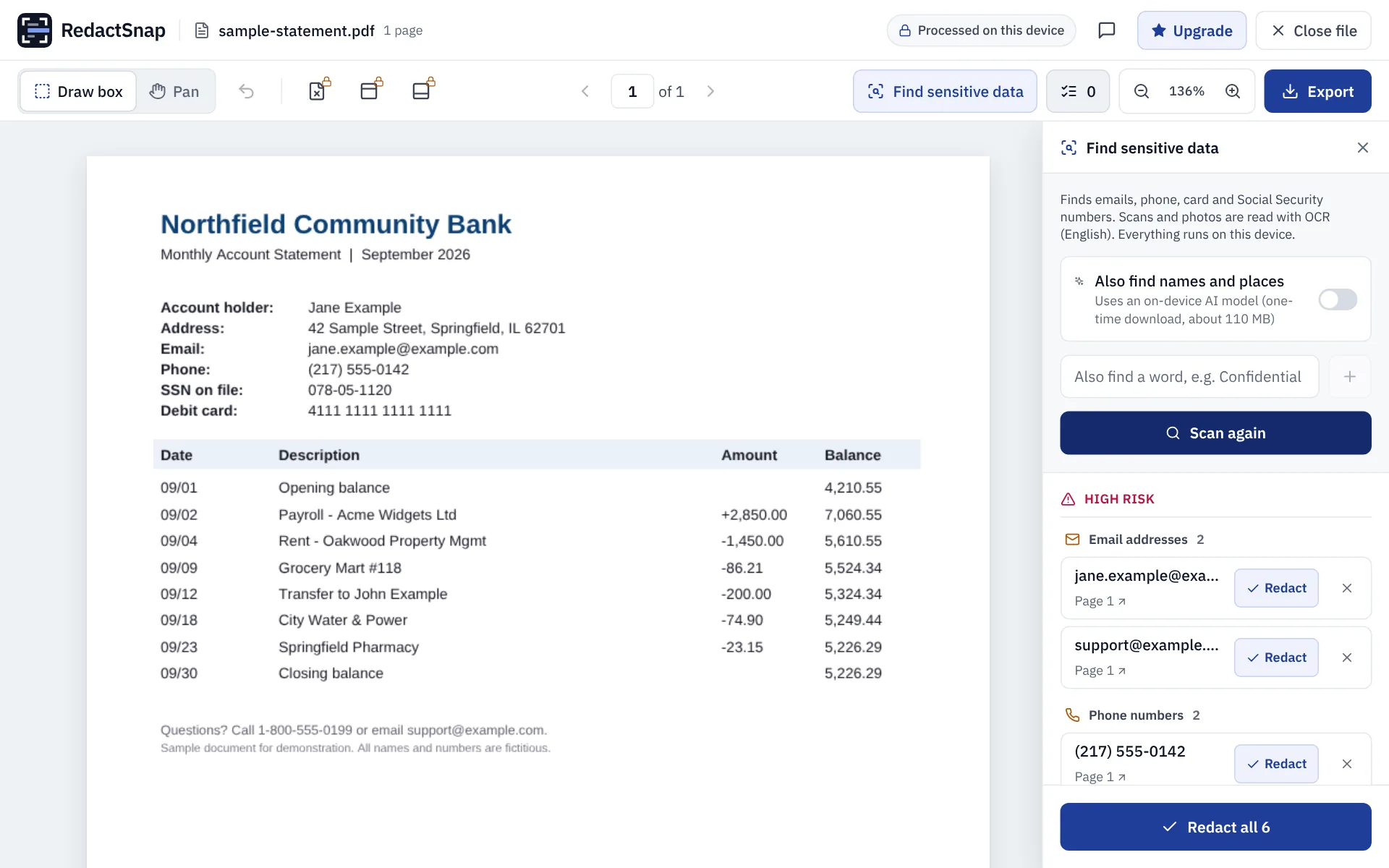
Step 2: Open redactsnap.com/app and drop in the PDF. Click Find sensitive data to find emails, phone numbers, card numbers and SSNs, add any names or terms you want found, and draw boxes over anything else.
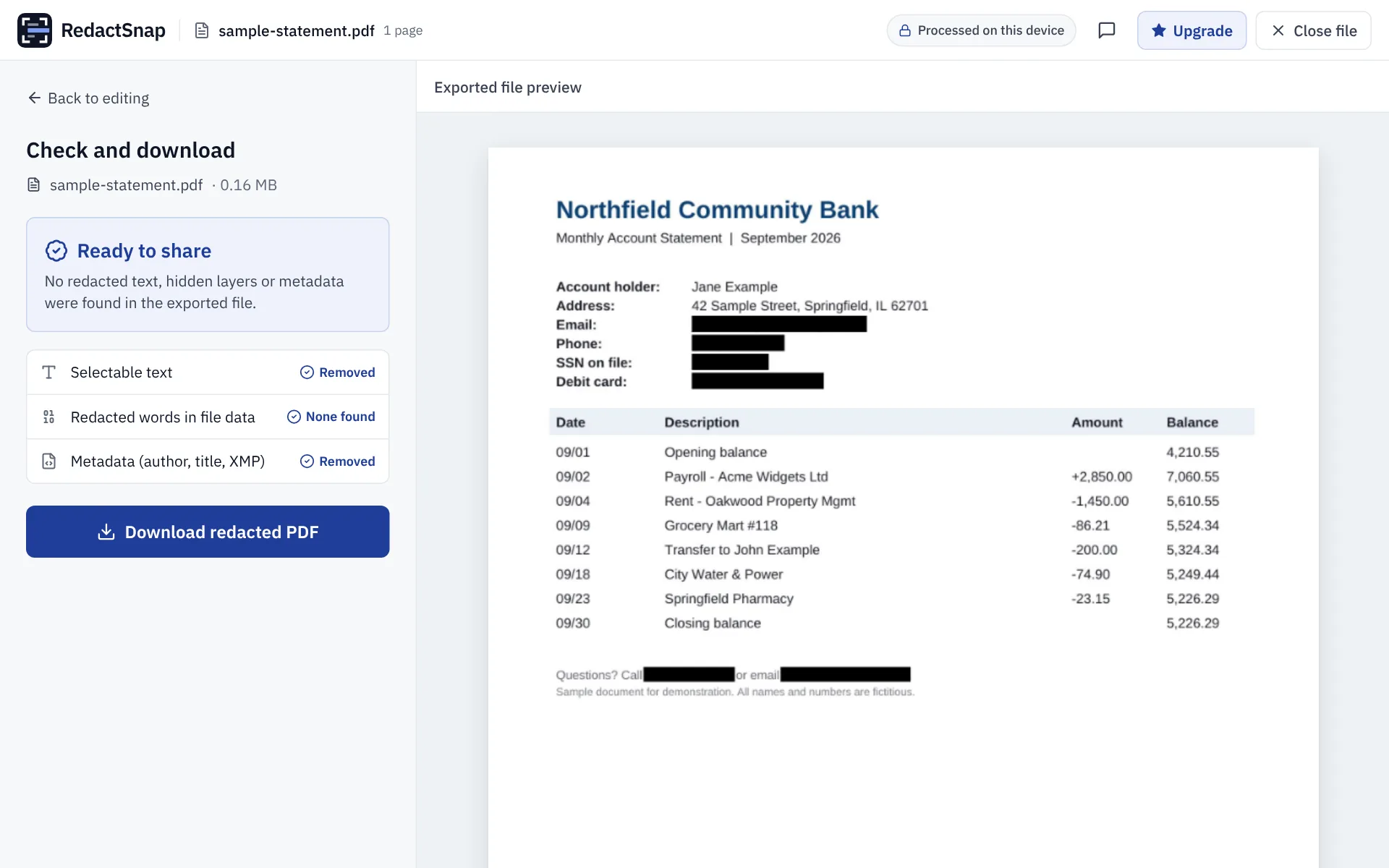
Step 3: Export. Each page is flattened to an image, so the text under the boxes, hidden layers and metadata are removed. Download the file once the check passes.
Try it on your own file
The tool opens PDFs, PNGs and JPGs in your browser. The file is not uploaded.