How to redact a PDF in Adobe Acrobat
By RedactSnap ·
Redaction in Adobe Acrobat is part of Acrobat Pro. The free Acrobat Reader can draw shapes and comments, but it can't remove text. In Pro, redaction is a two-step job: you mark the content, then apply the marks, and Acrobat saves a new file. Skipping the second step leaves everything readable.
Redact a PDF in Acrobat Pro
Menu names have changed between Acrobat versions. These follow Adobe's current help page.
Step 1: Open the PDF and choose All tools > Redact a PDF.
Step 2: Choose Redact text and images, then drag over each piece of text or image to hide. To find every copy of a word or number, use Acrobat's Find text option in the same panel.
Step 3: Select Apply. In the dialog, turn on the option to sanitize the document and remove hidden information, such as metadata, comments and attachments.
Step 4: Save the result as a new file. Close it, reopen it, and search for a word you hid to check it is gone.
Mistakes that leave text in Acrobat files
- Marking without applying. Marked areas look like outlines or boxes, but the text is still in the file until you select Apply.
- Using the Rectangle or Highlight tool. In Acrobat and in Reader these are comments drawn on top of the page.
- Skipping "Remove hidden information". The document's metadata, bookmarks or attachments can still hold the text you redacted on the page.
- Text inside images. Acrobat can't search an image or scan unless it has been recognised with OCR, so check scanned pages by eye.
Without Acrobat Pro
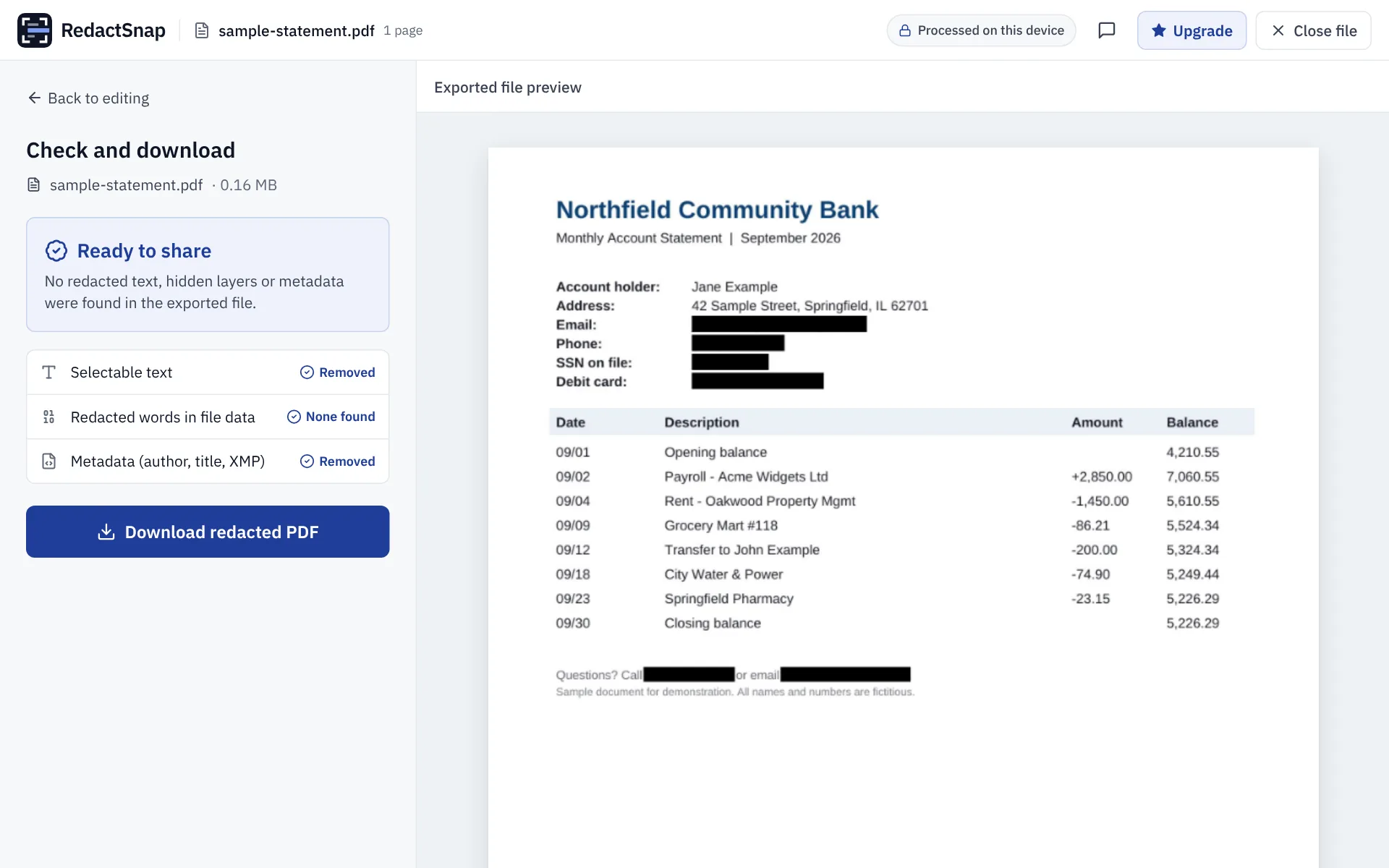
RedactSnap redacts PDFs for free in your browser, without an Adobe account or an upload. It finds emails, phone numbers, card numbers and US SSNs for you, flattens every page on export, and checks the exported file before you download it. The trade-off is that the exported pages are images, so the rest of the text isn't searchable. If you need searchable output, Acrobat Pro's Redact tool keeps it.
Try it on your own file
The tool opens PDFs, PNGs and JPGs in your browser. The file is not uploaded.