How to redact a document before uploading it to an AI chatbot
By RedactSnap ·
People upload bank statements, contracts, medical letters and tax forms to AI chatbots to have them explained or summarised. Depending on the service and your settings, uploads may be stored with your chat history, reviewed for safety, or used to improve models. Most questions don't need your name, account numbers or address, so remove them first, on your own device, before the file goes anywhere.
What to remove before uploading
- Names, addresses, dates of birth and contact details.
- Account, card, policy, member and case numbers, and Social Security numbers.
- Other people's details: family members, colleagues, patients and clients.
- Signatures, and anything covered by a confidentiality agreement or professional duty.
- Keep the parts the question is about: the clauses, figures or results you want explained.
Redact a document step by step
RedactSnap runs in your browser and doesn't upload the file, so the unredacted version never leaves your device.
Step 1: Open redactsnap.com/app and drop in the PDF, scan or screenshot. Click Find sensitive data, add names and numbers under "Also find a word", and click Scan document. Smart Scan lists emails, phone numbers, card numbers and SSNs too.
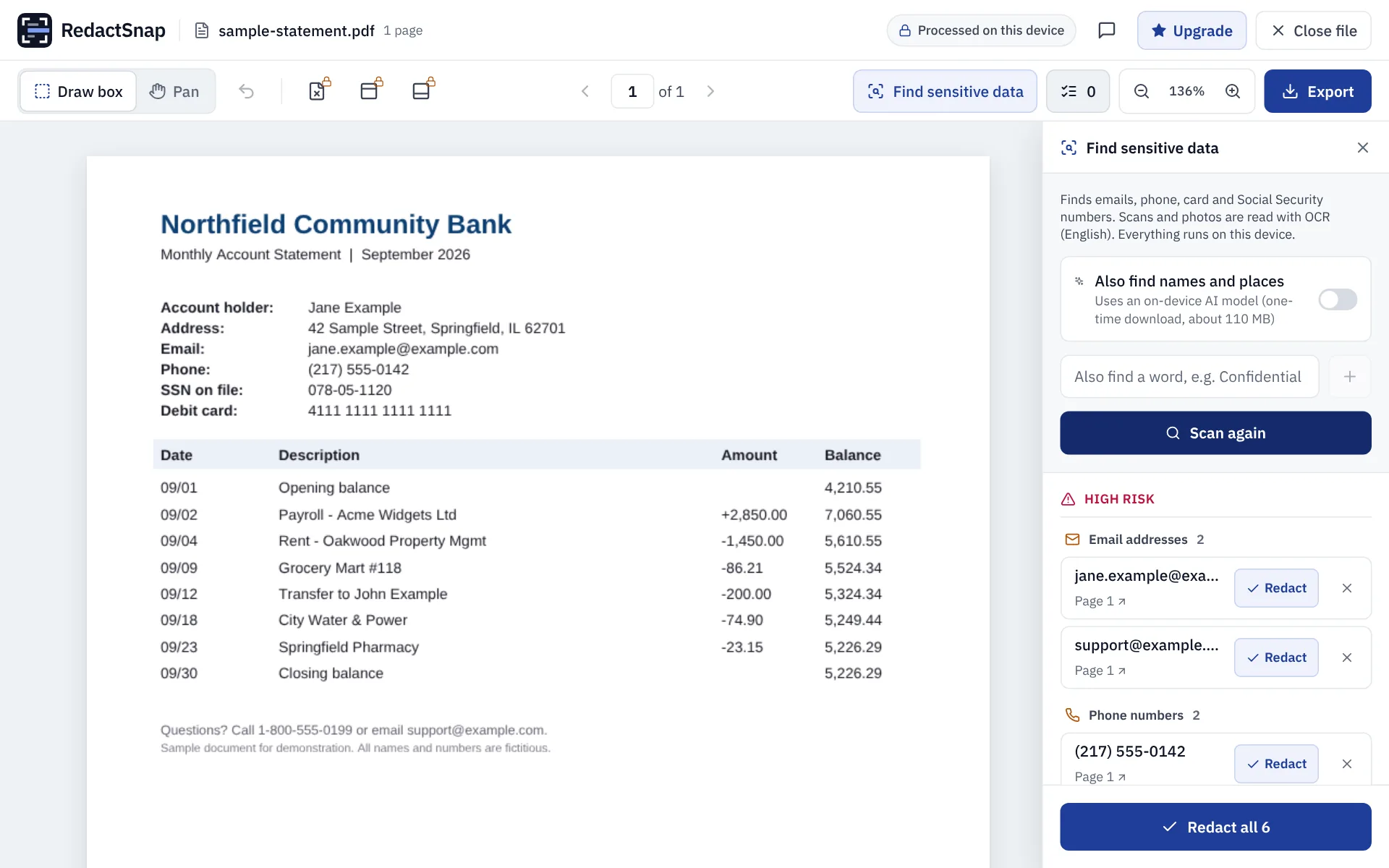
Step 2: Click Redact all and box anything else. Then Export and download once the check passes. Pages are flattened, so the AI service receives an image with the details removed, not hidden text it can still read.
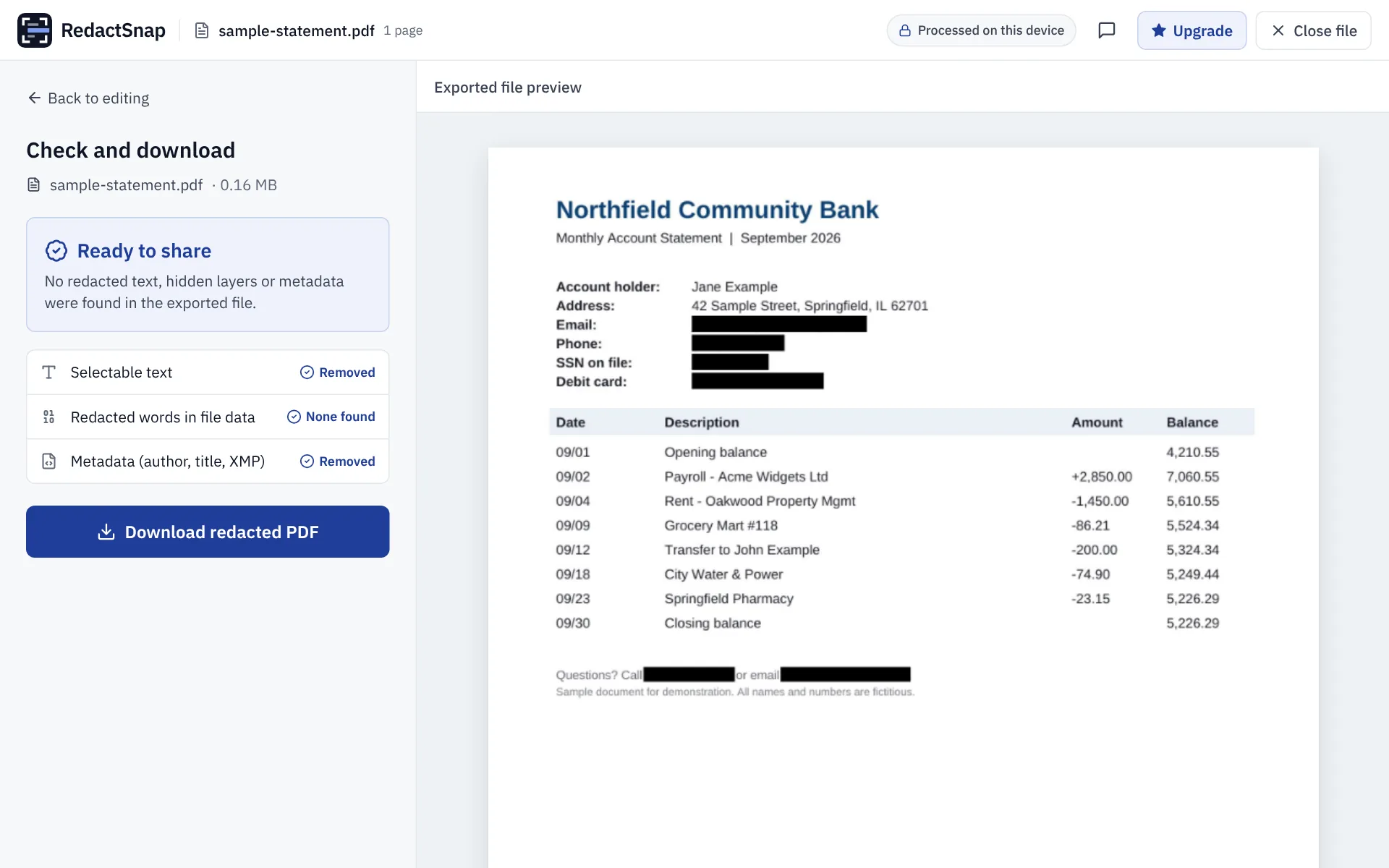
Step 3: Upload the redacted copy. Check the service's data settings, such as chat history and model training, before you do.
Try it on your own file
The tool opens PDFs, PNGs and JPGs in your browser. The file is not uploaded.