How to redact a medical record
By RedactSnap ·
Before sharing a medical record with a researcher, an insurer, a lawyer or a second-opinion service, remove what identifies the patient. HIPAA's Safe Harbor method gives a checklist of 18 types of identifiers. It is a useful guide even outside HIPAA, though deciding what counts as de-identified is for your organisation's privacy officer.
The 18 Safe Harbor identifiers
Under 45 CFR 164.514(b)(2), these must be removed for the patient and for their relatives, employers and household members:
- Names.
- Geographic areas smaller than a state, including street address, city, county and ZIP code. The first three digits of a ZIP code can stay if that area has more than 20,000 people.
- All parts of dates (except the year) related to the person, such as birth, admission, discharge and death dates, and ages over 89.
- Phone numbers, fax numbers and email addresses.
- Social Security numbers, medical record numbers, health plan beneficiary numbers and account numbers.
- Certificate and license numbers, vehicle identifiers and license plates, and device identifiers and serial numbers.
- Web URLs and IP addresses.
- Biometric identifiers, such as fingerprints and voiceprints, and full-face photos or comparable images.
- Any other unique identifying number, characteristic or code.
Redact a medical record step by step
The screenshots use a fictitious clinic visit summary.
Step 1: Open redactsnap.com/app on the computer where the record already is, and drop in the PDF or scan. Click Find sensitive data. Add the identifiers that have no fixed format as search terms: the MRN, member ID, date of birth and visit dates, exactly as printed.
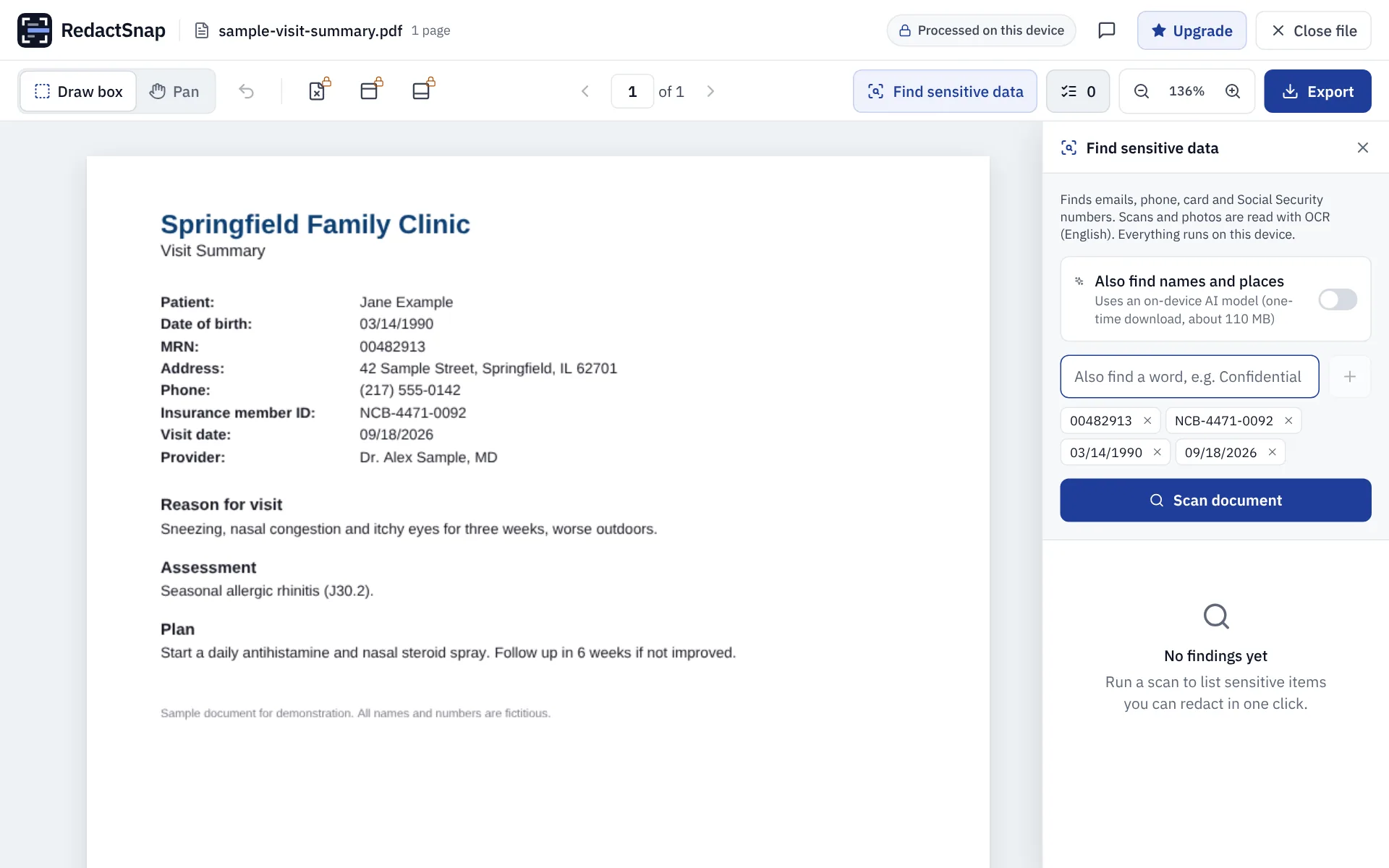
Step 2: Click Scan document. Smart Scan lists your terms, plus phone numbers, emails and SSNs it finds by pattern. To also flag names and places, turn on "Also find names and places", an on-device model that downloads once.
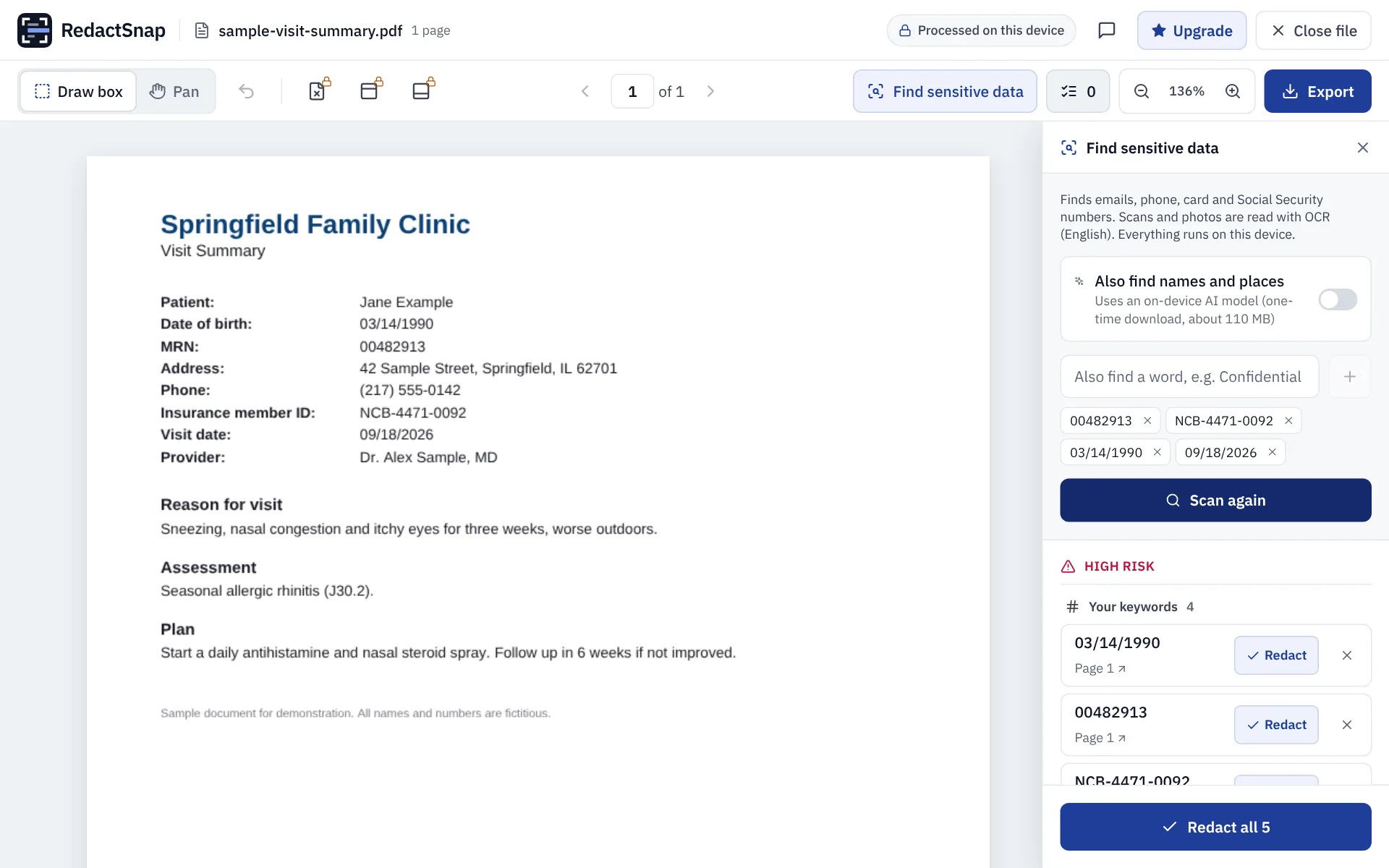
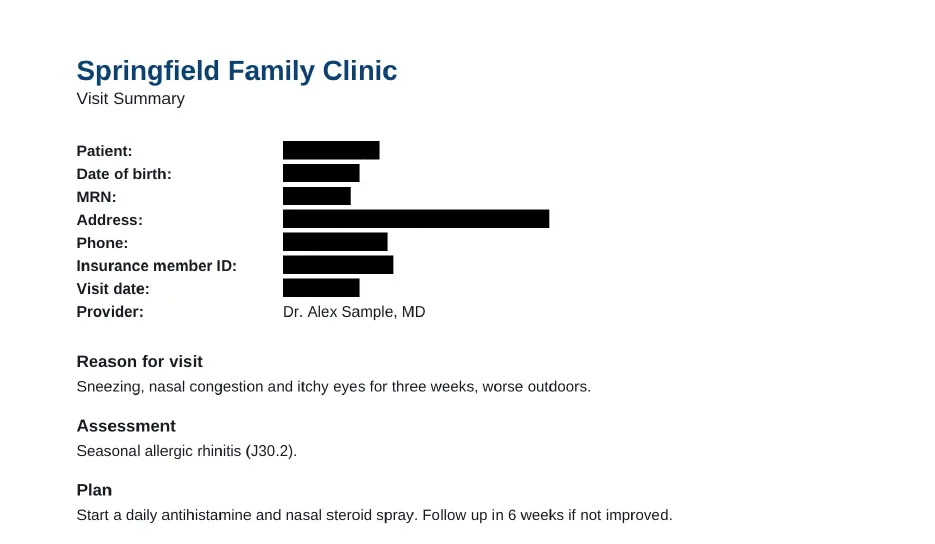
Step 3: Click Redact all, then drag boxes over the patient's name, address and anything else the scan didn't list. Read clinical notes line by line: names of relatives, employers and places often appear in free text.
Step 4: Export and download once the check passes, then review every page of the exported file.
Before you send it
- Plan a manual review. No scanner finds every identifier in free-text notes, and OCR can miss handwriting.
- Check headers, footers, fax cover sheets and barcodes, which often repeat the MRN.
- If you are a patient sharing your own record, you decide what to hide. HIPAA rules apply to providers and health plans, not to you.
Try it on your own file
The tool opens PDFs, PNGs and JPGs in your browser. The file is not uploaded.