How to redact a Google Doc
By RedactSnap ·
Google Docs has no redaction tool, and two habits leak text: black highlighting, which leaves the words in the document, and sharing the doc itself, which shares its version history. The safe way is to share a separate file: either a copy with the text deleted, or a PDF you redact.
What leaks in Google Docs
- Black highlighting or black text. Anyone with access can select it, copy it or change the colour.
- Drawings placed over text. They can be moved, and the text underneath copies normally.
- Version history. Editors of a doc can open File > Version history and see earlier versions, with deleted text shown. Deleting a name today doesn't remove it from yesterday's version.
- Suggestions and comments, which can quote the text you removed.
Option 1: share a copy with the text removed
Step 1: Choose File > Make a copy. The copy starts with no version history from the original. Leave "Copy comments and suggestions" unticked.
Step 2: In the copy, use Edit > Find and replace to replace each name or number with a placeholder such as [REDACTED].
Step 3: Check headers, footers, footnotes, tables and images, which Find and replace can miss.
Step 4: Share the copy, or download it (File > Download) and send the file. Don't edit the original again expecting the copy to change.
Option 2: download a PDF and redact it
Use this when the recipient only needs to read the document. You see exactly what is covered, and the PDF carries no version history.
Step 1: Choose File > Download > PDF document (.pdf).
Step 2: Open redactsnap.com/app and drop in the PDF. Click Find sensitive data, add any names or terms under "Also find a word", and click Scan document. Redact what it finds and box anything else.
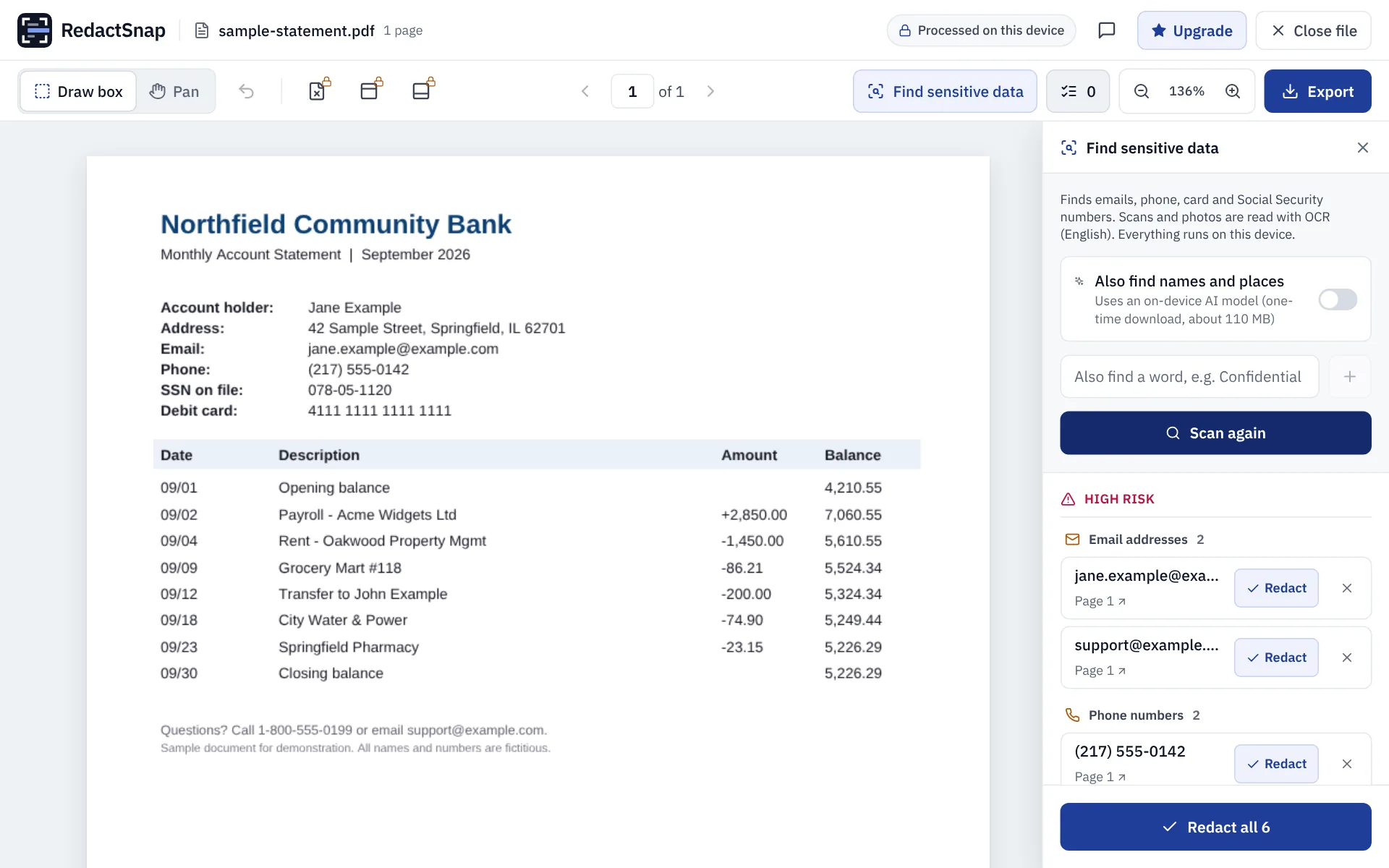
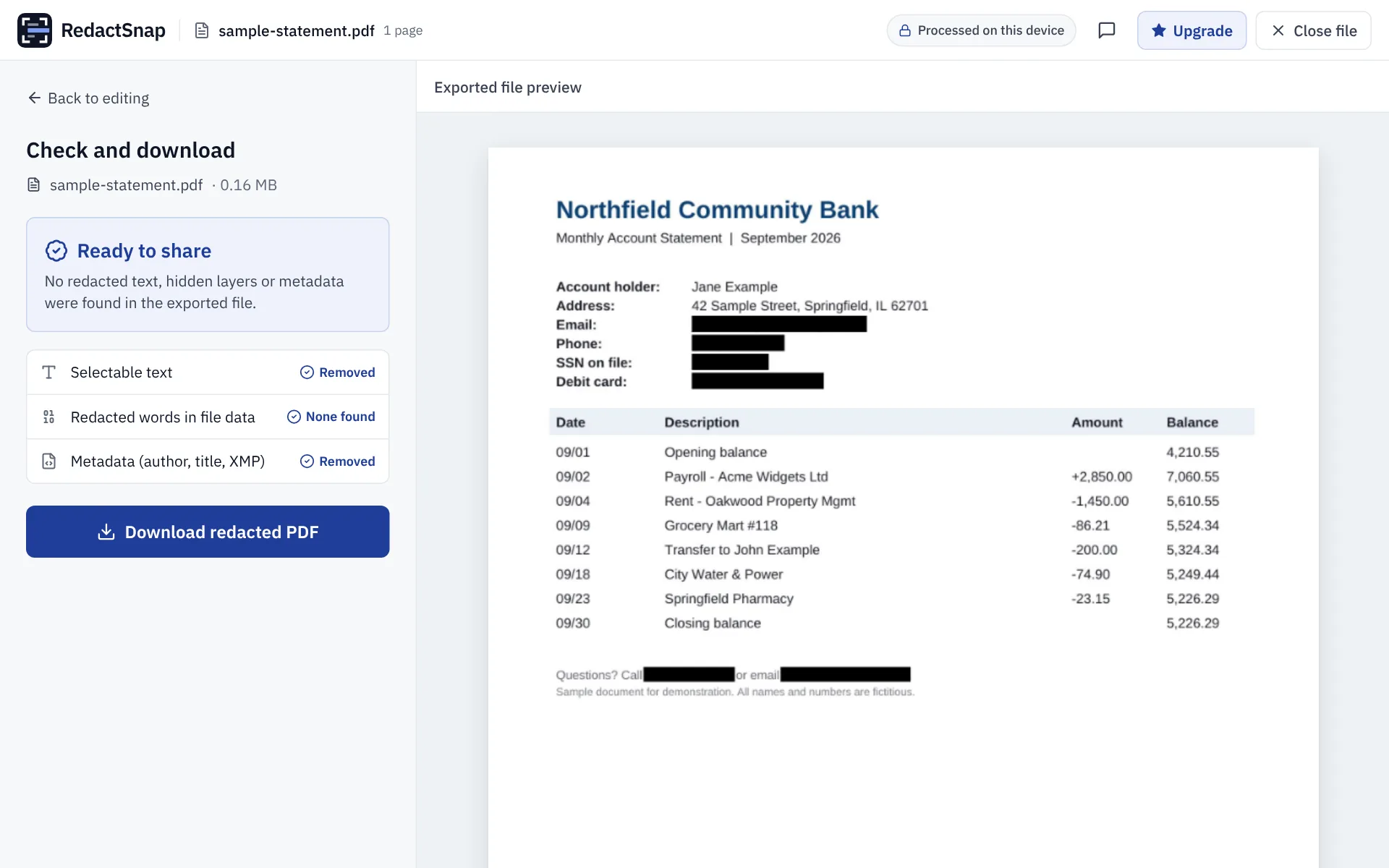
Step 3: Export and download once the check passes. The pages are flattened, so nothing under the boxes can be copied out.
Try it on your own file
The tool opens PDFs, PNGs and JPGs in your browser. The file is not uploaded.