How to redact a passport or driver's license copy
By RedactSnap ·
Hotels, landlords, employers and online services often ask for a copy of your ID when they only need your name, photo or age. Before you send a passport or driver's license photo, cover the document number, the machine-readable zone and anything else they don't need. It takes about a minute.
What to hide on an ID
- Document number: the passport number, license number or ID card number.
- The machine-readable zone (MRZ): the two or three lines of letters, digits and < signs at the bottom of a passport or ID card. They repeat your document number, nationality, date of birth and expiry date, so hiding the printed fields isn't enough on its own.
- The barcode on the back of a US or Canadian driver's license. It encodes the details printed on the front.
- Date of birth, unless the recipient needs to check your age. Leaving the year visible is often enough.
- Your signature, your home address if it isn't needed, and the background of the photo (other documents, your desk, your screen).
Redact a passport photo step by step
The screenshots use a specimen passport from the fictitious country Utopia. Smart Scan doesn't look for passport numbers or MRZ lines, so ID fields are covered by hand.
Step 1: Take a photo or scan of the ID, then open redactsnap.com/app and drop it in. PNG, JPG and PDF all work.
Step 2: With the box tool, drag a box over the document number, the date of birth and the whole machine-readable zone. Leave a margin around each one. The Redactions list shows every box you've drawn.
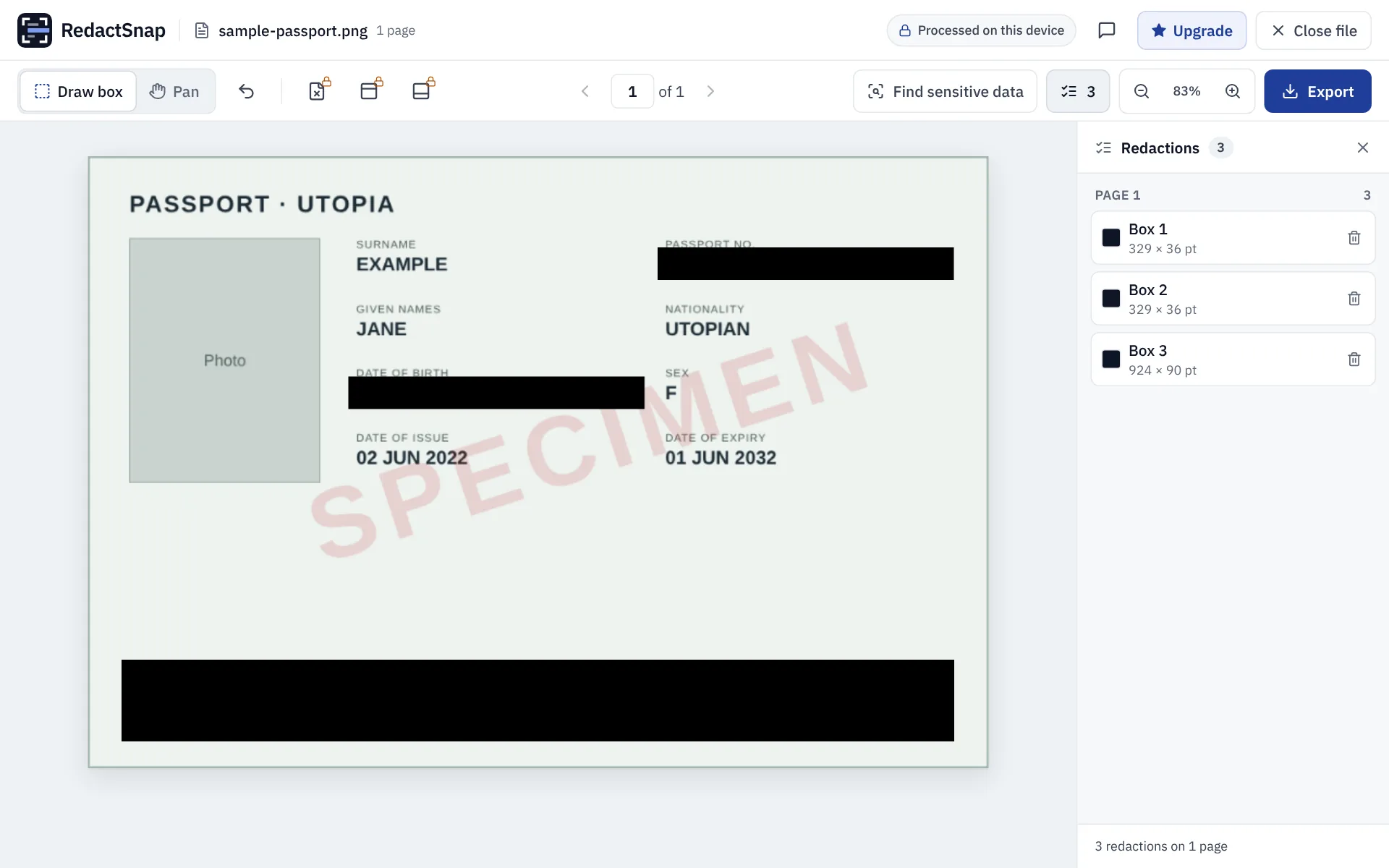
Step 3: Click Export and download. A photo downloads as a PNG with the boxes burned into the pixels and the original's EXIF data, including GPS location, removed. Choose "Download as PDF instead" if the recipient wants a PDF.
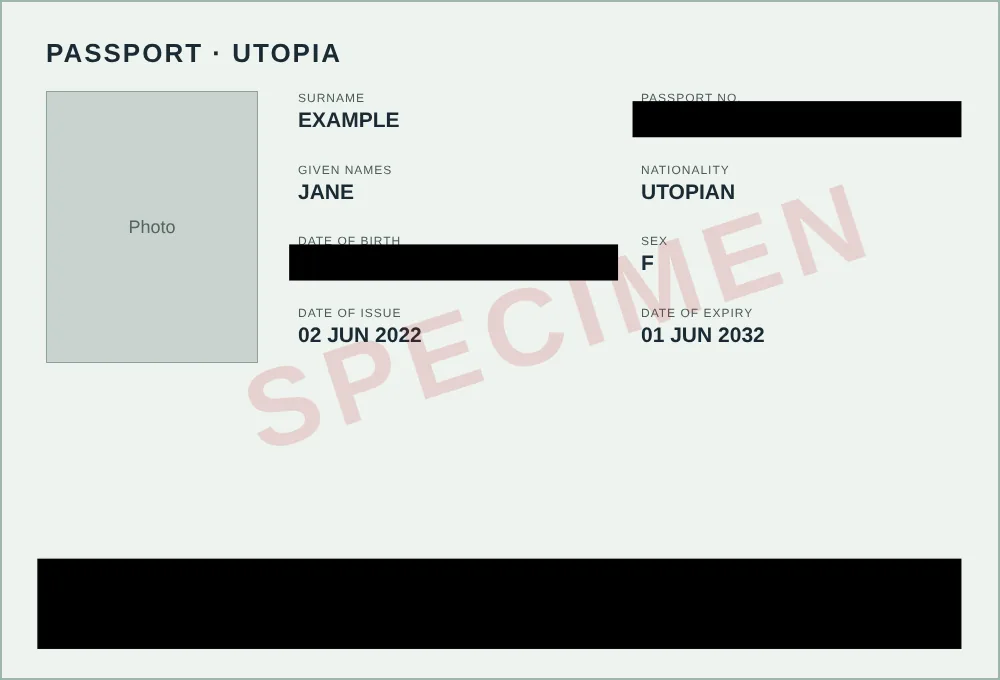
Step 4: Optionally, add a line such as "Copy for [company] ID check, October 2026 only" in an image editor, so the copy is harder to reuse elsewhere.
When you can't redact
Regulated checks often need the full document: right-to-work checks, bank and crypto account opening (KYC), and some visa and rental applications. If a business insists, ask why it needs each field, how it stores the copy and when it deletes it. Prefer an in-app or in-person check over emailing a photo.
Try it on your own file
Both tools run in your browser. The image is not uploaded.